Callout
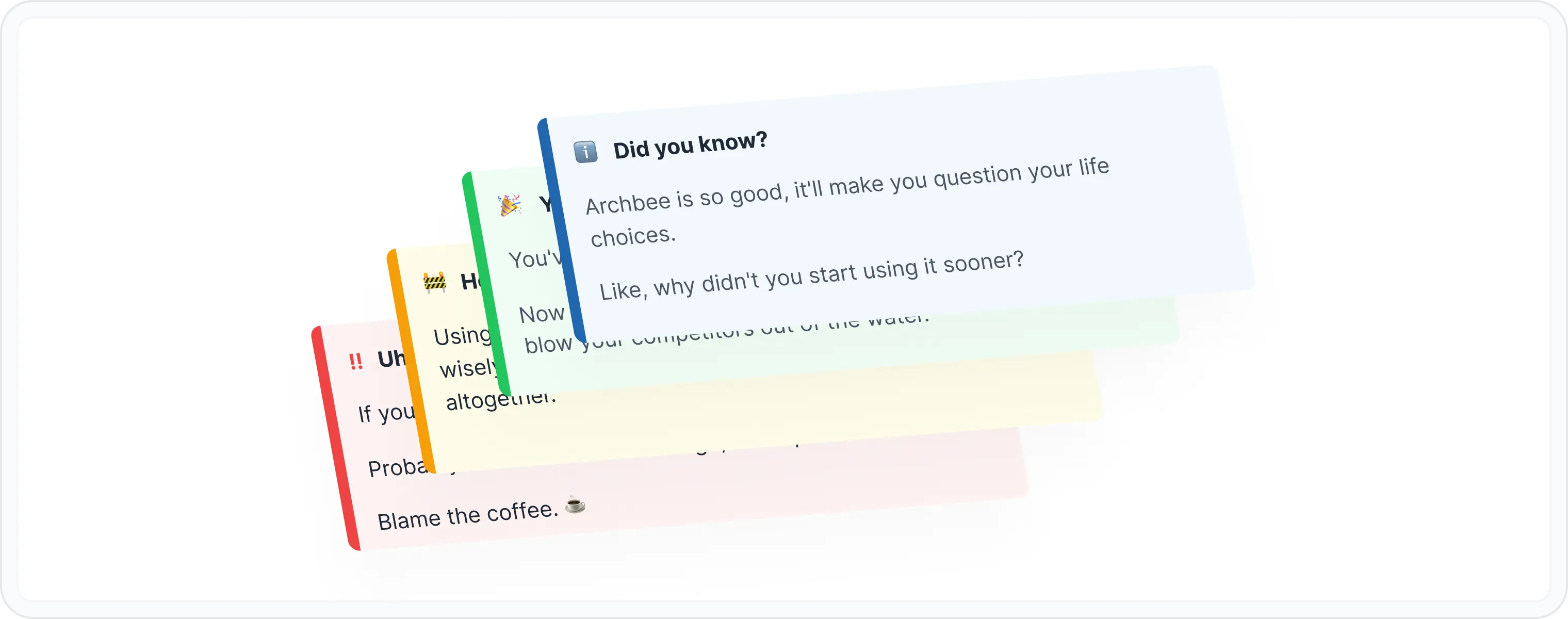
Think of a callout as a tiny, attention-seeking spotlight for your most important or interesting content. It's like a digital sticky note that screams, "Hey, look at me!". It's a versatile block that can be used to highlight tips, warnings, best practices, or just about anything you want to emphasize.
Why to use callouts?
- Highlight Key Information Is there something super important your users need to know? A callout is your megaphone.
- Provide Helpful Tips Want to be the documentation hero? Drop some helpful tips in callouts.
- Warn About Potential Issues Prevent user tears by using callouts for warnings.
- Add a Touch of Personality Callouts can be your secret weapon for injecting some personality into your docs.
😎 Pro Tip
Use callouts sparingly. Too many and they lose their impact. It's like shouting at someone - it works for a while, but then it just gets annoying.
How to use the callout block?
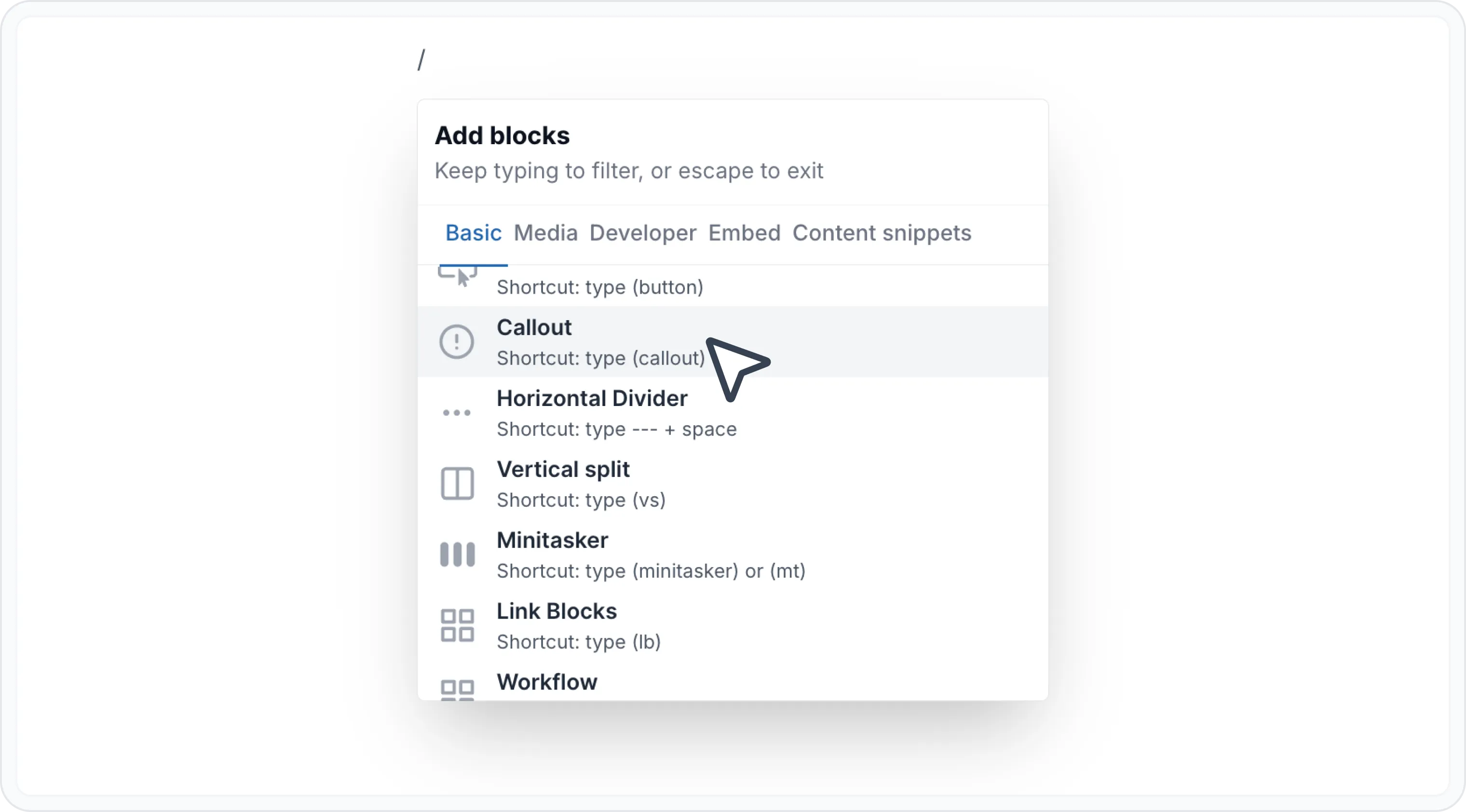
Type / to open Archbee block menu
Search for Callout block and click to insert insert
Choose the callout style
- ℹ️ Info — For general information, tips, or quick facts.
- ✅ Success — To celebrate accomplishments, highlight positive outcomes, or simply spread good vibes.
- ⚠️ Warning — To alert users to potential issues, cautionary notes, or important considerations.
- 🛑 Danger — For critical alerts, urgent messages, or situations that require immediate attention.

Markdown
Want to add callouts to your documentation directly through Markdown? We've got you covered you!
Archbee supports a specific Markdown syntax with triple colons (:::). With this method, you simply type :::hint followed by an optional style attribute to define the callout type (info, warning, success or danger).
Use the following Markdown to generate a callout block:
## Hints

:::hint{style="info"}
We would love you to contribute to `@octokit/rest`, pull requests are very welcome! Please see CONTRIBUTING.md for more information.
:::

:::hint{style="warning"}
We would love you to contribute to `@octokit/rest`, pull requests are very welcome! Please see CONTRIBUTING.md for more information.
:::

:::hint{style="success"}
We would love you to contribute to `@octokit/rest`, pull requests are very welcome! Please see CONTRIBUTING.md for more information.
:::

:::hint{style="danger"}
We would love you to contribute to `@octokit/rest`, pull requests are very welcome! Please see CONTRIBUTING.md for more information.
:::
We would love you to contribute to @octokit/rest, pull requests are very welcome! Please see CONTRIBUTING.md for more information.
Alternatively, use this flavor of Markdown to generate a callout block.
{% hint style="info" %}
some hint
{% endhint %}
Check the Use Markdown shortcuts page to see more markdown shortcuts for other blocks.
Examples
Here are some examples to show you the callout block:
- ℹ️ Info
ℹ️ Did you know?
Archbee is so good, it'll make you question your life choices.
Like, why didn't you start using it sooner?
- ✅ Success
🎉 You did it!
You've mastered the art of callouts.
Now go forth and create amazing documentation that will blow your competitors out of the water.
- ⚠️ Warning
🚧 Heads up!
Using too many callouts can be distracting. Use them wisely, or your readers might start to ignore them altogether.
- 🛑 Danger
🚨 Uh-oh!
If you're seeing this, something has gone terribly wrong. 🫣
Probably not with Archbee though, we're perfect. 💅✨
Blame the coffee. ☕️

Find other blocks
Discover new ways and blocks to create stunning and functional documentation pages.

Need help? ⬇️
Use the blue chat bubble from bottom right corner.
Or try AI Chat (from search box) for quick answers.

Your opinion matters
Use the below feedback form, anonymously.
Or ask a question in Q&A section and our team or AI will give you a solution.