Horizontal Divider
3 min

A Horizontal Divider is like a pause button for your content. It's a simple line that separates different sections of your document, making it easier to read and understand. Think of it as a visual break that helps your readers catch their breath.
When to use it
- To separate sections
- Divide your content into clear and distinct blocks.
- To create visual hierarchy
- Emphasize important sections or create a sense of progression.
- To improve readability
- Break up long blocks of text for easier digestion.
How to add a Horizontal Divider block
There are two ways to insert a horizontal divider in editor:
- Type / to opent the Archbee block menu, then search for horizontal divider.
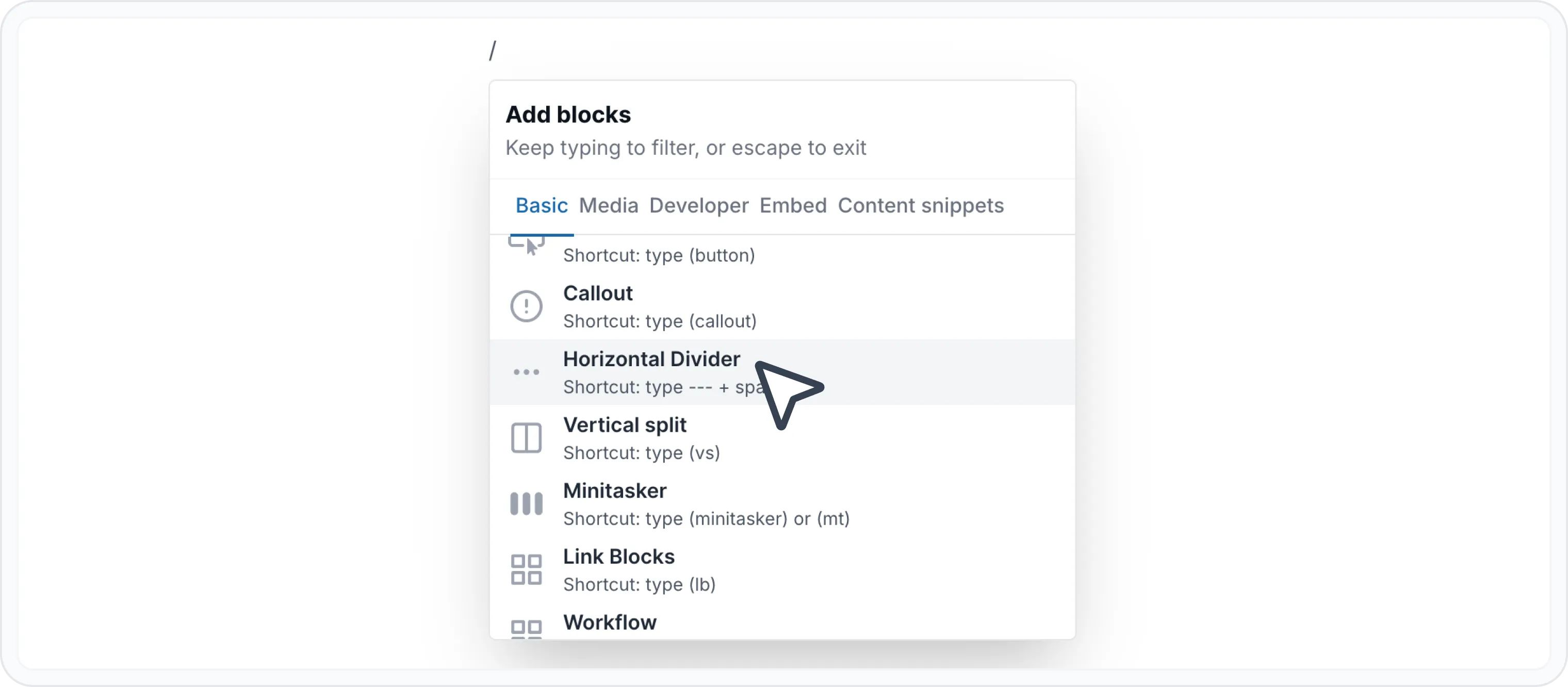
Add Horizontal Divider block
- Use the markdown shortcut: --- + space bar
Check here for more markdown shortcuts.

Find other blocks
Discover new ways and blocks to create stunning and functional documentation pages.

Need help? ⬇️
Use the blue chat bubble from bottom right corner.
Or try AI Chat (from search box) for quick answers.

Your opinion matters
Use the below feedback form, anonymously.
Or ask a question in Q&A section and our team or AI will give you a solution.
Have a question?
Our super-smart AI, knowledgeable support team and an awesome community will get you an answer in a flash.
To ask a question or participate in discussions, you'll need to authenticate first.