Okta setup
1 min
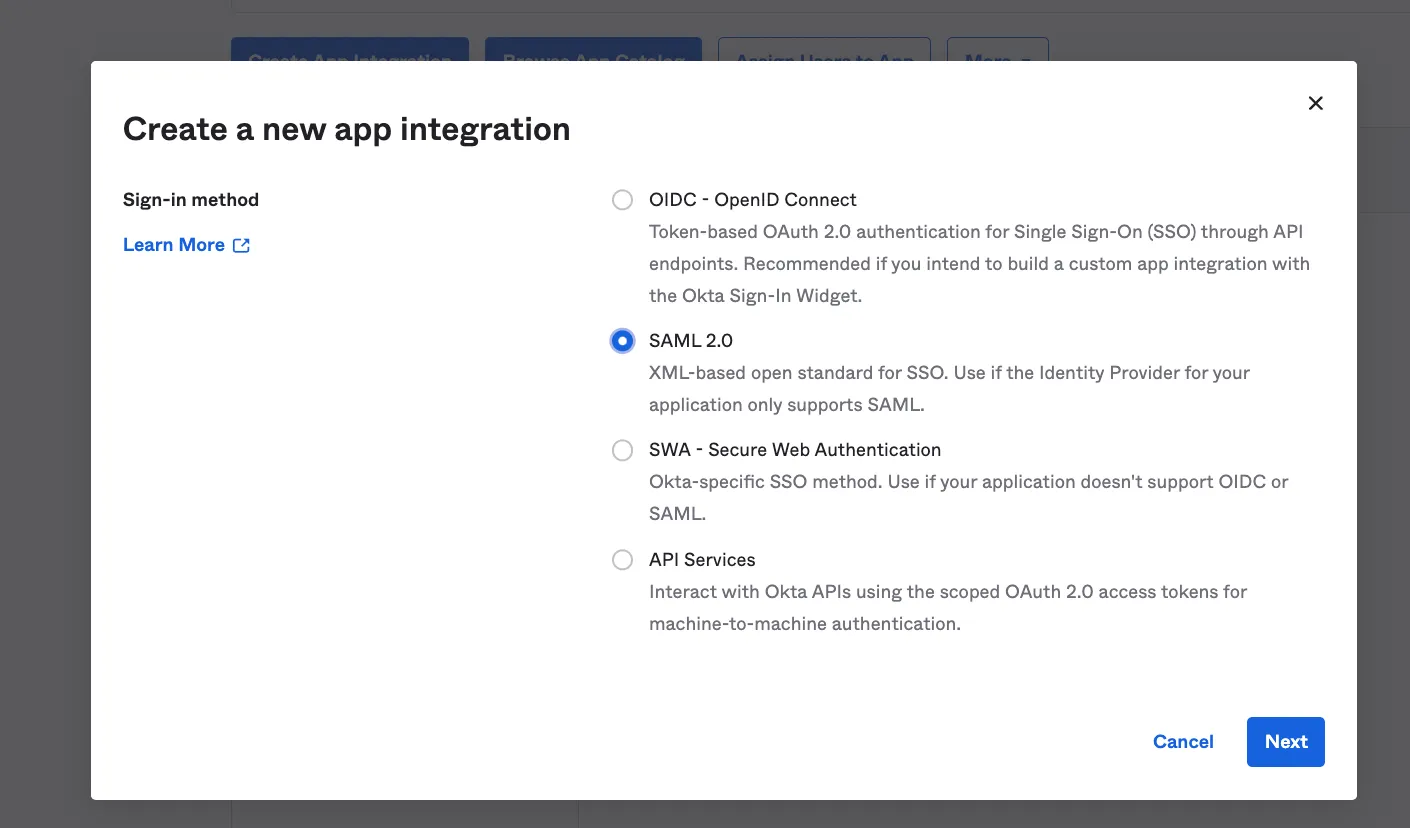
Create a SAML 2.0 application
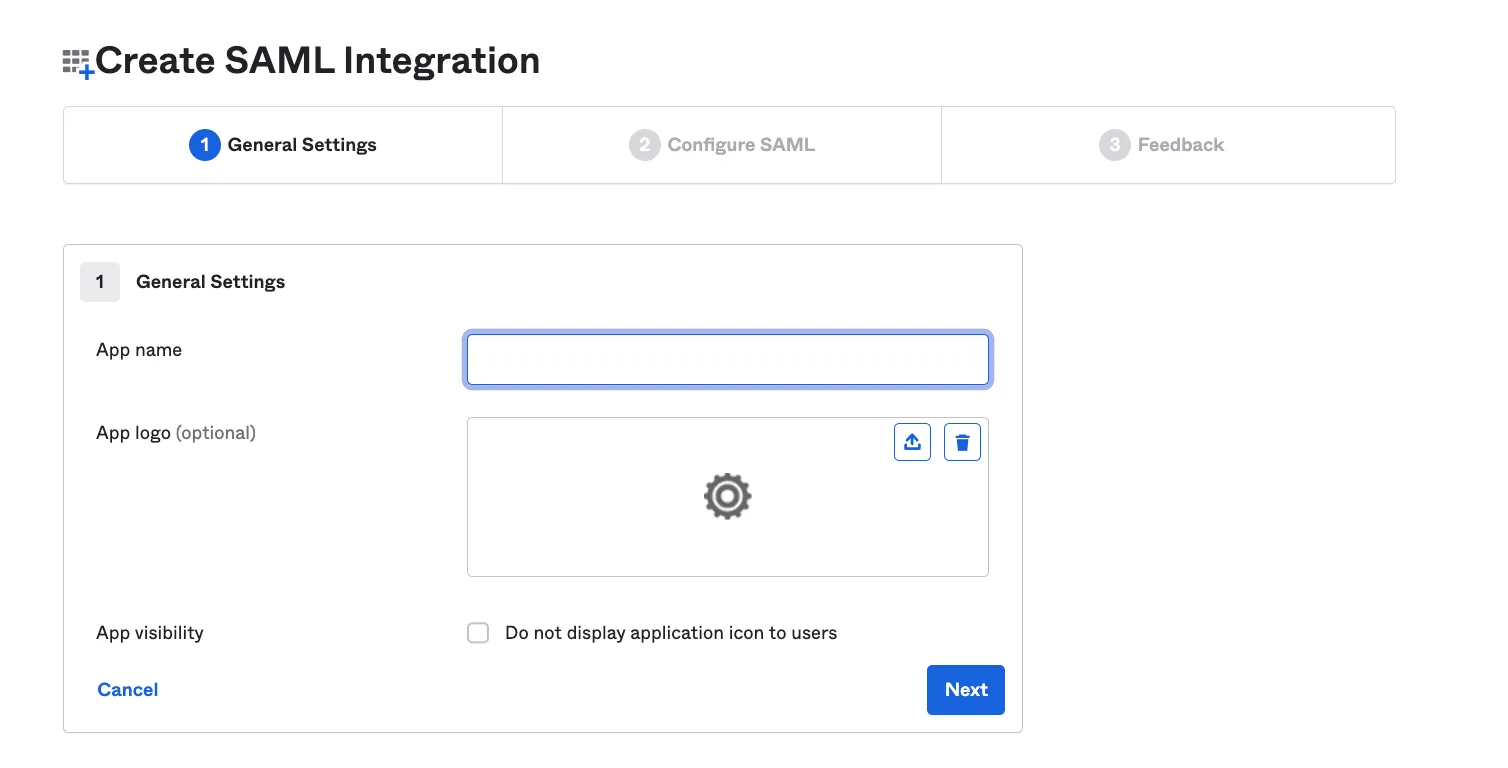
Set an application name
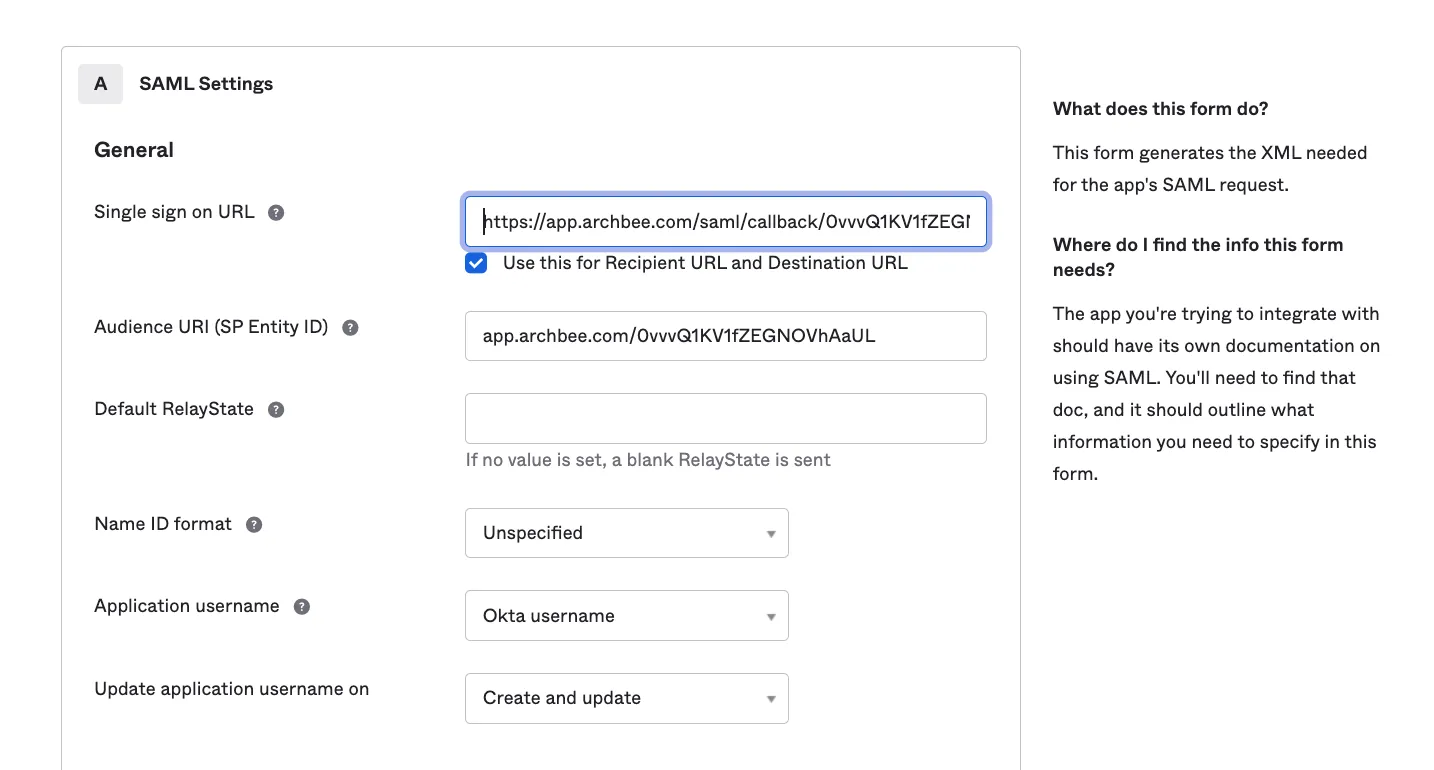
Copy Archbee settings -> SAML App

Click 'Next' and 'Finish' creation app.
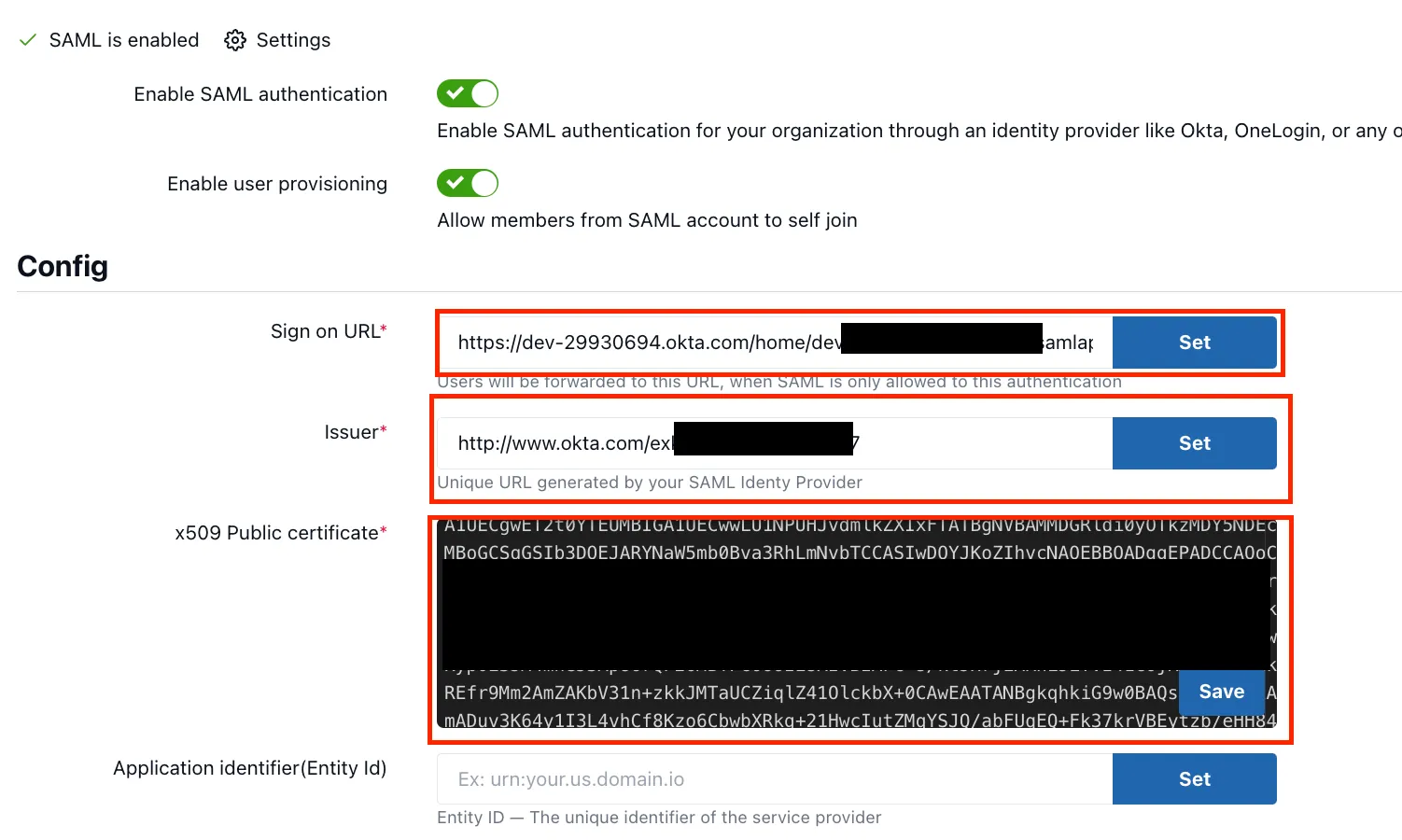
SAML instructions -> Archbee Settings
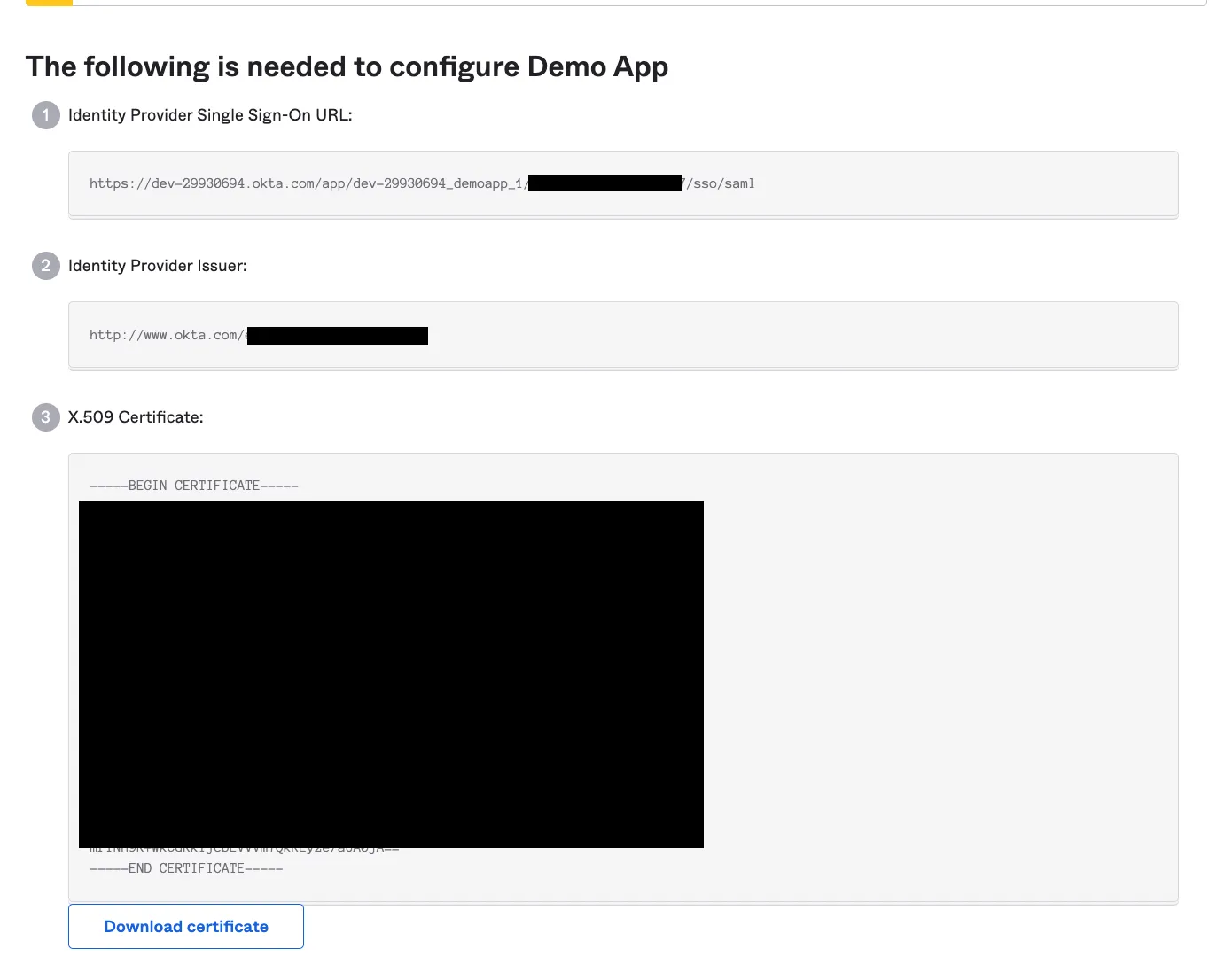
Go to your created app, click "Sign on" tab >> click on 'View SAML Setup Instructions'
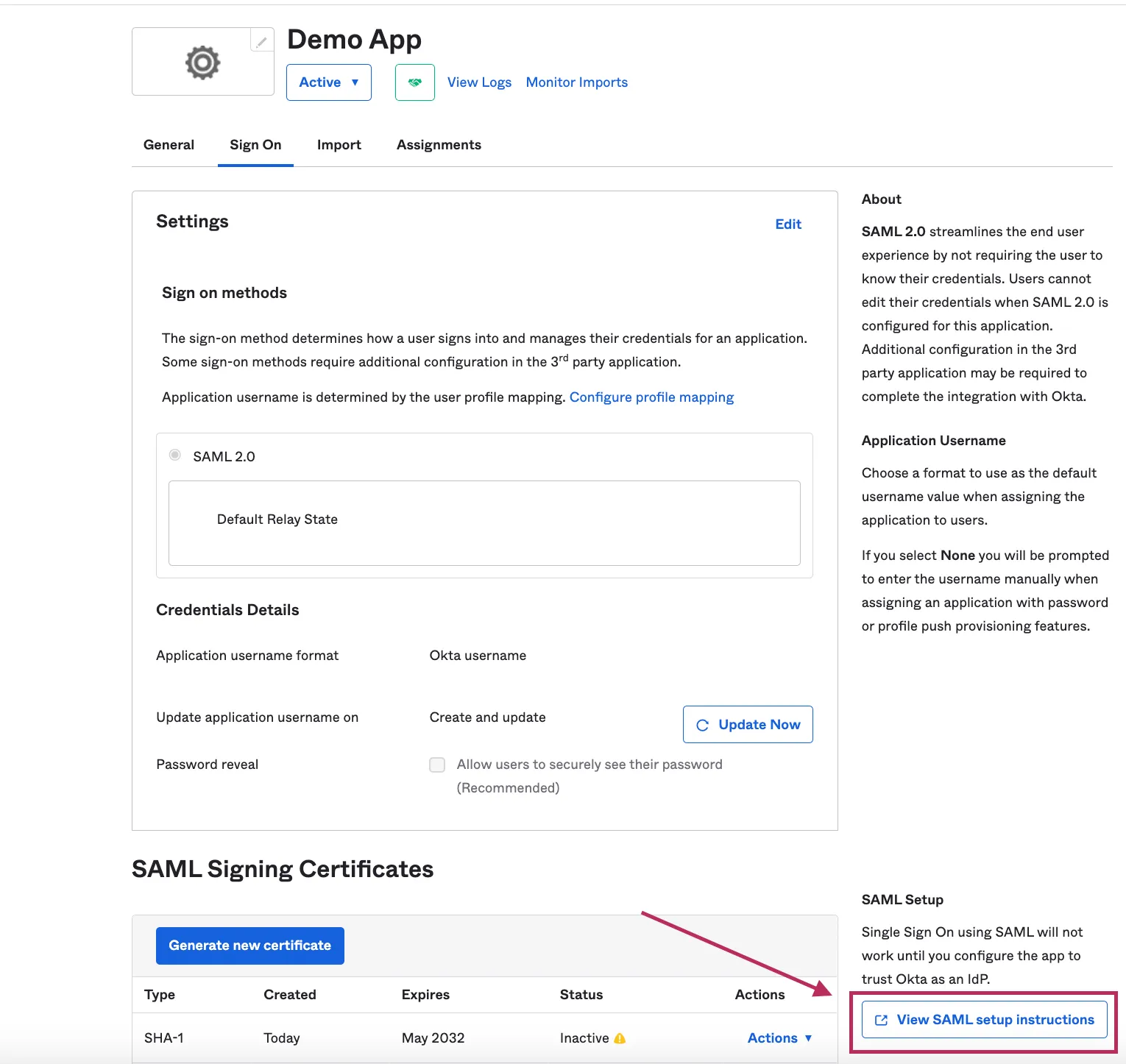
Copy Identity SSO Url, idp issuer and certificate to archbee.
NOTE ℹ️ Don't forget to create and assign user to this saml app.
Login using SAML
You can click on "SAML Login Url" button and see if it works. Share login url with your team members to login/register via SAML.

Have a question?
Our super-smart AI, knowledgeable support team and an awesome community will get you an answer in a flash.
To ask a question or participate in discussions, you'll need to authenticate first.