Q3 Product Update
Azure DevOps two-way Git sync

Archbee now supports Azure DevOps as a Git repository provider, alongside GitHub, GitLab, and Bitbucket.
You can connect an Azure DevOps repository to Archbee and keep your documentation synchronized through a two-way Git sync, allowing teams to work from either Archbee or their existing repository workflow.
Publish documentation as Static HTML
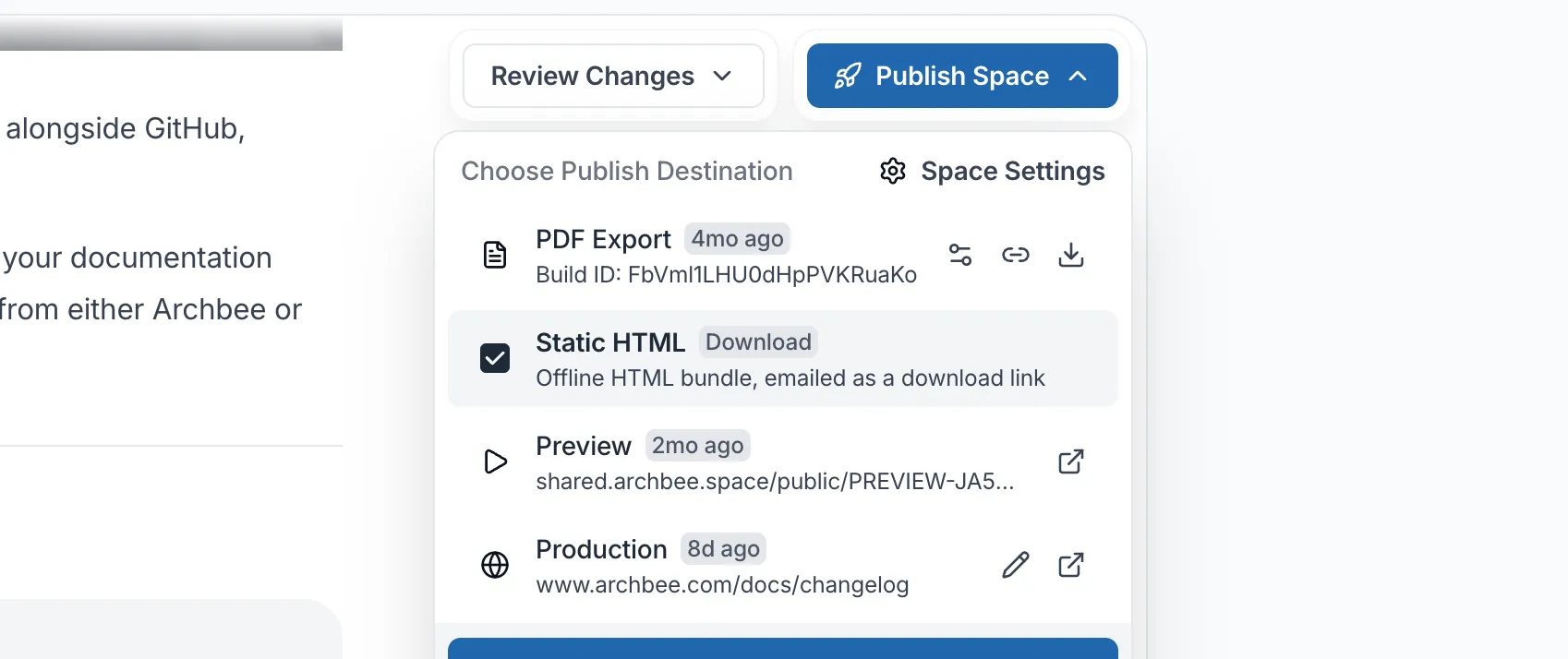
You can now generate a Static HTML bundle of your documentation directly from the Publish space menu.
Once generated, Archbee emails you a download link containing the offline HTML version of your documentation site.
You can use the bundle as an offline copy of your docs or host it with the provider and infrastructure of your choice, giving teams more control over how their documentation is distributed and hosted.
Authentication and protected documentation
We’ve expanded the options available for mixed public and private documentation, SSO configuration, and reader access.
Inherit SAML and OIDC settings from your team
SAML and OIDC-protected spaces can now inherit their SSO settings directly from the team instead of maintaining a separate configuration for each space.
This makes it easier to keep authentication settings consistent across multiple protected spaces.
Access requests for magic-link protected spaces
Readers who do not have access to a magic-link protected space can now submit an access request instead of being silently turned away.
Admins can review pending requests from Space Settings and approve or reject each one. Approved readers automatically receive an invitation email.
RSS feeds for hybrid and password-protected spaces
RSS feeds now work with hybrid and password-protected spaces, following the same access model as the rest of the space.
The RSS feed button and feed generation are now available for these spaces while respecting their existing access configuration
Branches & Reviews updates
We’ve added several improvements to revision history, branch management, navigation, and draft visibility for teams using Branches & Reviews.
Revert document revisions
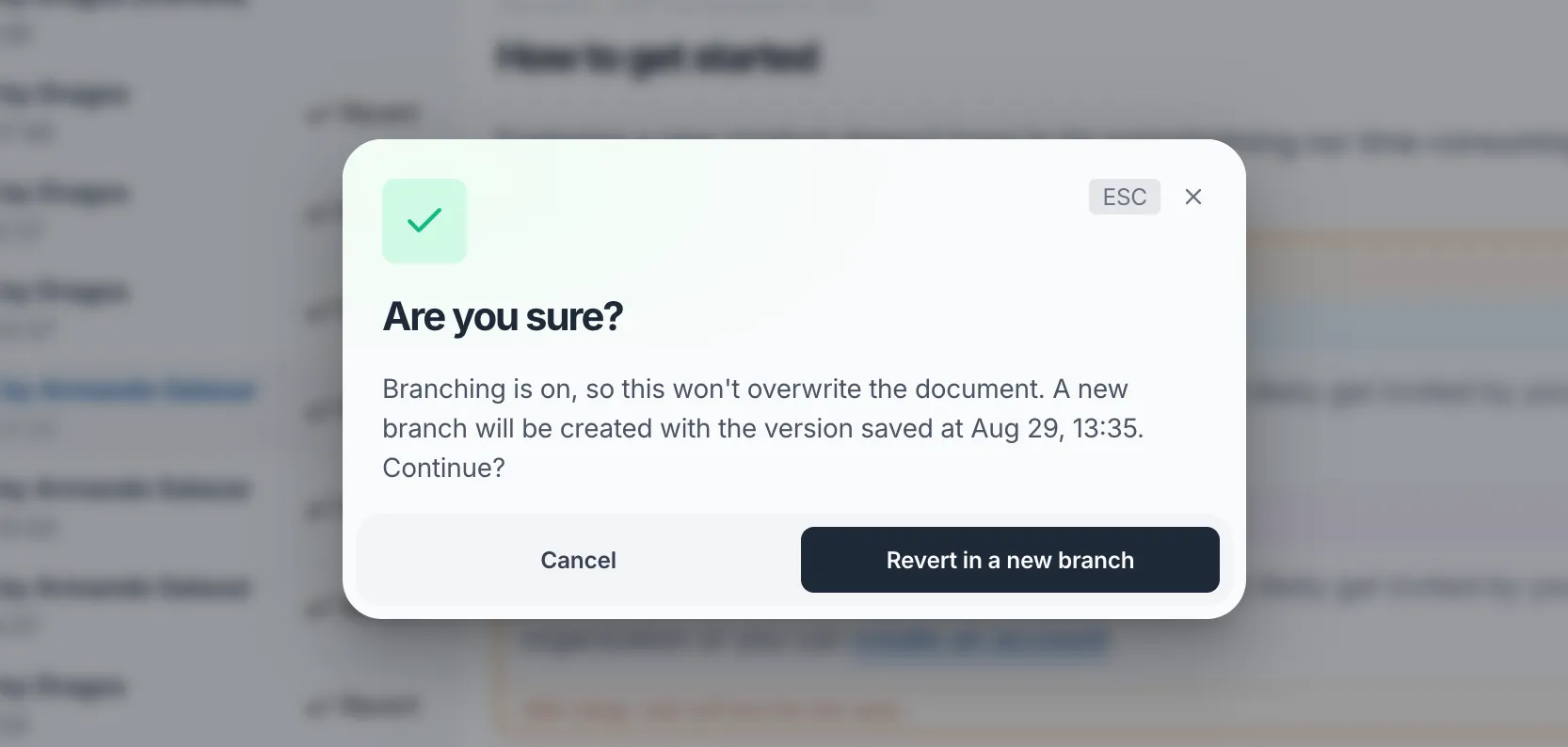
You can now revert a document to a previous revision while keeping the change within your existing review workflow.
Reverting from the read-only main branch creates a dedicated branch containing the reverted revision so it can be reviewed before merging.
When reverting from an active branch, Archbee applies and commits the revision directly to that branch, creating a branch version of the document first when needed.
Change document icons in a branch
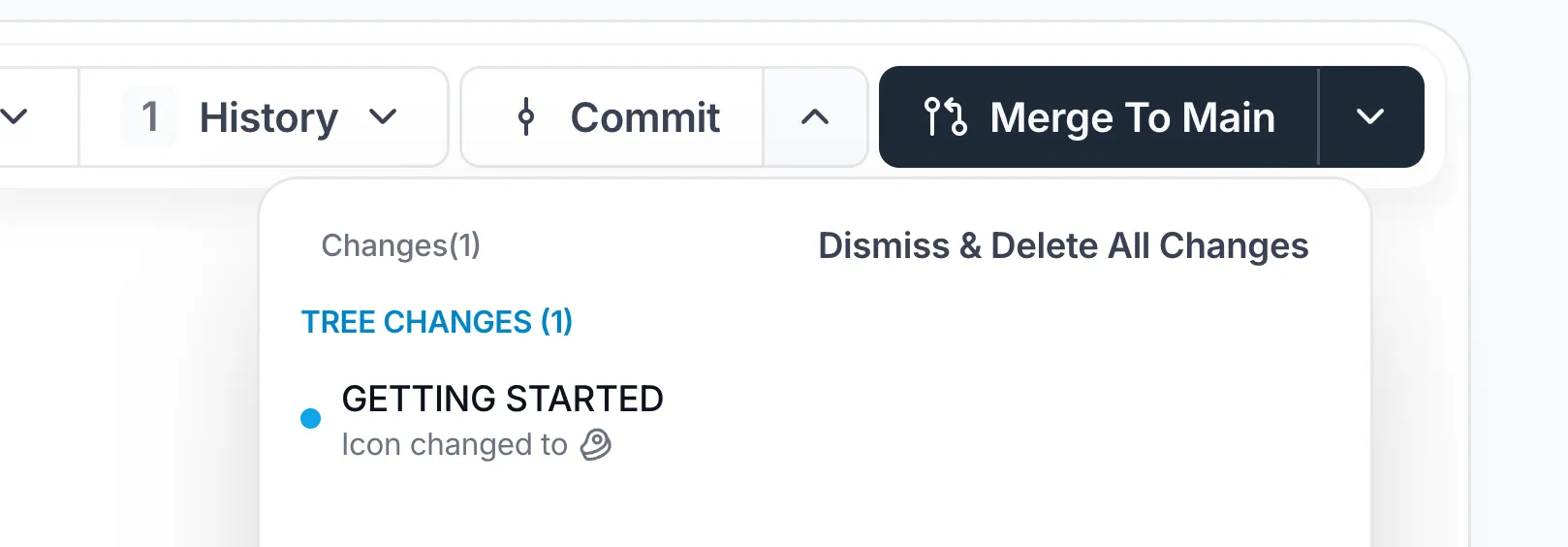
Changing a document icon inside a branch now creates a branch-specific change instead of immediately changing the shared document.
The icon update is committed and merged through the same review process as other changes made within the branch.
Branch history and navigation improvements
The Space Overview timeline now includes a branch graph showing the commit history of merged branches, including branches that have since been deleted.
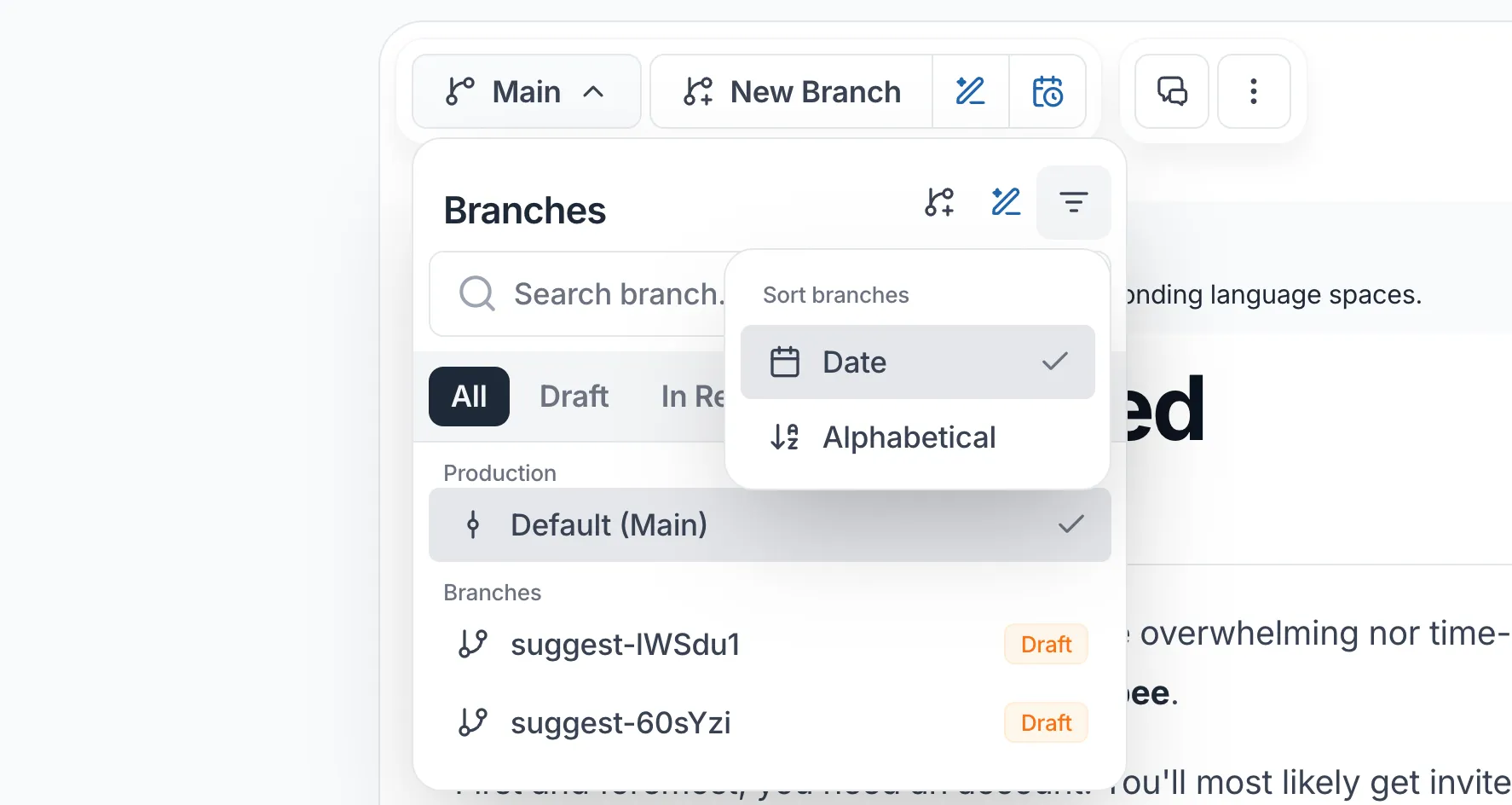
We’ve also updated the Branches panel with:
- Filters for All, Draft, In Review, Merged, and Deleted
- Branch search
- Date and alphabetical sorting
- Separate actions for viewing a diff and opening the corresponding document
These changes make it easier to review branch activity and move between individual changes and their documents.
Draft indicator in Drafts & Reviews
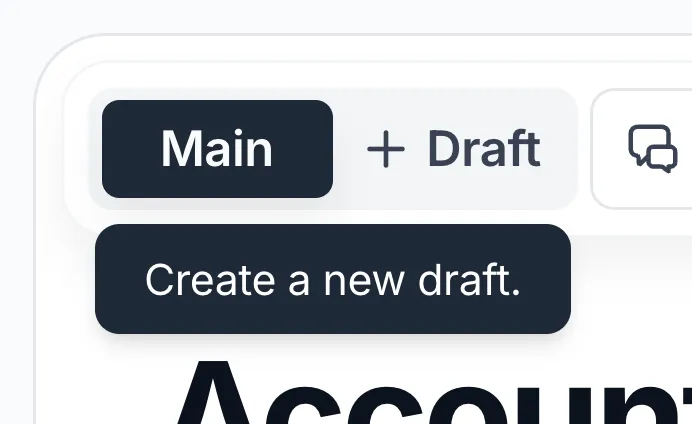
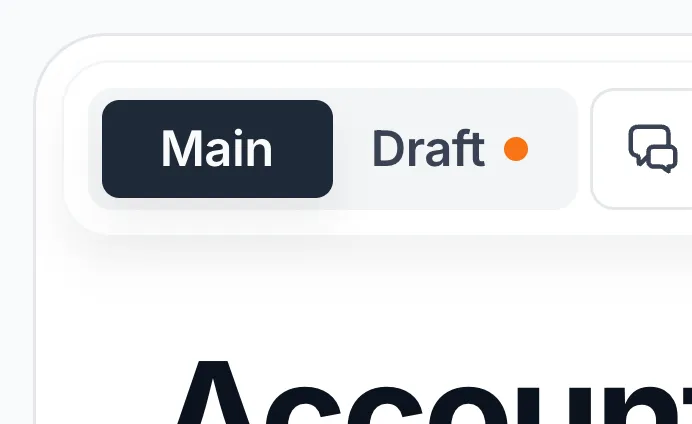
When viewing the Main version of a document in a Drafts & Reviews space, the Draft button now shows whether a draft already exists.
An orange animated indicator appears when there is an existing draft. When no draft exists, a + appears on hover.
This makes it easier to identify work already in progress and avoid creating another draft unintentionally.
AI workflows and Ask AI
We’ve expanded Archbee’s AI workflows with scheduled documentation tasks and new ways for AI agents to work with your content.
Recurring AI branches
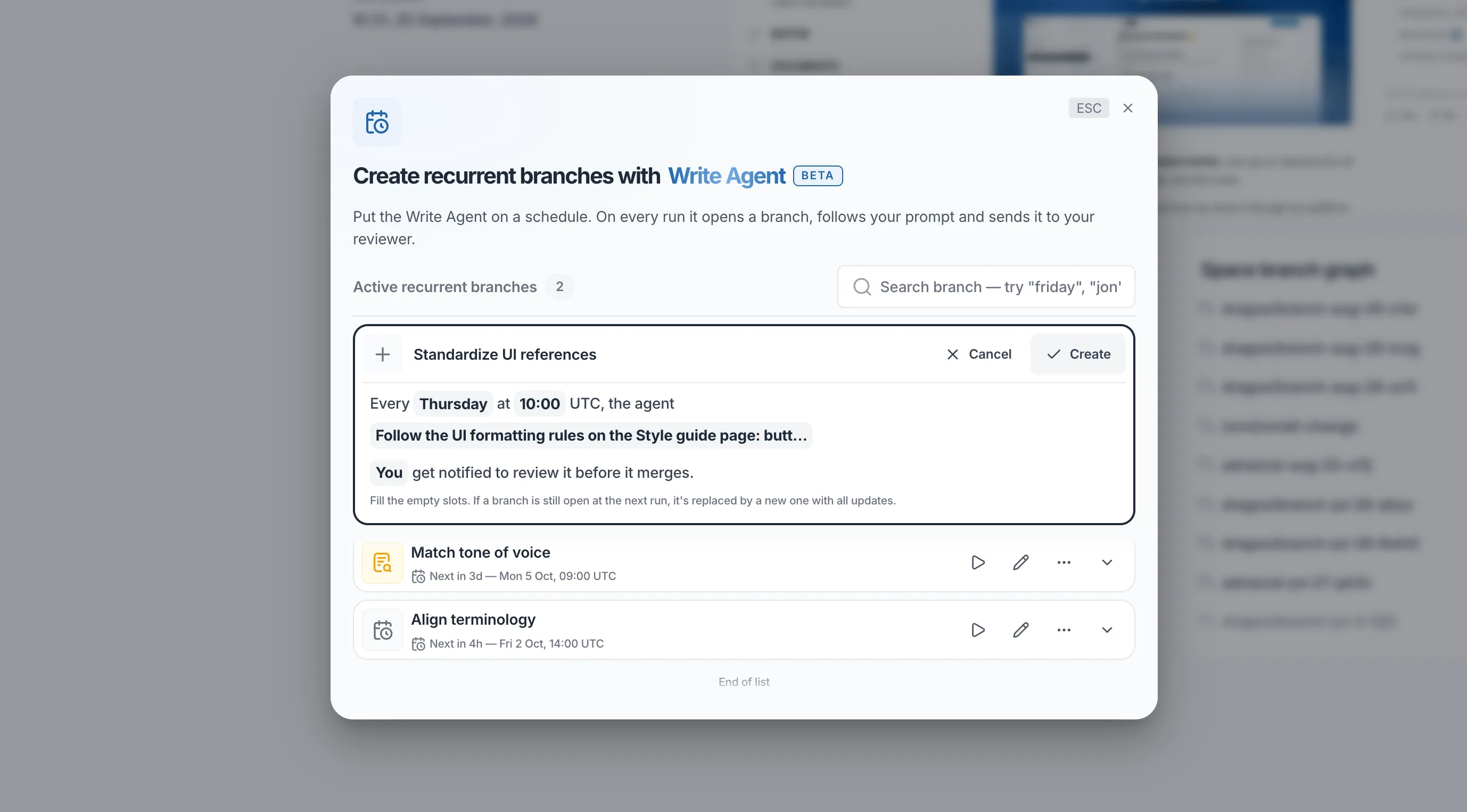
You can now create recurring AI branches that run automatically on a schedule.
Set a name, choose when the branch should run, select the AI agent, define what you want it to do, and assign a reviewer. On every scheduled run, Archbee creates a new branch, follows your prompt, and sends the completed changes to the selected reviewer before anything is merged.
Recurring branches can be configured from the Space Dashboard or directly from individual documents, allowing you to automate both space-wide and document-specific maintenance tasks while keeping a human review step in the workflow.
Write to Archbee with MCP
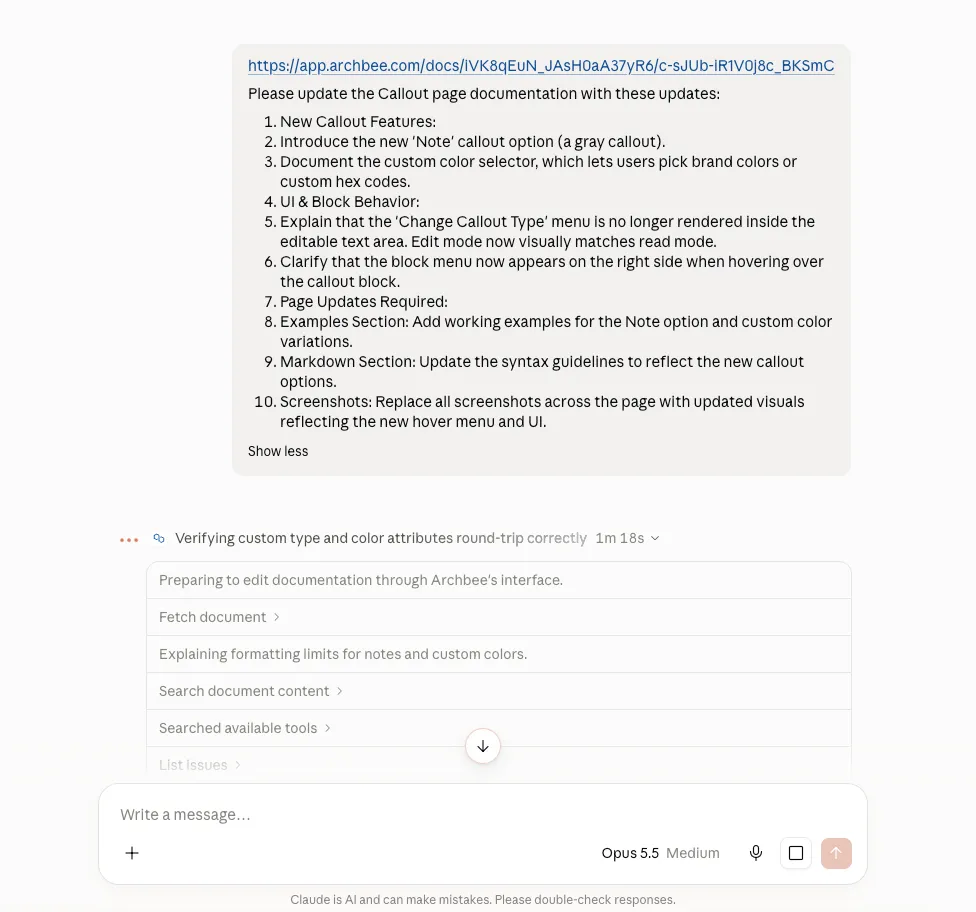
Archbee MCP now supports write operations, allowing compatible AI agents and developer tools to make changes to your documentation instead of only reading it.
The hosted MCP server can now create, update, and delete documents, spaces, and space groups, with support for Branches & Reviews and organization-wide OAuth.
Changes made through MCP also sync with the Archbee interface.
@archbee/mcp 2.4.0
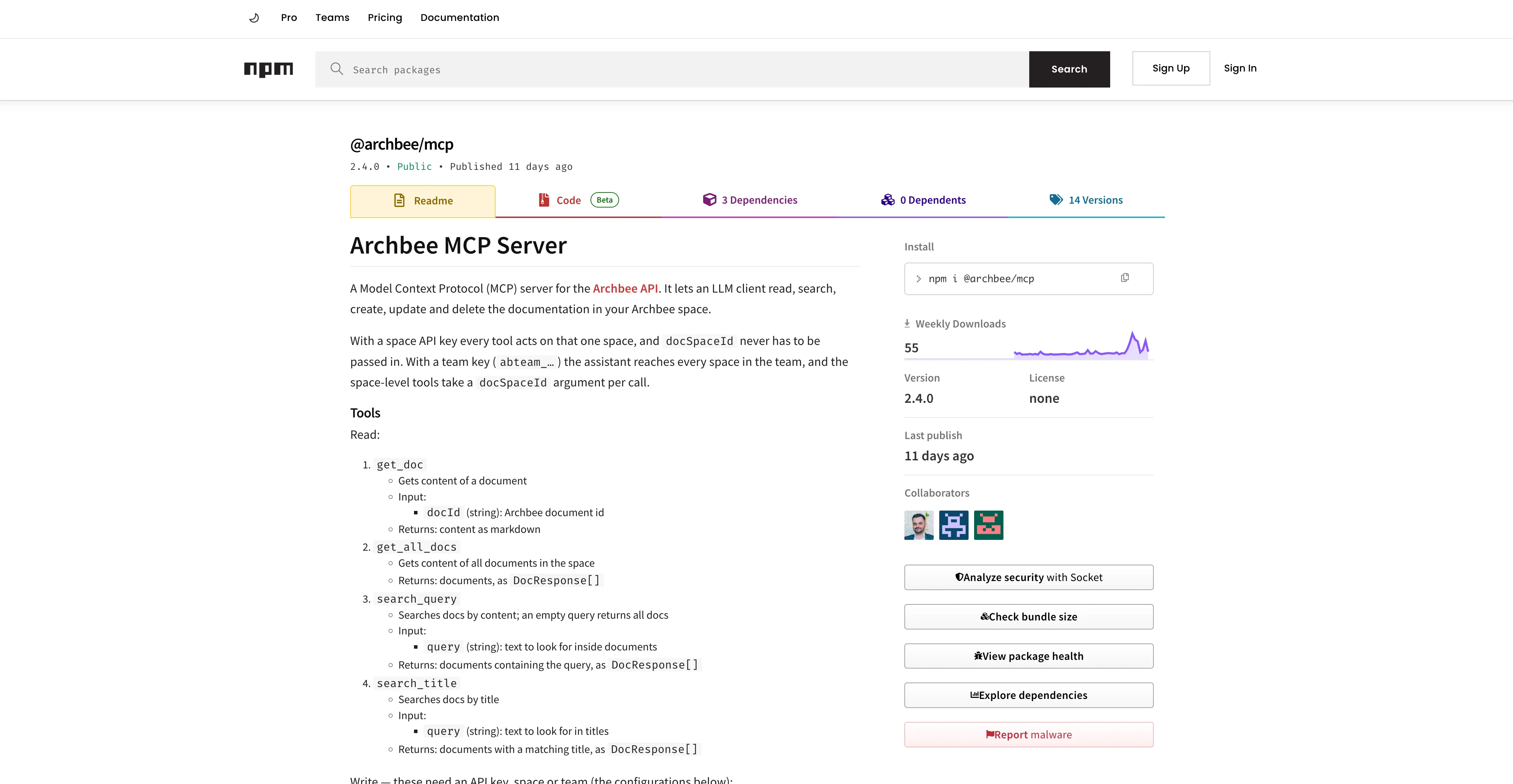
We’ve also released @archbee/mcp 2.4.0, which includes the new write tools in the npm package.
Developers can use these tools to create, update, and delete Archbee content directly from compatible AI agents or command-line workflows without going through the REST API.
A new Ask AI experience
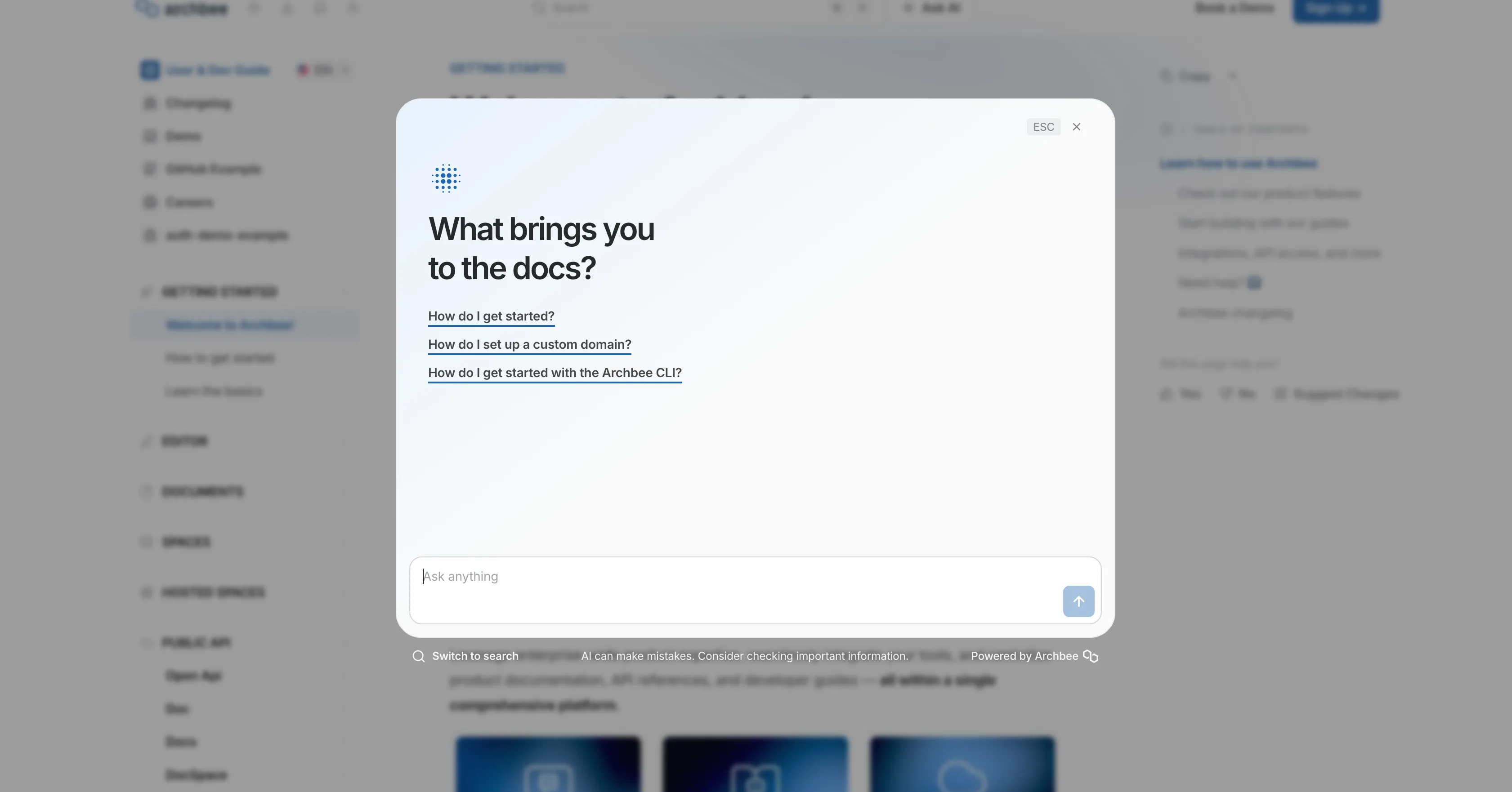
Ask AI now has its own dedicated button in both the Archbee CMS and your published documentation.
Previously, you had to start from the search bar and then select Ask AI. Now you can open Ask AI directly, ask a question, and keep going with follow-up questions without going through search first. Ask AI is still available through search as well.
We've also added starter questions to the Ask AI chat on your public portal. Readers see three suggested questions when they open the chat, so they have a quick way in. You can tailor them to your audience for each space in Space settings → AI Features.
Make published docs easier for AI agents to consume
We’ve added new ways for AI agents, scripts, and automated tools to discover and retrieve published documentation.
Markdown responses for public docs
Public documentation pages can now return their Markdown source directly from the same document URL.
Clients can request text/markdown or text/plain using the HTTP Accept header, allowing AI agents and scripts to retrieve clean Markdown without adding .md to the URL.
Site-wide llms.txt
Custom domains now expose a single llms.txt file covering all public spaces hosted on that domain.
Previously, the file only represented the space associated with the root hostname. It now includes every public space available on the site, giving AI agents a more complete view of your published documentation.
Archbee automatically rebuilds the file whenever spaces are published or unpublished.
Git imports now support hidden: true frontmatter
Git imports now recognize the hidden: true frontmatter property used by platforms such as ReadMe and GitBook.
Pages with this property are automatically imported as hidden from the public site, and Archbee preserves the setting during subsequent Git syncs.
This reduces the amount of manual cleanup needed when importing or syncing an existing docs-as-code project.
PDF export improvements
We’ve expanded PDF exports with a more reliable rendering experience, new customization options, and easier navigation for readers.
Export spaces directly from the editor
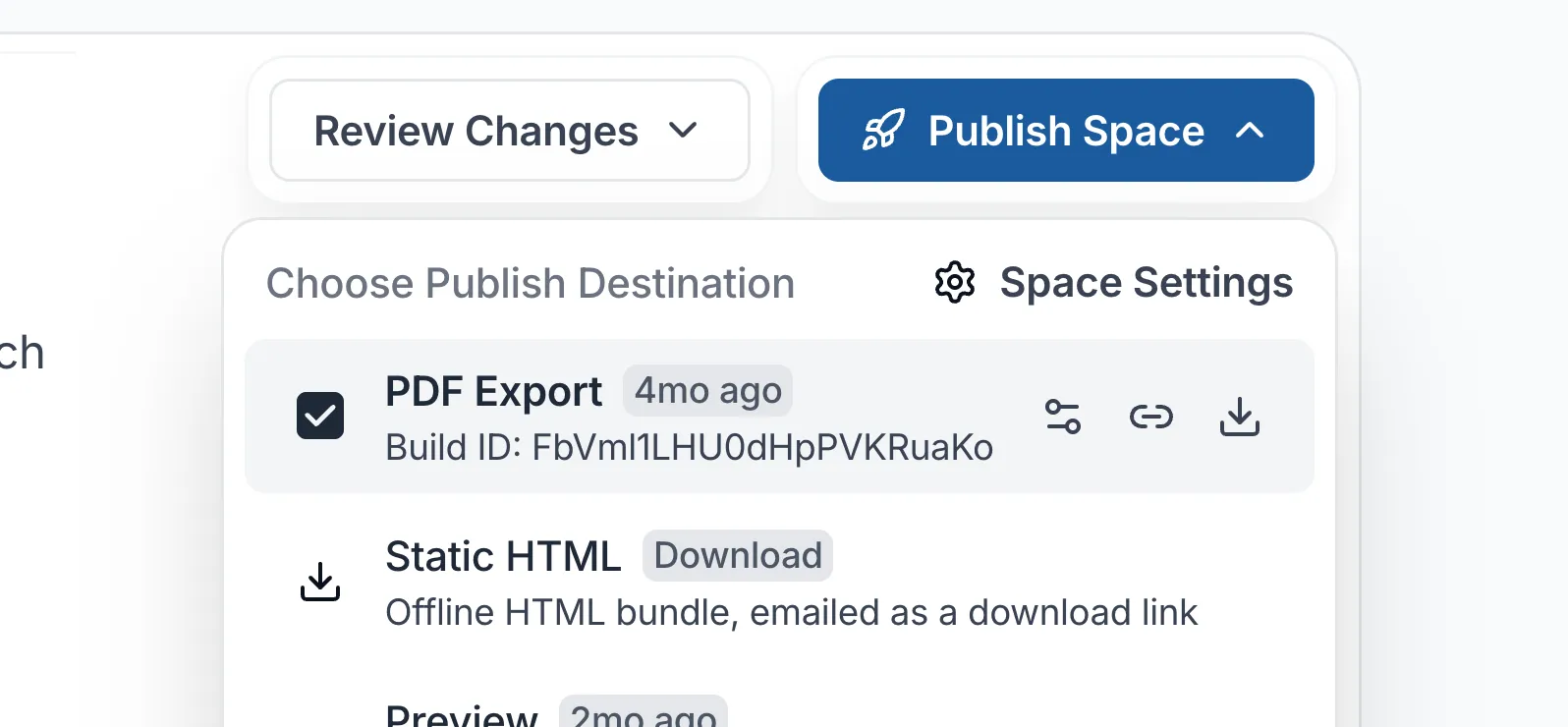
You can now export an entire document space to PDF without publishing it first.
Archbee generates the PDF on demand directly from the editor and shows export progress through notifications, making it easier to create offline copies or review documentation before publishing.
Customize your PDF output
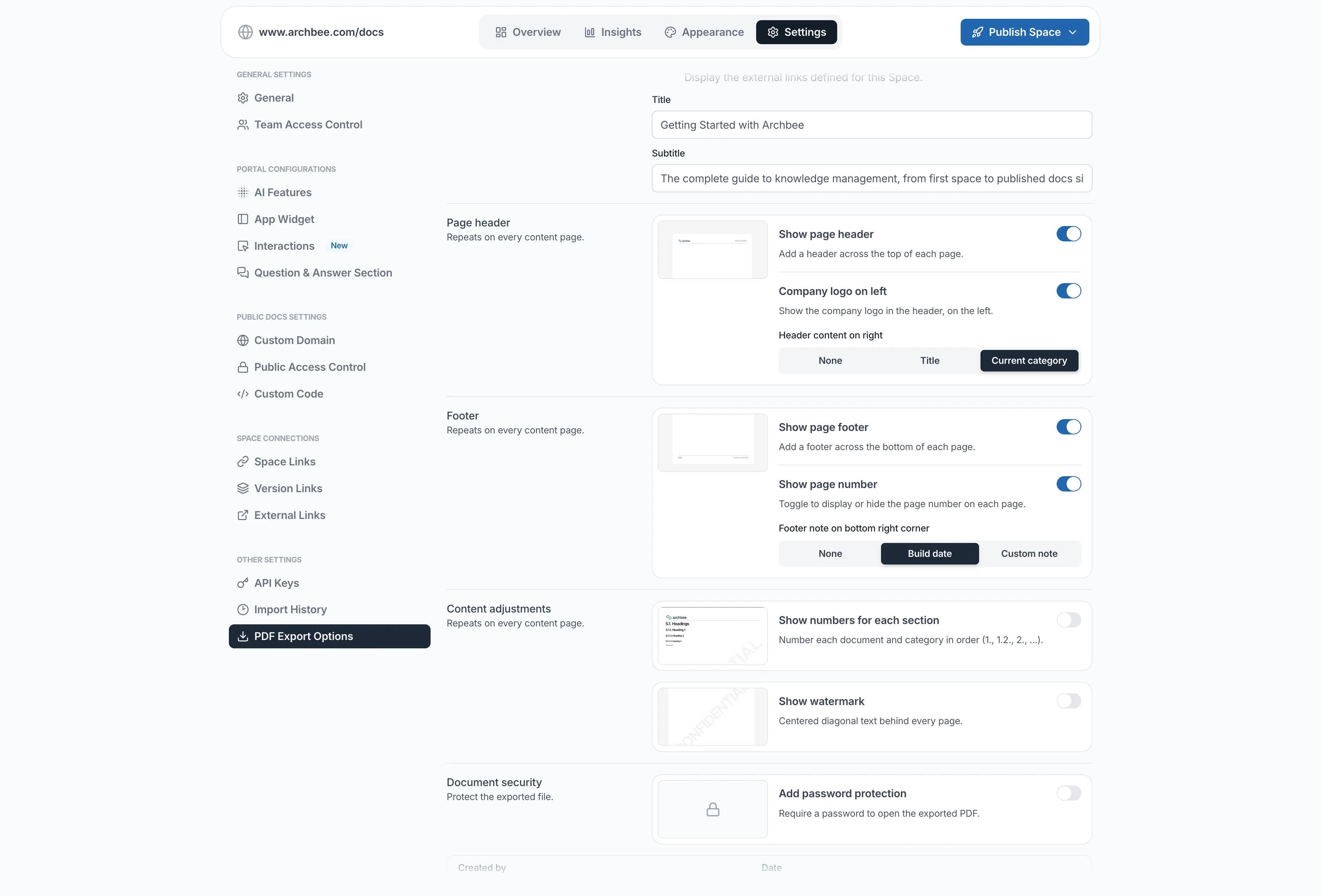
PDF exports now include additional options for customizing the generated file.
You can configure:
- Title
- Subtitle
- Header
- Footer
- Password protection
- Watermark
These options provide more control over how exported documentation is presented, branded, and shared.
Improved PDF rendering and navigable bookmarks
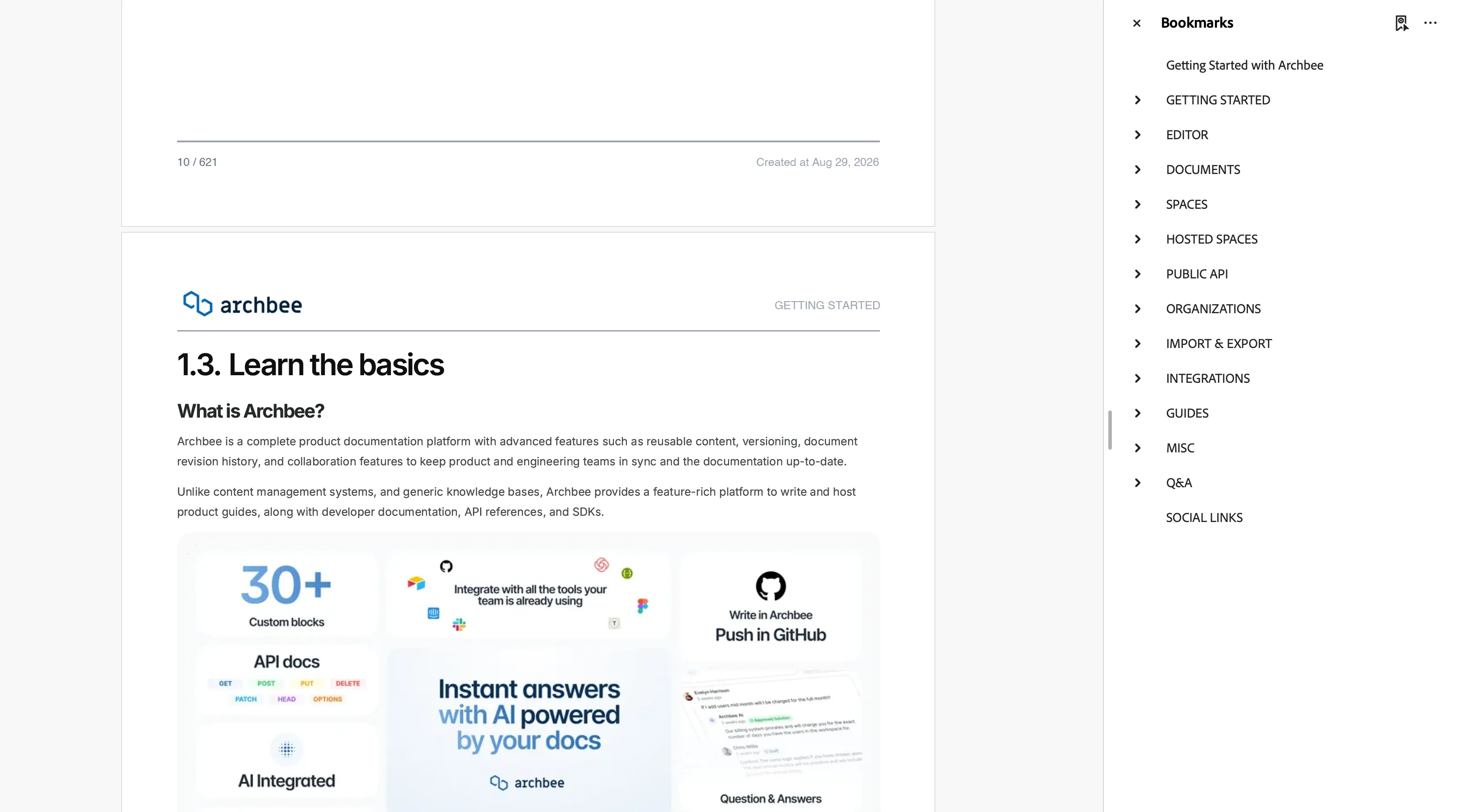
We’ve improved the PDF rendering process for more consistent and reliable output across exported documentation.
PDF exports now include a bookmark tree for documents and nested headings.
Readers can use the bookmarks panel in their PDF reader to jump directly to a document or section without navigating through the file page by page.
Reader interaction controls
We’ve reorganized reader-facing options and added more control over Q&A and portal navigation.
Dedicated Interactions tab in Space Settings
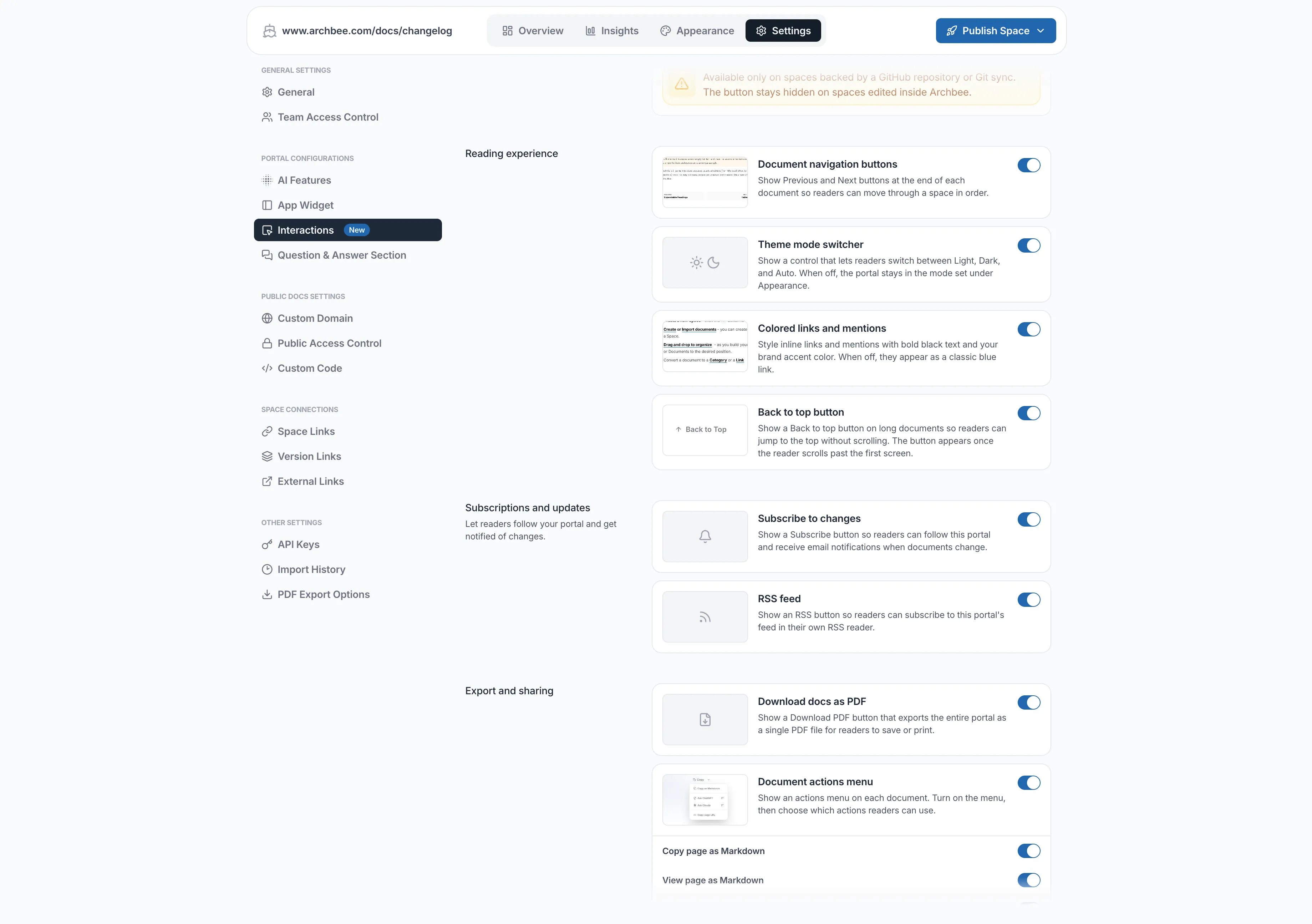
Space Settings now include a standalone Interactions tab that brings reader-facing options together in one place.
From there, authors can manage:
- Back to top
- Colored links
- Document actions
- Page feedback
- Suggest Changes
- Edit on GitHub
Public by default for Q&A
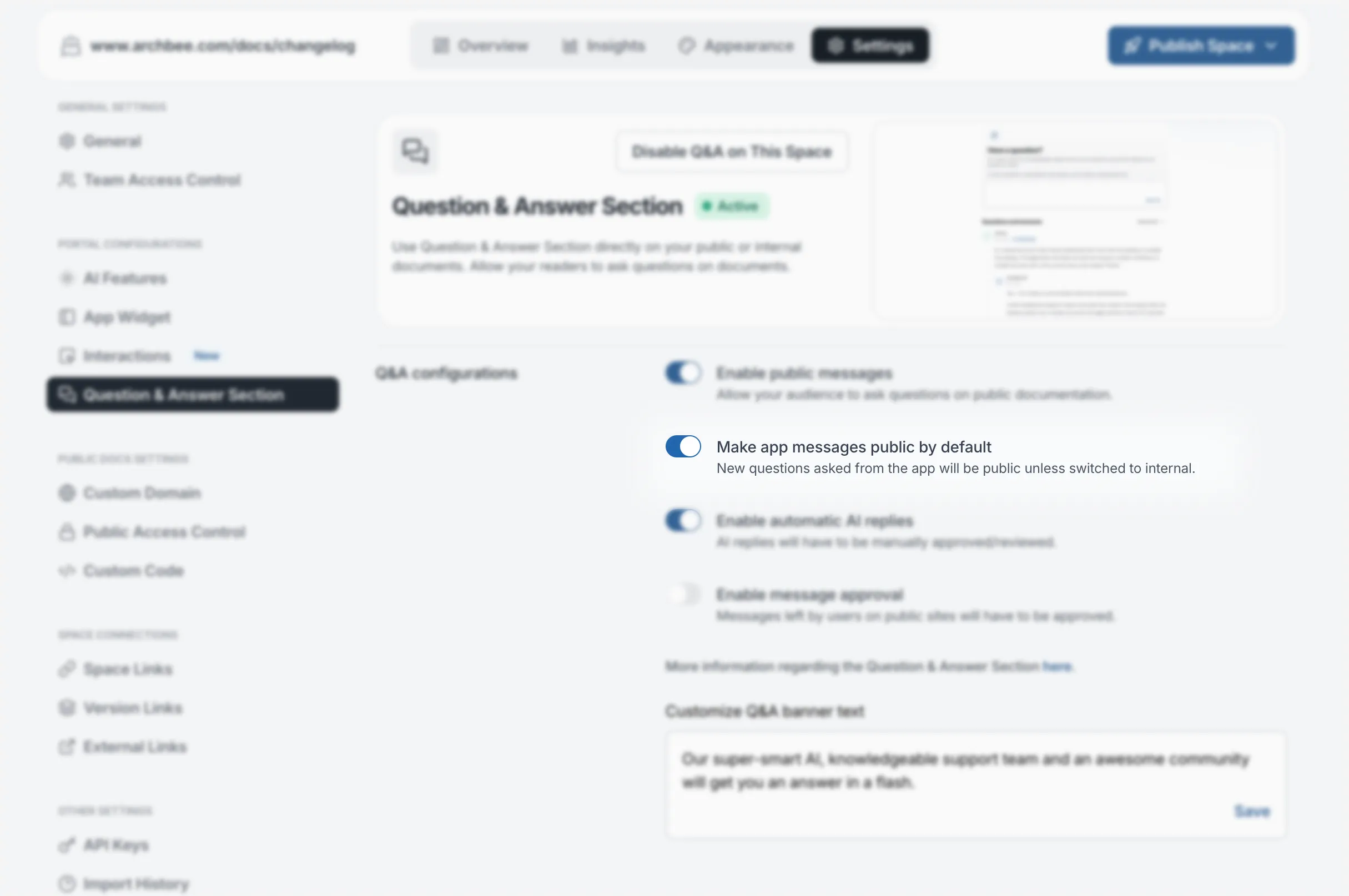
Space owners can now configure Q&A threads to use public visibility by default.
When enabled, new questions are public automatically, so authors no longer need to select public visibility each time.
Open external portal links in a new tab
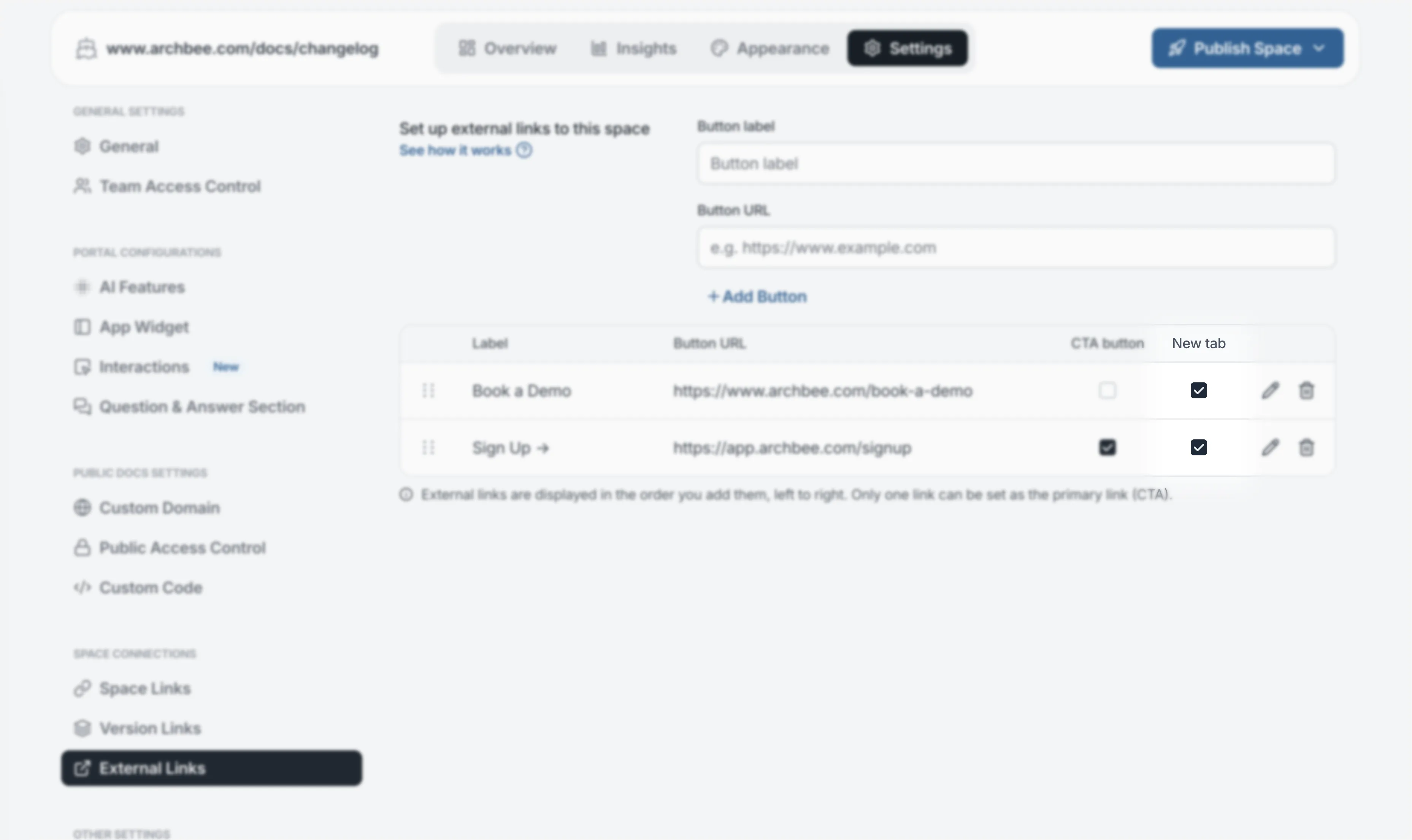
External links added to a documentation portal header now include an Open in New Tab option.
The setting is available for individual links in both Space Settings and Space Group settings, allowing you to control the behavior of each link separately.
New links open in a new tab by default, and links created before this update also default to the new behavior.
Editor and interface improvements
We’ve added several updates to the editor and interface to make common authoring and navigation tasks easier.
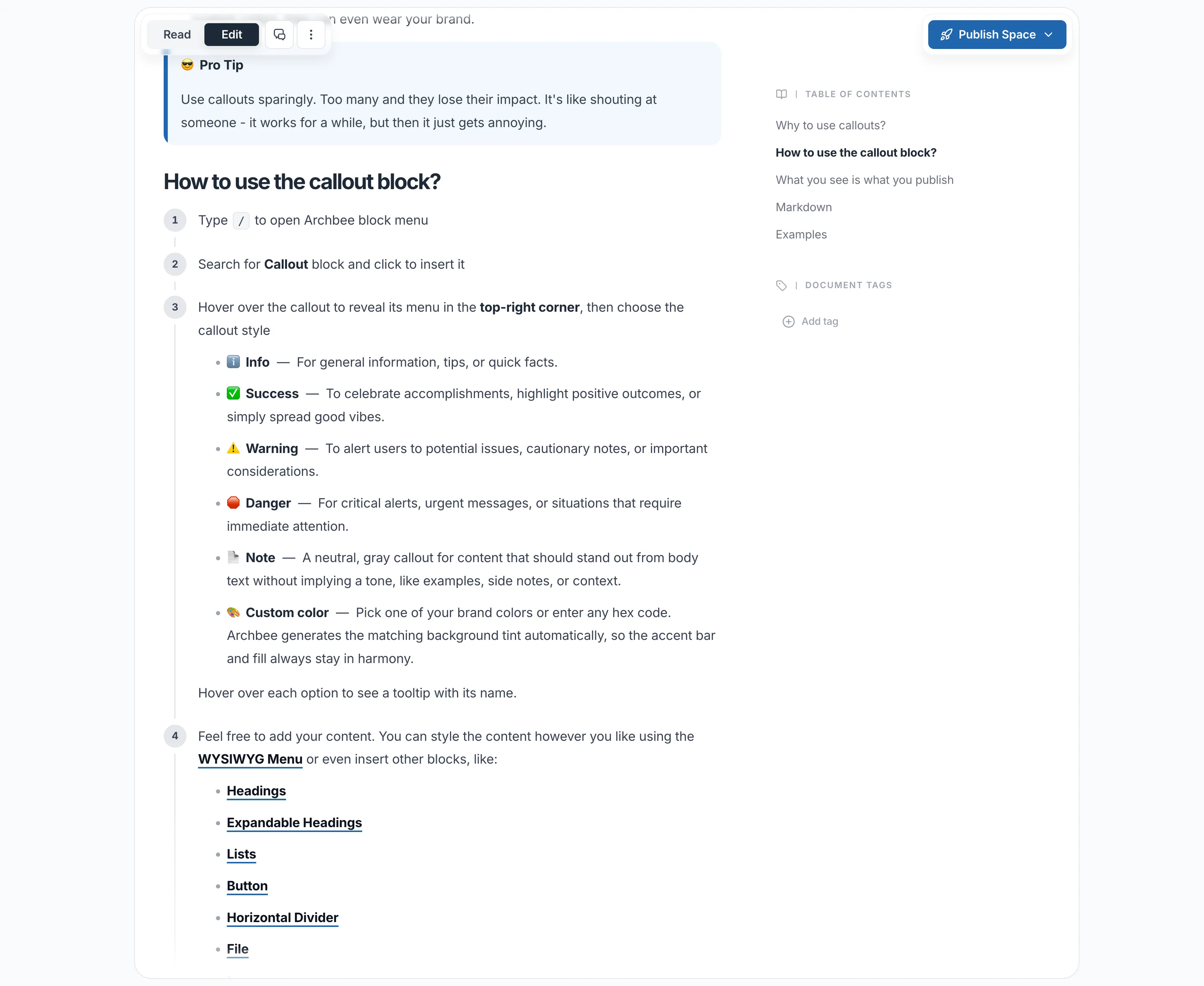
New hover menu for Callout blocks
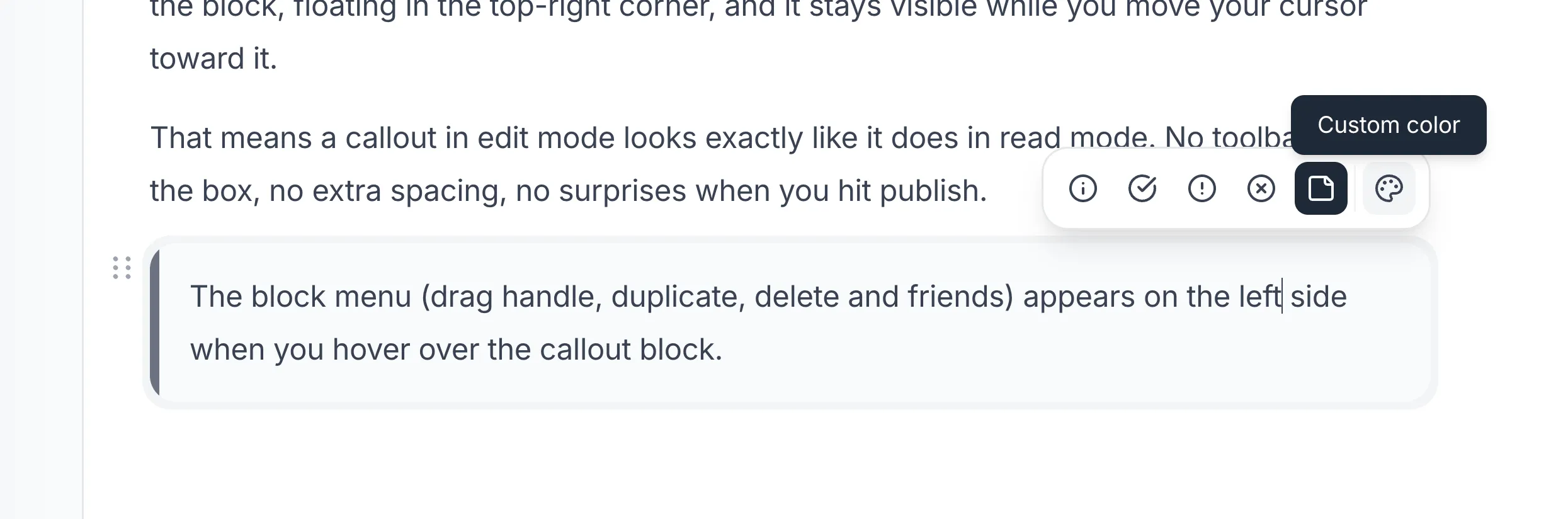
Callout blocks now include a new hover menu for selecting the callout type and color.
Alongside the existing Info, Success, Warning, and Danger options, you can now use Note for a gray callout or choose a custom color.
TeX block improvements
Block-level TeX equations can now be used inside table cells and Callout blocks.
Previously, these containers only supported inline TeX. Block TeX now works in these areas while preserving the content correctly when converting to and from Markdown.
Comment highlight controls
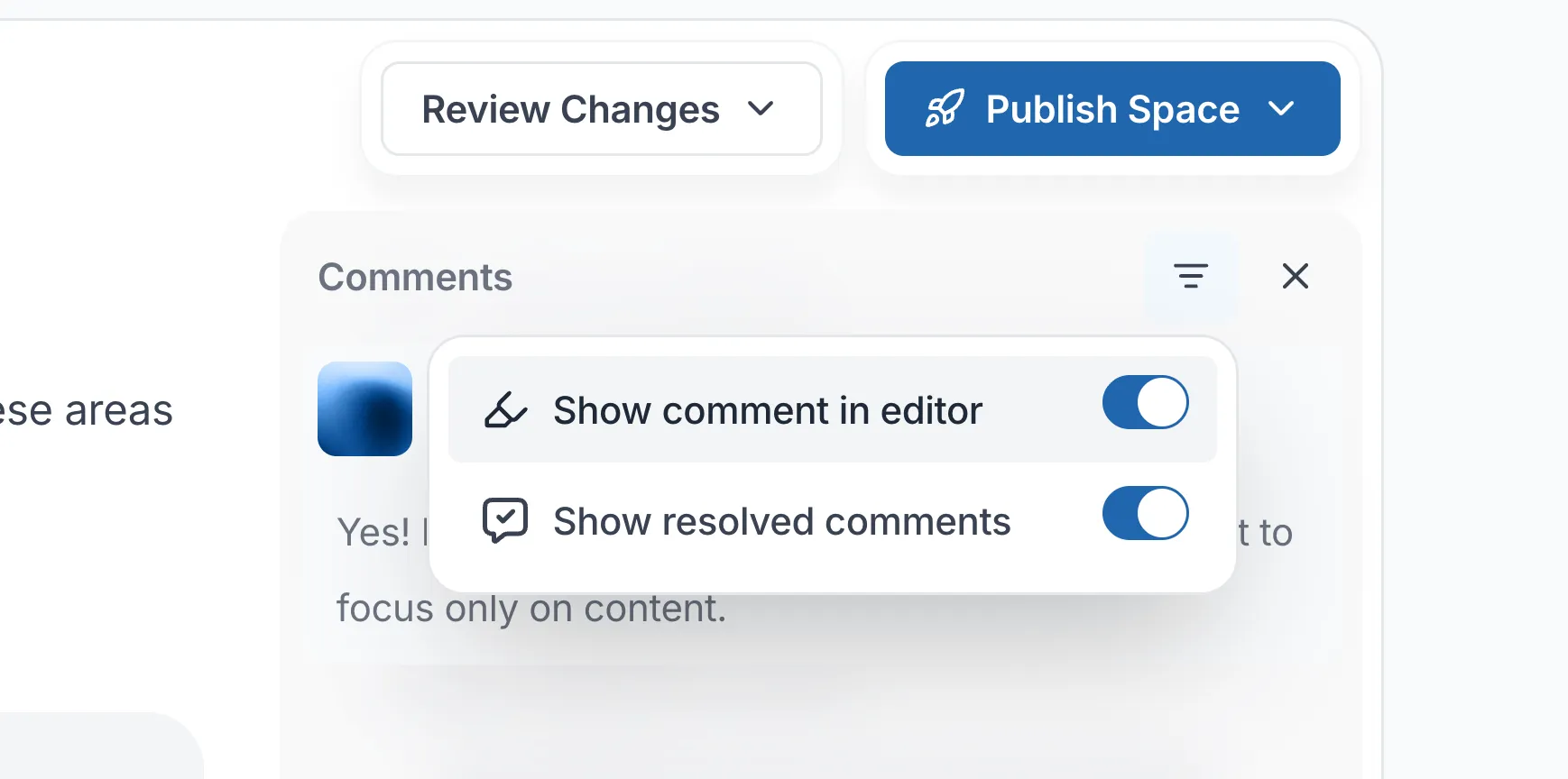
The Comments panel now includes two new filters for comment highlights in the editor.
You can hide resolved comment highlights or hide all comment highlights. Your preference is saved in the browser, and the menu stays open while you toggle the options.
Initials-based user avatars
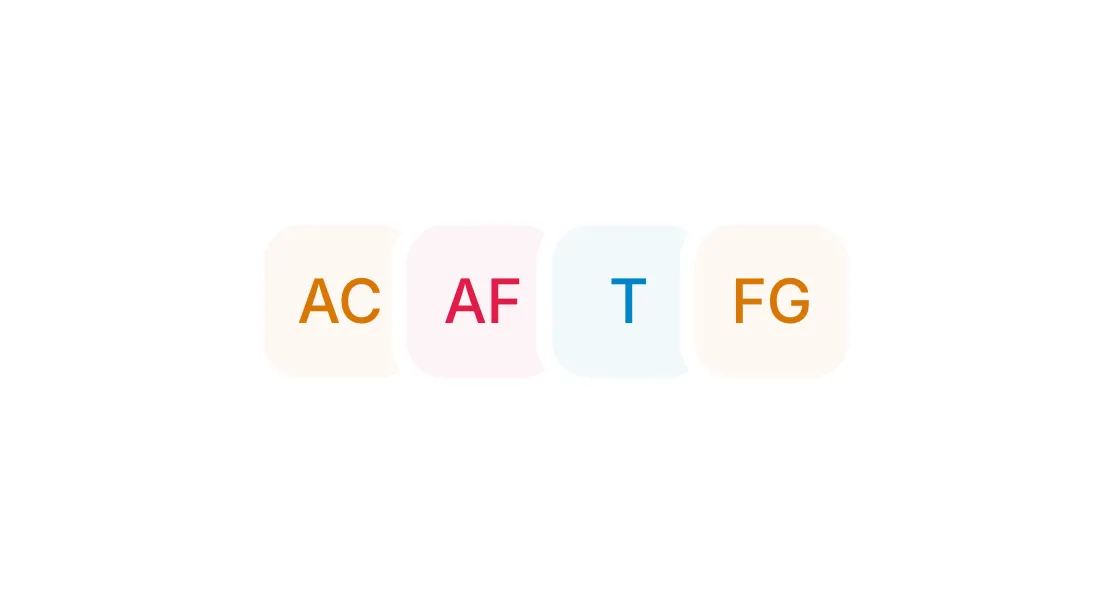
Users without a profile photo now receive an initials-based avatar across Archbee.
The avatar uses the user’s initials and a background generated from their name, providing a consistent identity across the editor, comments, notifications, settings, and the Chrome extension.
This replaces the previous automatically generated animal avatars.
Diacritic-insensitive search
Search now treats accented and unaccented versions of the same characters as equivalent.
For example, searching for pasi can return a document containing pași, and searching for pași can return one containing pasi.
This makes search more forgiving for languages that use accented characters.
Custom JavaScript on shared document links
Custom JavaScript can now run on shared Archbee /doc links for active customers, extending custom code beyond documentation hosted on a custom domain.
Customer-controlled support access
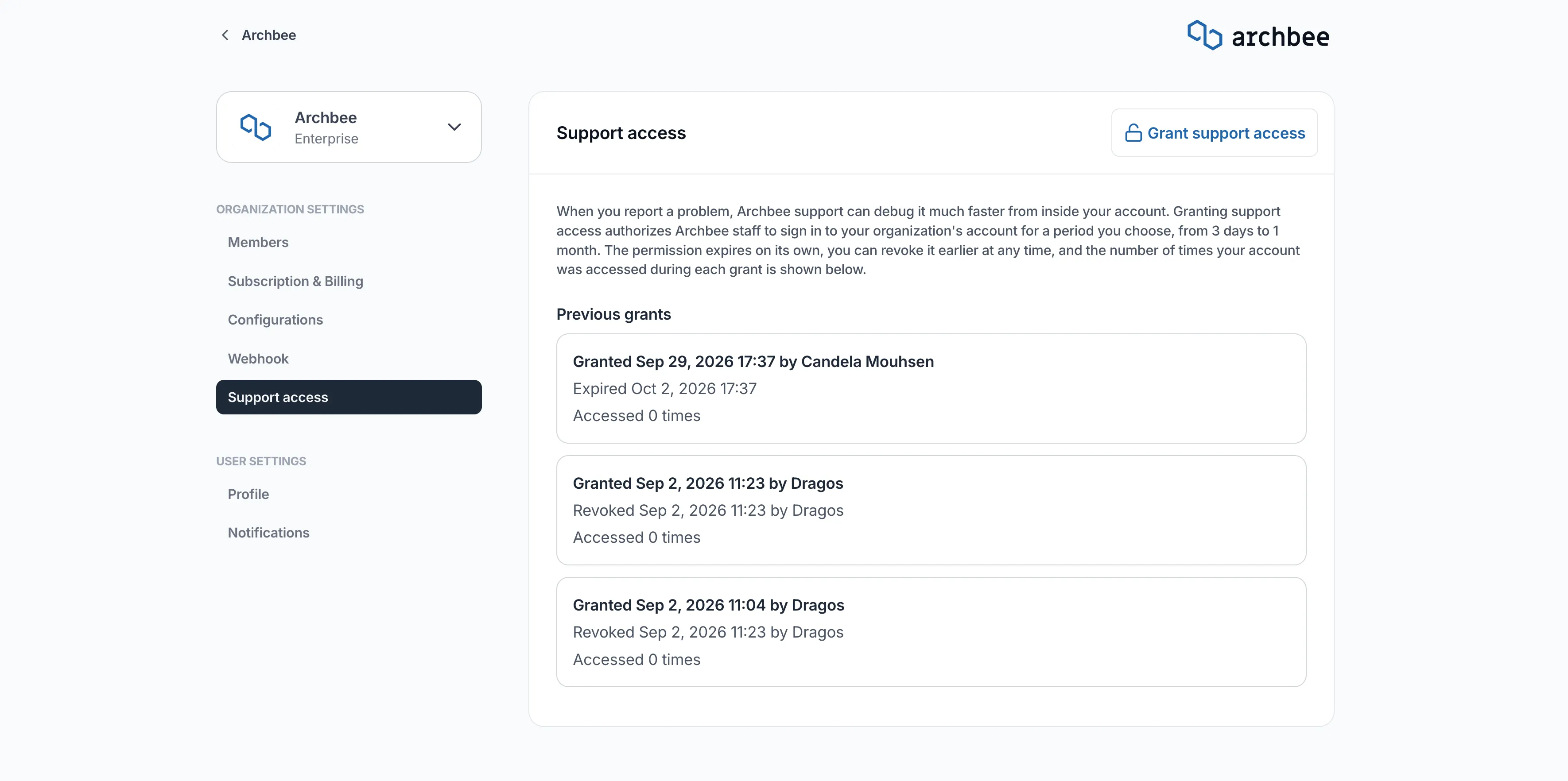
Customers can now grant Archbee support staff temporary access to their workspace when assistance is needed.
From Settings → Support Access, you can choose how long access remains available and revoke it when it is no longer needed.
This gives customers more control over when Archbee support can access their workspace during troubleshooting.
EU and US multi-region hosting
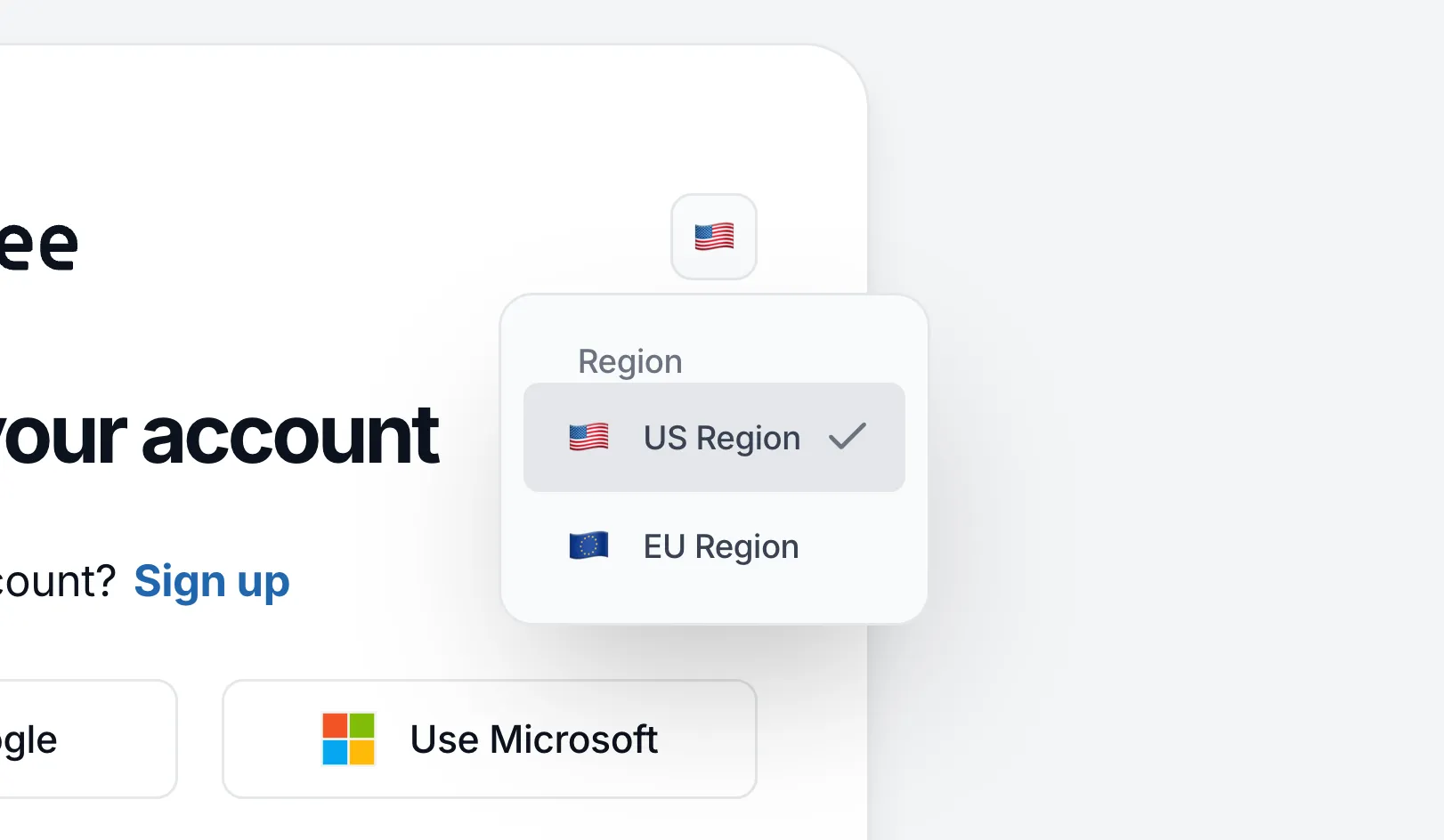
Archbee now runs on AWS infrastructure in both EU and US (us-east-2) regions.
A region selector is available during sign-in and sign-up so users can connect to the appropriate Archbee region from the start.
Custom domains can also be routed through Archbee’s EU infrastructure, extending regional hosting support to published documentation.
Tell us what you think
We're trying to build something great, but we need your unique perspective to make it even better. Don't hold back and let us know what's on your mind.
Feedback Form
Need to share your thoughts directly? Use the feedback form to leave a quick text feedback.

Ask a Question (Q&A Section)
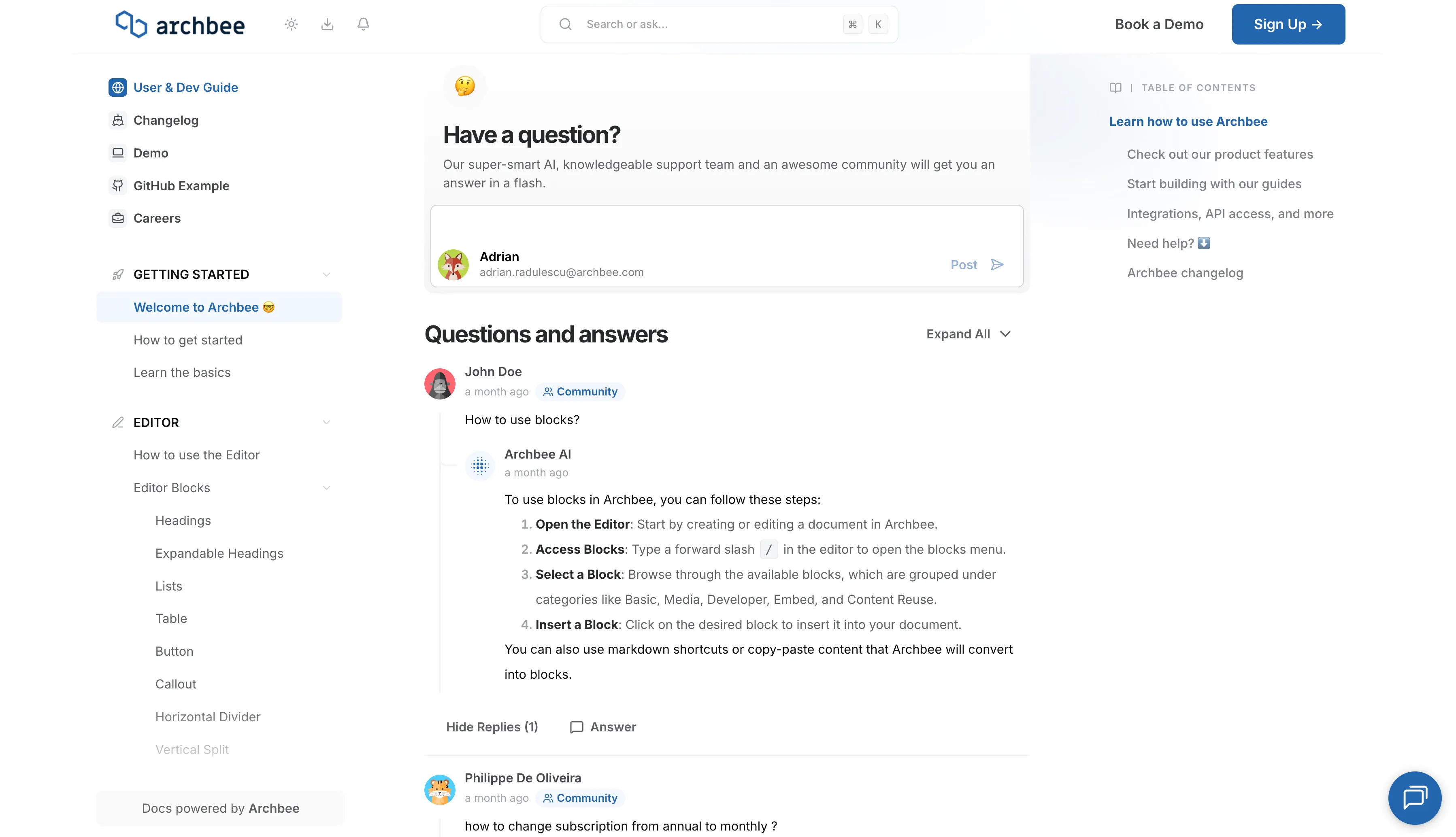
Have a specific problem or need a solution? Post it here! Below is a public section where our community, our team, or our AI can respond and offer help.
Support Chat
Need personalized support right now? Use the blue chat bubble in the bottom-right corner. This connects you immediately with our support team.