Q2 Product Update
AI Translation Improvements
Our translation system received a major upgrade with a more reliable and context-aware workflow.
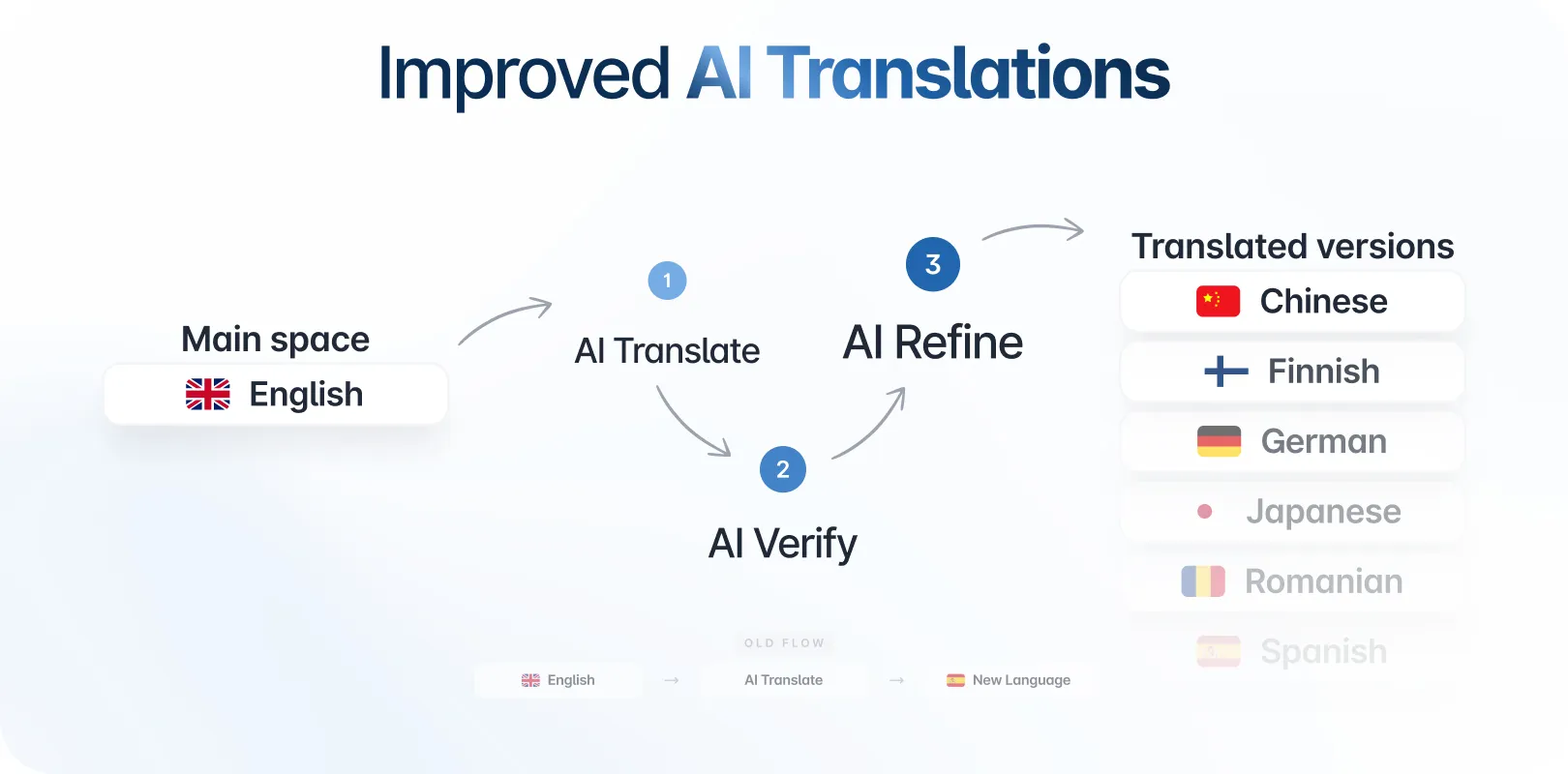
The single-step translator has been replaced with an Agentic Translate → Verify → Refine Translate pipeline, powered by glossary-based RAG grounding. This ensures higher-quality translations, better consistency in terminology, and improved resilience.
AI-translated spaces also now automatically inherit the collaboration mode of their source space, including built-in safeguards and confirmation warnings when switching modes.
Draft Review Improvements
We’ve introduced a new Review Space flow designed to help teams manage draft-heavy spaces more efficiently.
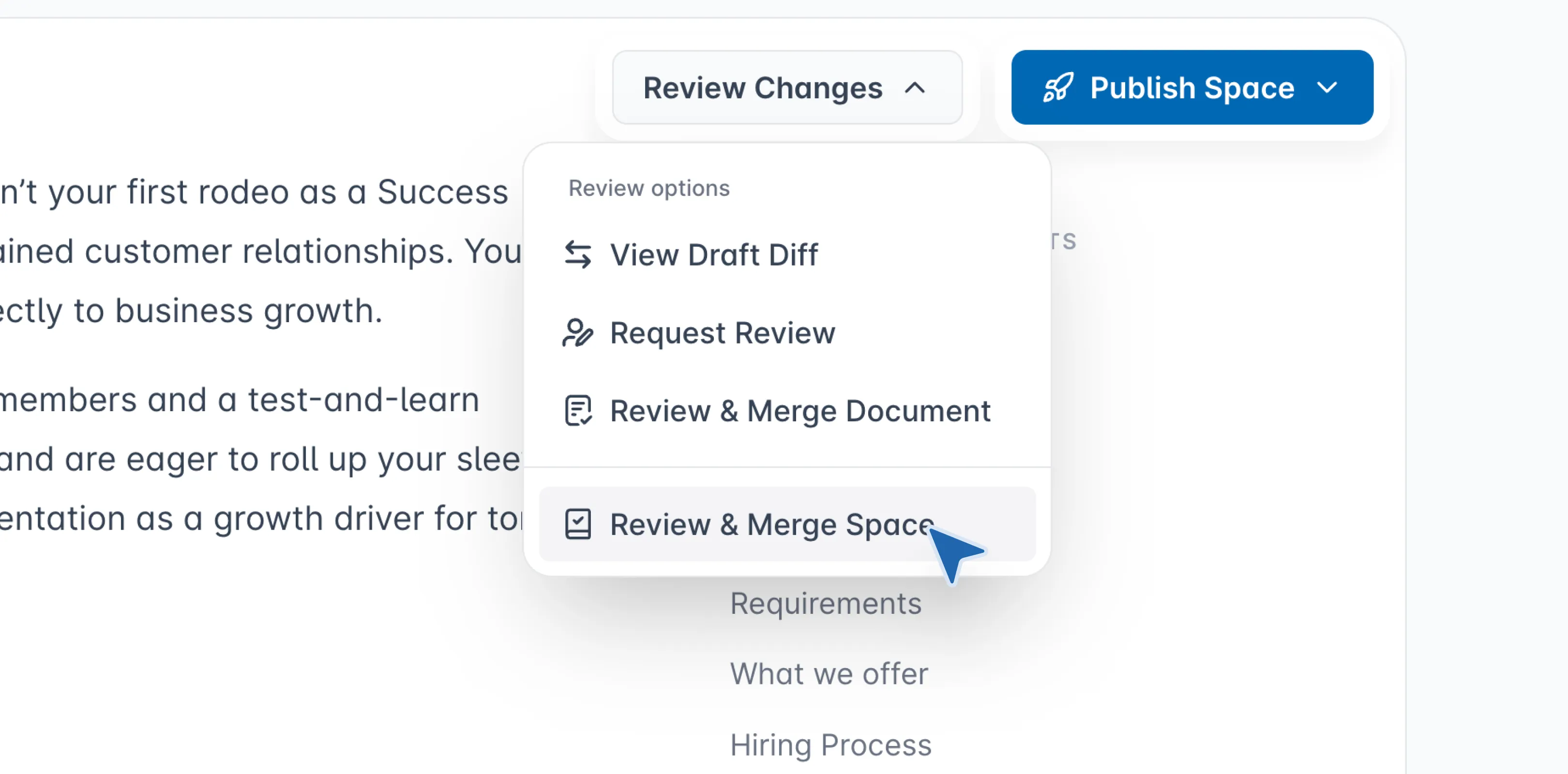
Users can now open a dedicated Review Space modal that surfaces all draft documents in a single view. From here, you can review changes and merge all drafts at once, helping your team keep spaces clean, consistent, and ready for publishing.
Sync with Git for Existing Spaces (Beta)
You can now connect existing Archbee spaces to your Git provider using the new Sync with Git option.
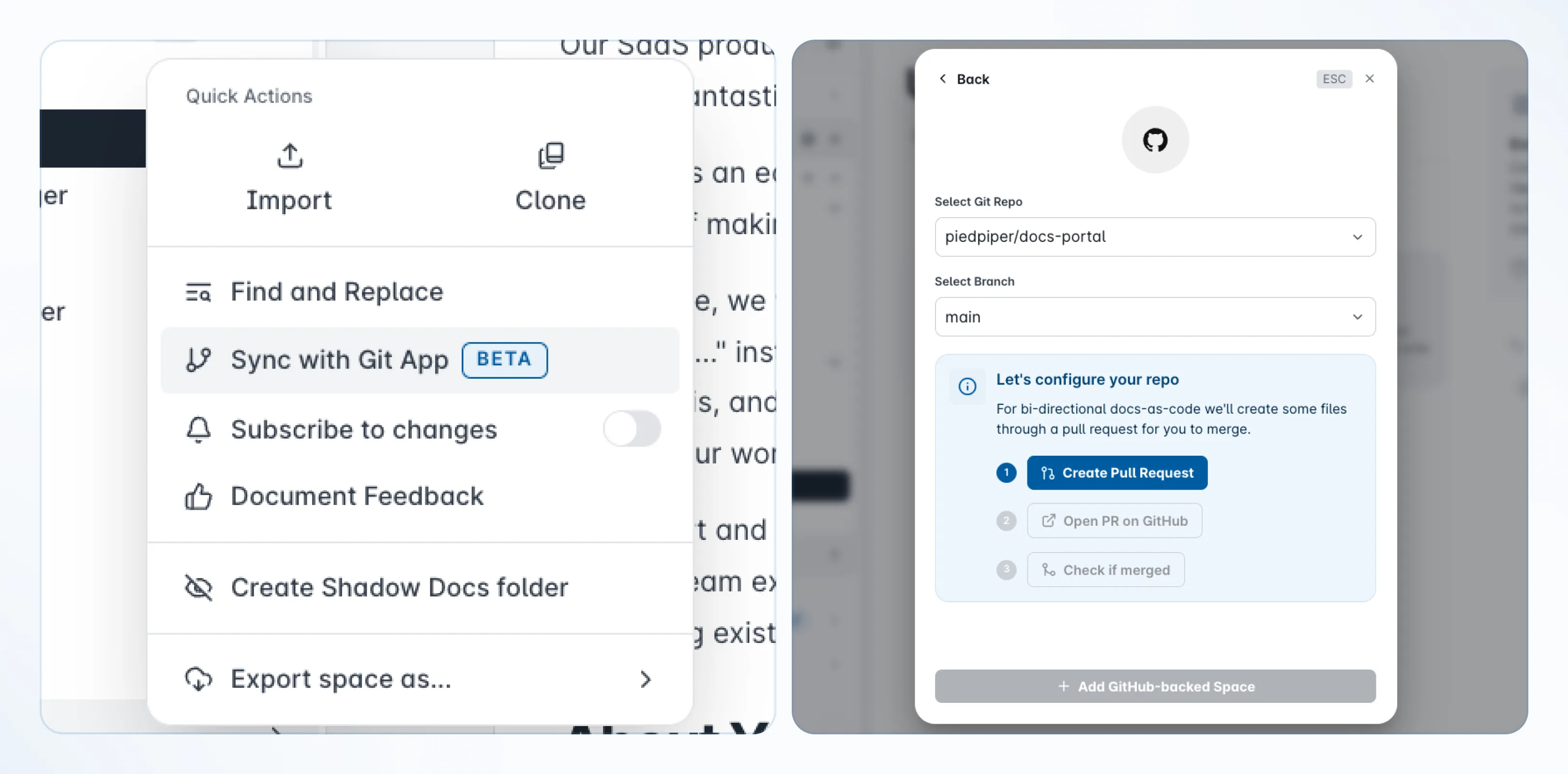
Available from the space menu, this feature lets you link any space to a repository without recreating your structure.
Once connected, you can adopt a docs-as-code workflow with your preferred provider (GitHub, GitLab, or Bitbucket), improving versioning and collaboration without rebuilding your existing documentation.
This feature is currently in beta.
New API Endpoints
We’ve expanded our public API to offer more flexibility in workspace automation.
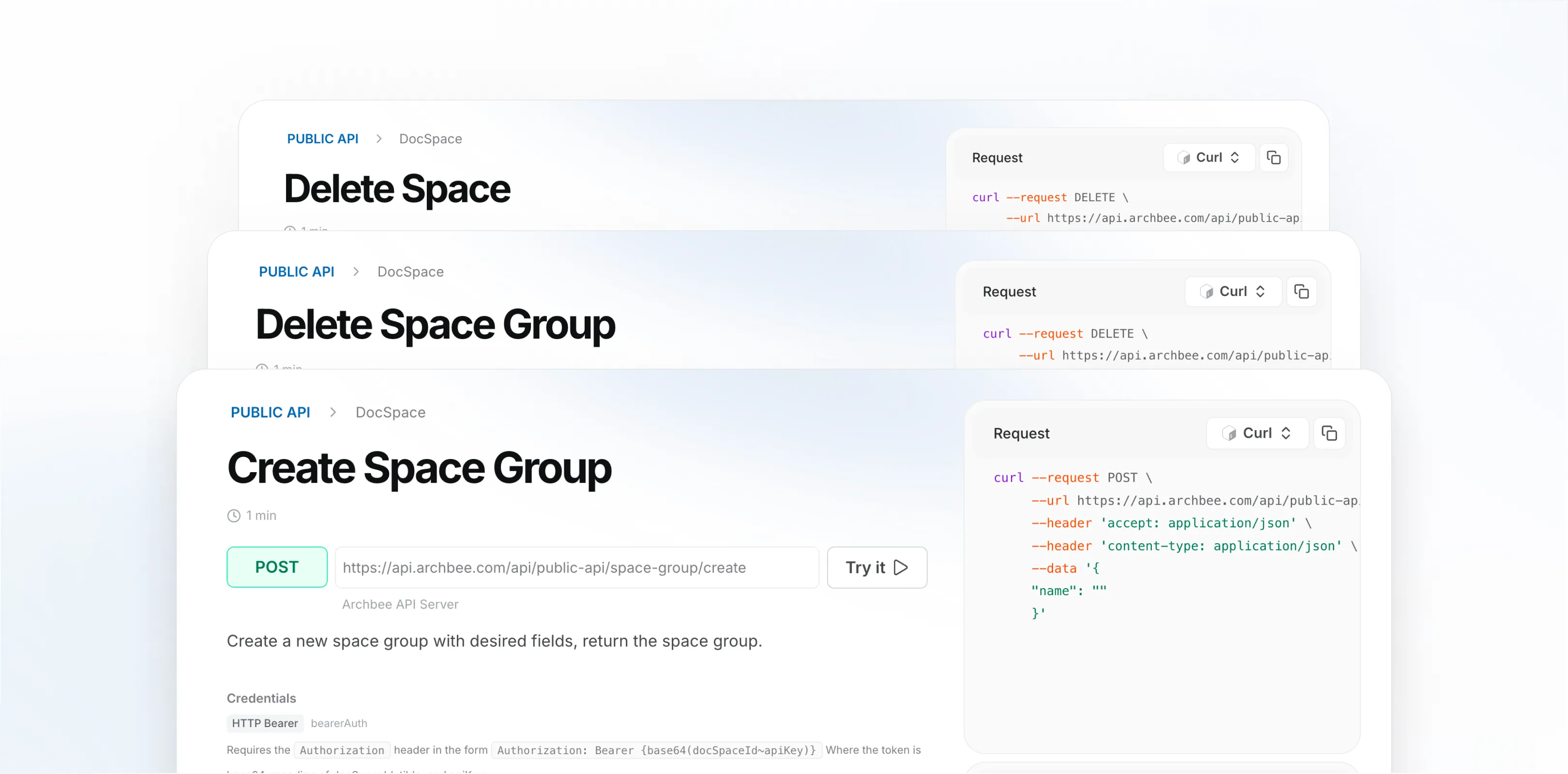
New endpoints are now available for space and space group management:
- Create space group
- Delete space group
- Delete space
These endpoints help teams automate provisioning, manage lifecycle operations, and integrate Archbee more deeply into custom workflows.
Redesigned Image Blocks
We’ve redesigned image blocks to provide a cleaner editing experience and more control over how images behave.
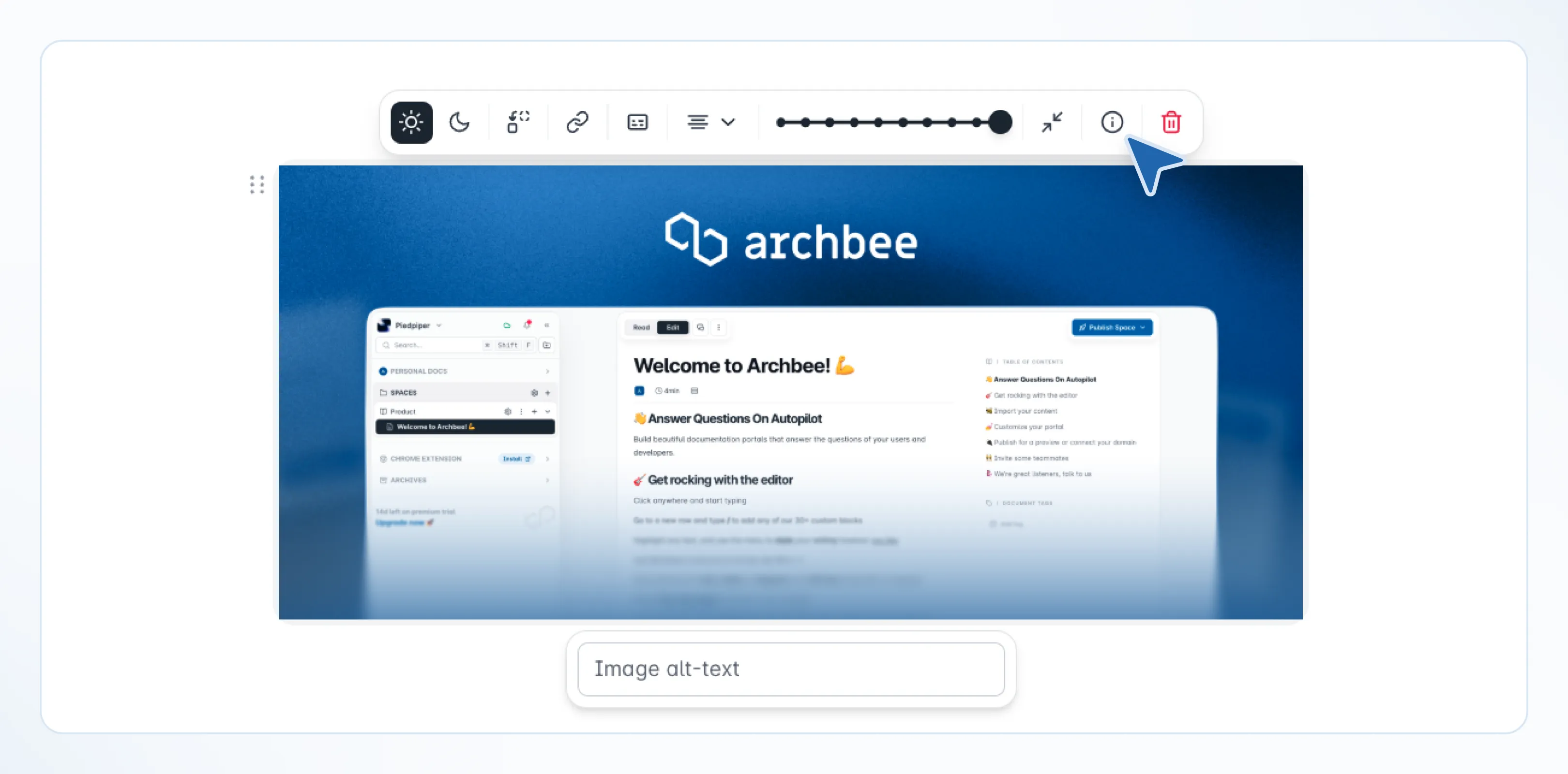
You can now:
- Use images as links to internal documents (doc mentions) or external URLs
- Resize images using preset controls in 10% increments for more consistent layouts
- See a clear overlay when a light or dark mode variant is missing, with a direct action to add it
- Click on the info icon -unhandled content type- to reveal the image's directory in File Manager
These updates make image handling more predictable and help maintain consistency across themes.
Find and Replace Now Supports Content Snippets
Find and Replace now works inside Content Snippets.
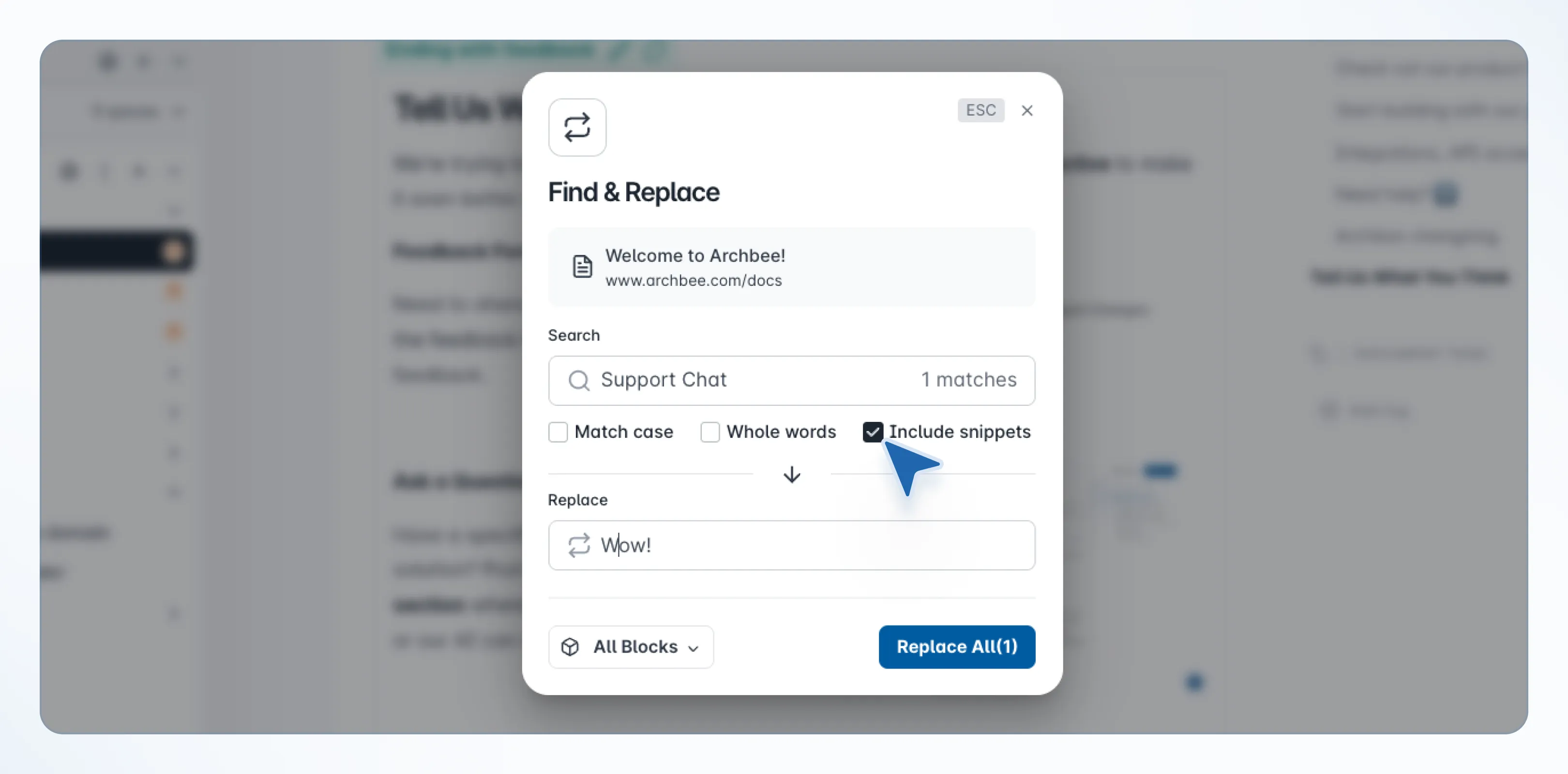
You can search and update text directly within snippets, and changes automatically apply to all documents where those snippets are used.
This reduces the need to manually update repeated content across multiple pages.
Hybrid Access Mode with Silent SSO
We’ve introduced a new hybrid access mode for documentation spaces.
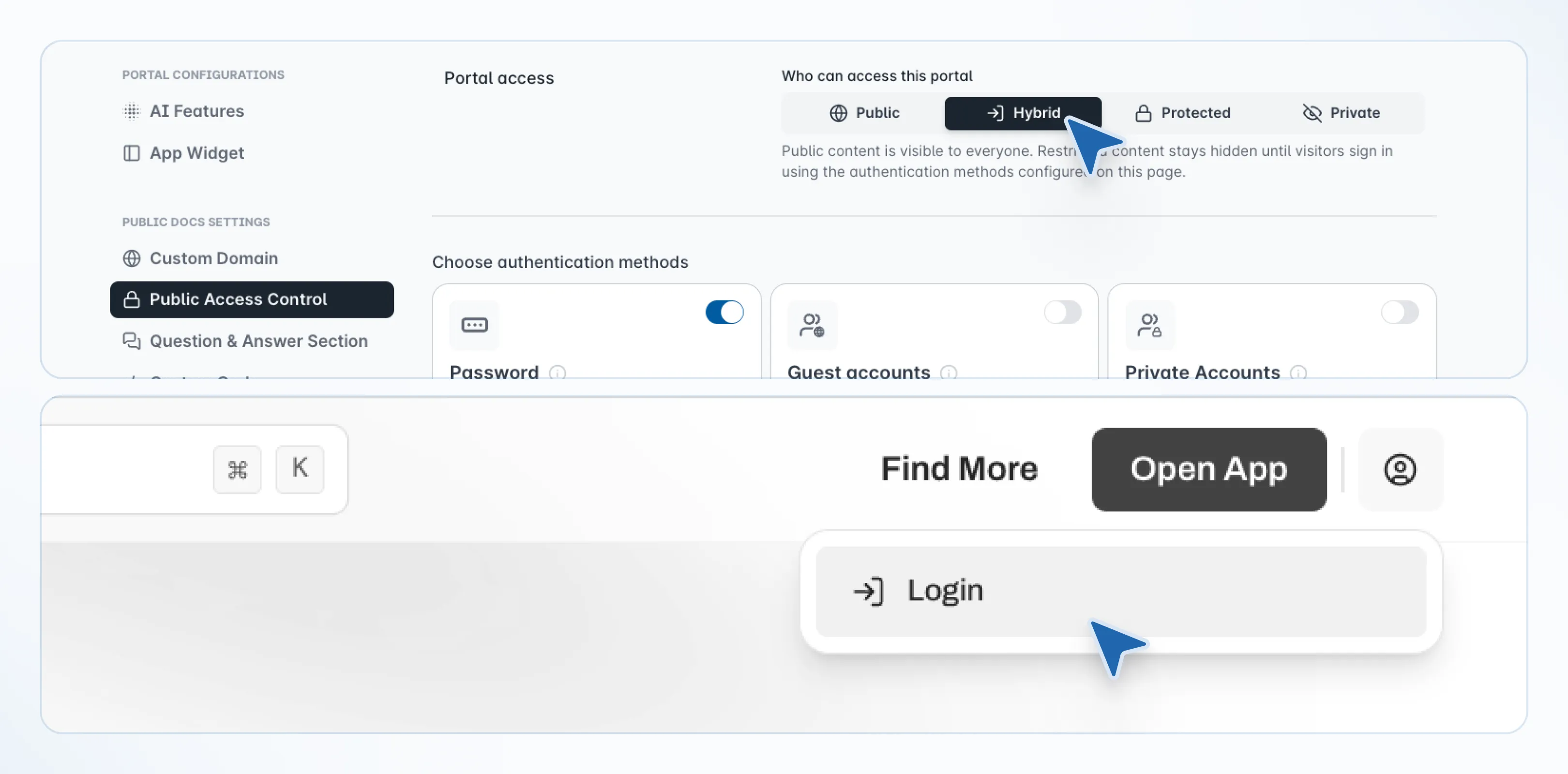
Public users can access content normally, while users already authenticated through SSO are automatically signed in without needing to log in again.
This improves the experience for teams sharing documentation across internal and external audiences.
Improved Branching and Merge Workflows
We’ve improved the branch merge and conflict resolution experience, making it easier to review and merge changes across branches.
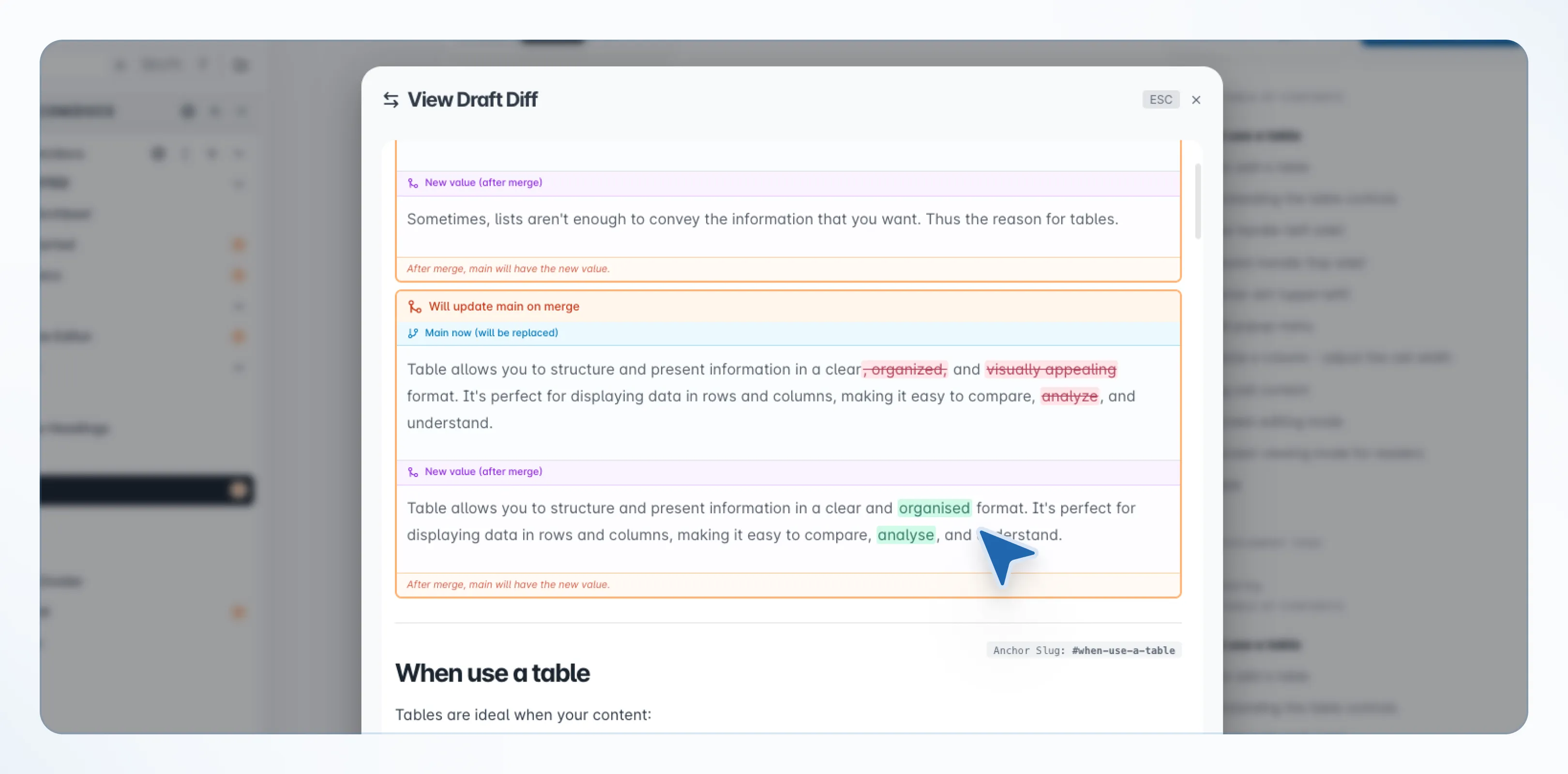
You can now work with a more accurate and readable diff view, helping you better understand what changed before merging.
These updates make the overall merge workflow clearer and reduce friction when working with parallel documentation updates.
Link Checker
You can now use the new Link Checker to scan your documentation and identify broken links across your space.
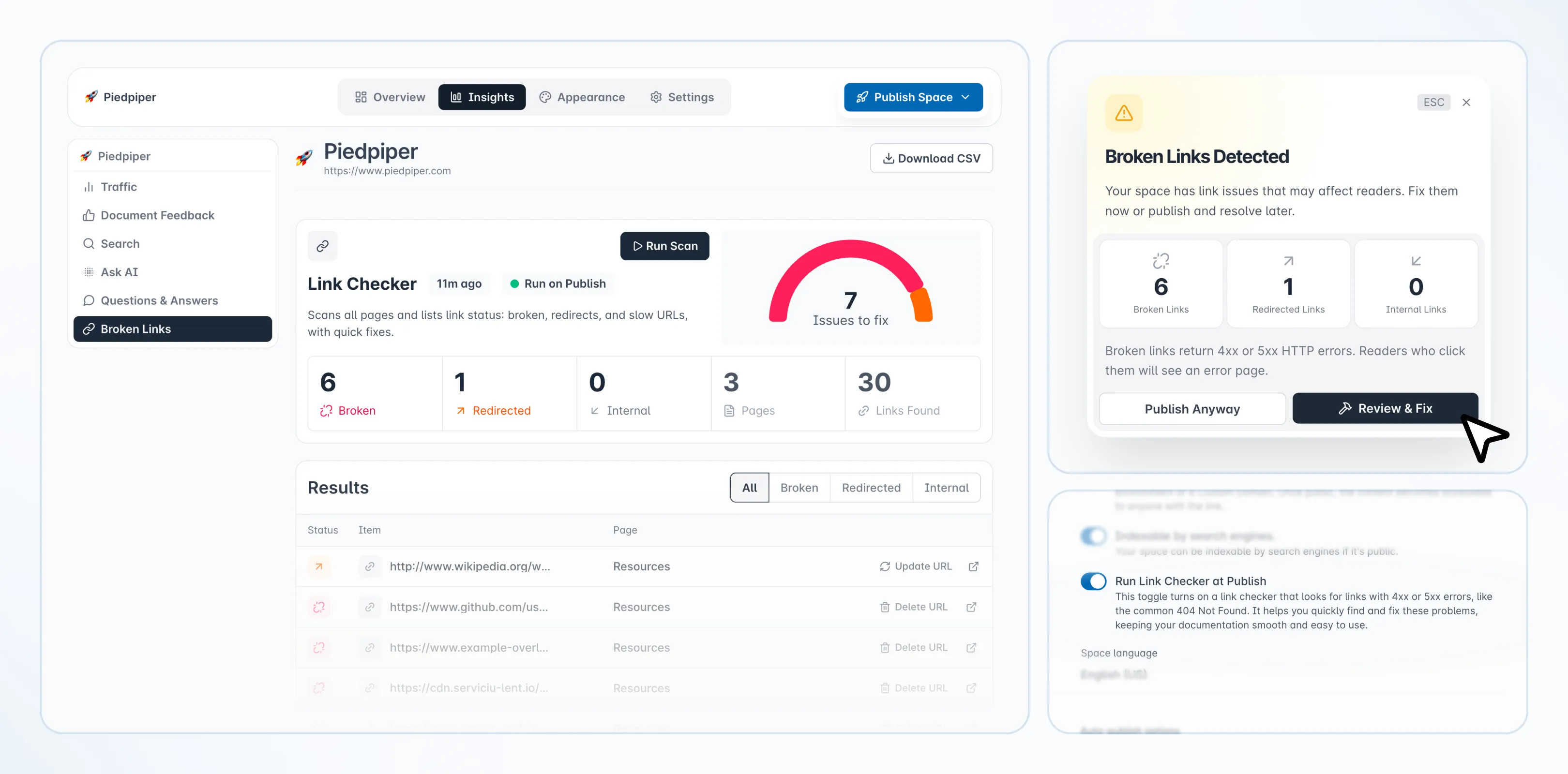
The Link Checker reviews internal and external links and flags any that return 4xx or 5xx responses, giving you a clear view of where issues exist so you can fix them before publishing.
This helps ensure your documentation remains reliable and consistent for your readers.
Publish Portal
We’ve introduced Publish Portal, one of the most requested improvements for teams managing multi-space documentation.
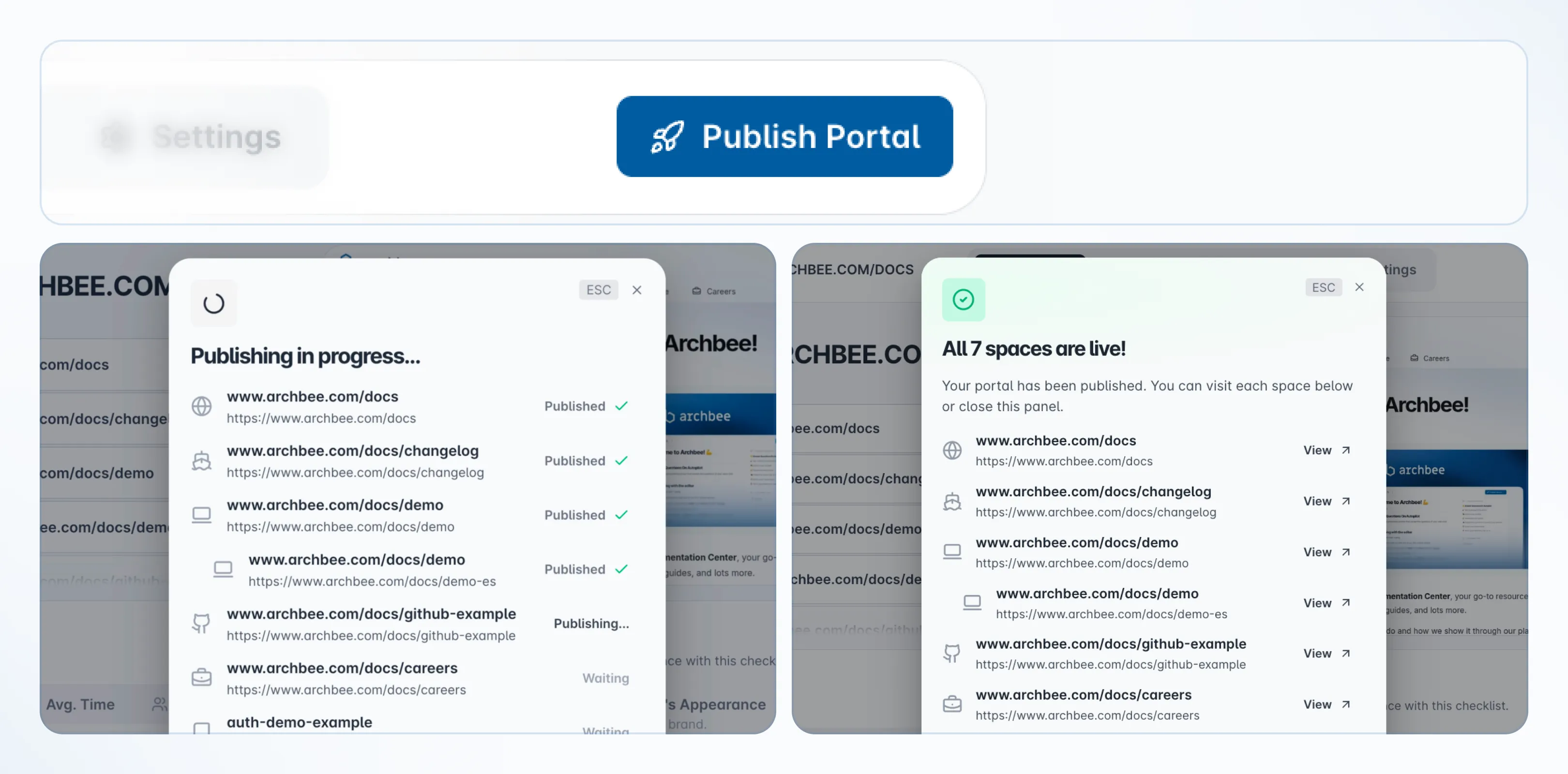
If your portal includes multiple linked spaces inside of a Space Group, you can now publish them to your custom domains all in a single flow. This removes the need to publish each space individually and helps you keep content aligned across your entire portal.
Microsoft Teams Integration and Slack Improvements
We’ve introduced a new Microsoft Teams integration and enhanced our existing Slack integration, bringing documentation workflows directly into your team’s communication channels.
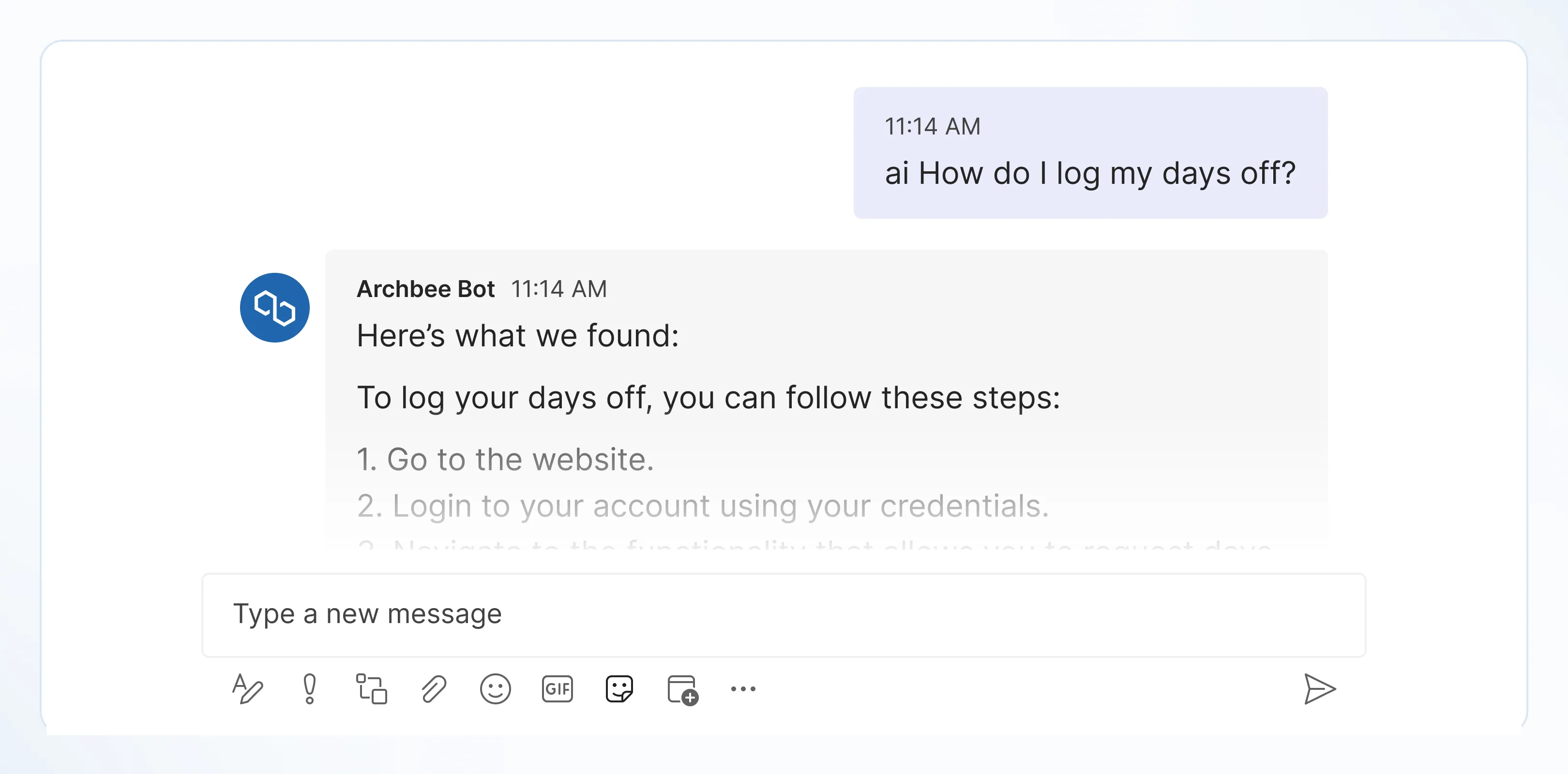
Both integrations now surface the events that actually matter in your documentation workflow, with improved context and tagging, so collaborators and reviewers can stay informed and take action without needing to check Archbee.
OpenAPI Improvements
We’ve expanded support across our API documentation to better align with full OpenAPI specifications.
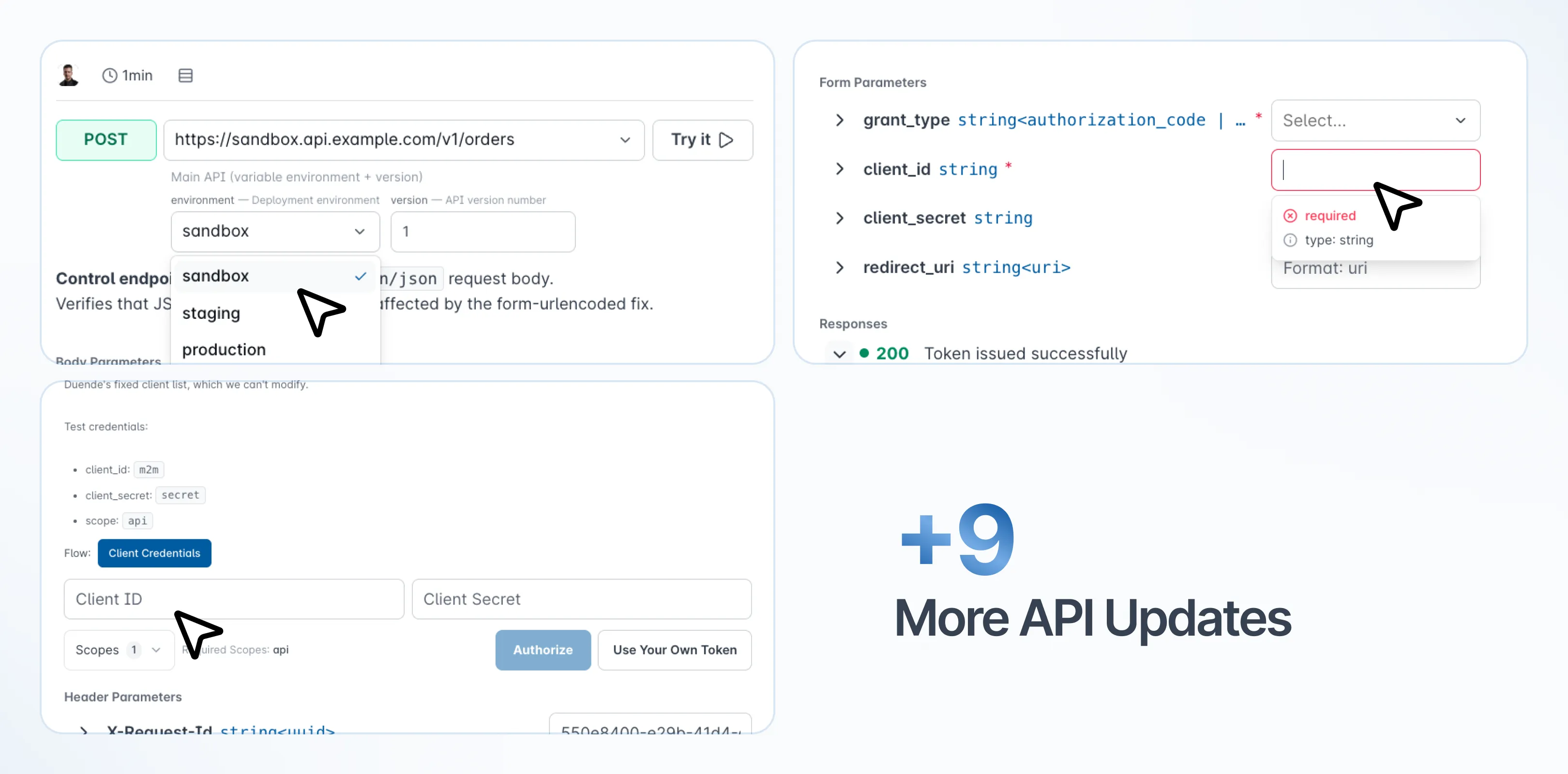
This is one of the most significant improvements to our API docs to date, improving how complex schemas, parameters, and authentication methods are rendered and handled.
Enhanced Document Tree Management
We’ve improved how you build and organize your document tree.
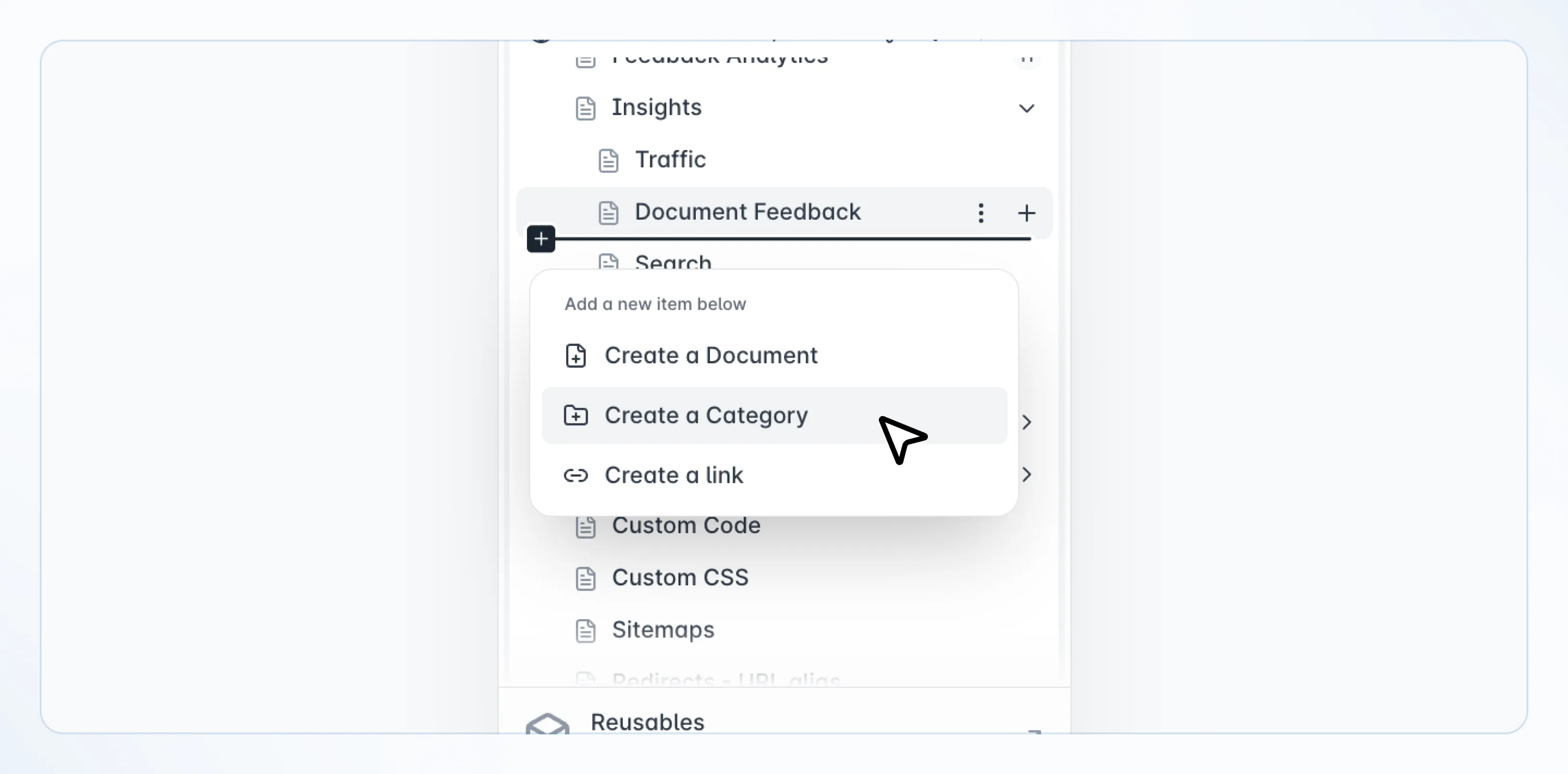
You can now add documents, categories, or links directly in the desired position from the same menu, without needing to convert or move items afterward.
This simplifies structure management and reduces friction when working with large documentation trees.
VS Code Extension Improvements
We’ve improved the Archbee VS Code extension to make local documentation workflows smoother and more reliable.
You can now preview local images directly in the editor, ensuring your documentation renders correctly while working with .md and .mdx files.
We’ve also added Sign In and Sign Out commands, allowing you to authenticate with Archbee directly from VS Code without needing to switch to the app.
AI Usage Insights
We’ve introduced new capabilities to help teams better understand and monitor AI usage.
You can now track AI token consumption across spaces and models through a new API endpoint, with support for pagination and usage insights.
This provides better visibility into how AI features are being used and helps teams manage usage more effectively.
Additional Improvements and Fixes
AI and Translation Enhancements
- AI translation workflows are now faster and more cost-efficient with fewer model calls required
- Added visibility into AI token consumption across spaces and models
- Improved translation resilience and glossary-aware accuracy
Developer Experience and APIs
- Expanded public API support for workspace automation
- Improved OpenAPI indexing for doc mentioning
- Enhanced Git-based documentation workflows for existing spaces
- Added support for authentication and usage insights APIs
Editing and Content Management
- Fixed issues affecting content snippets and template saving
- Improved handling of images and formatting during imports
- Improved editor interactions, including image and text selection and permissions handling
- Fixed copy and paste behavior in complex layouts
- Added support for Find and Replace inside Content Snippets
Import and File Handling
- Added support for DOCX files in ZIP imports
- Increased DOCX upload size limits
- Improved Google Drive authentication flow and error handling
- Improved image import and formatting reliability
Search, Navigation, and Access
- Fixed widget behavior opening search on specific documents
- Search results now display full document titles
- Fixed anchor links so they open collapsed sections (Expandable Headings) on browser access
- Fixed Link Checker false positives
- Added support for hybrid access and silent SSO authentication
Publishing and Export Improvements
- PDF exports now correctly render dynamic content such as diagrams
- Added export options for private account data and glossary data
- Improved reliability across publishing and export workflows
- Introduced Publish Portal support for multi-space publishing
Collaboration and Moderation
- Admins and SuperAdmins can now delete any comment
- Improved review workflows with merge-all draft capabilities
- Enhanced Slack and Microsoft Teams collaboration notifications
Releasing Soon
We’re working on several upcoming improvements:
- Publish to static HTML for exporting documentation as standalone sites
- Publish to PDF enhancements for improved formatting and reliability
- Portal interaction redesign with more granular document actions
Tell us what you think
We're trying to build something great, but we need your unique perspective to make it even better. Don't hold back and let us know what's on your mind.
Feedback Form
Need to share your thoughts directly? Use the feedback form to leave a quick text feedback.

Ask a Question (Q&A Section)
Have a specific problem or need a solution? Post it here! Below is a public section where our community, our team, or our AI can respond and offer help.
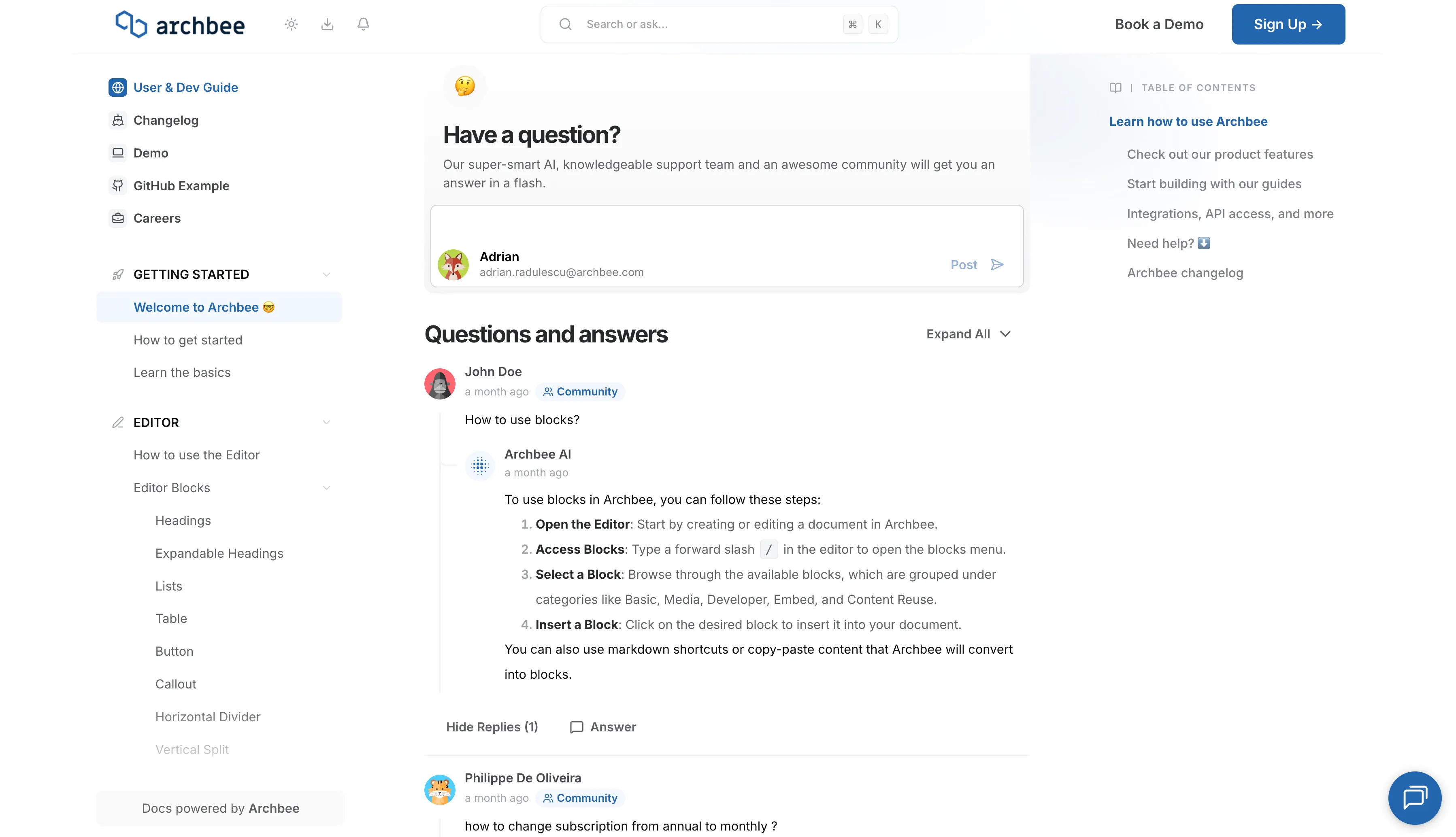
Support Chat
Need personalized support right now? Use the blue chat bubble in the bottom-right corner. This connects you immediately with our support team.