Space group settings
3 min
With Space group settings, you can manage settings for multiple spaces at once. This feature allows you to set up configurations for all the spaces in a space group collectively, so you don't have to update each one individually.
Key features
- Centralized settings management
- Manage all settings for spaces within a space group from a single, dedicated section.
- Automatic sync
- Any changes made to the space group settings are automatically propagated to all current and new spaces within the group if the sync option is active.
- Time-saving
- It reduces the time and effort required to individually update settings for each space - especially beneficial for large documentation sites.
Customize settings
Once you have created a space group, navigate to the ⚙️ button next to your space group, and give it a desired name.
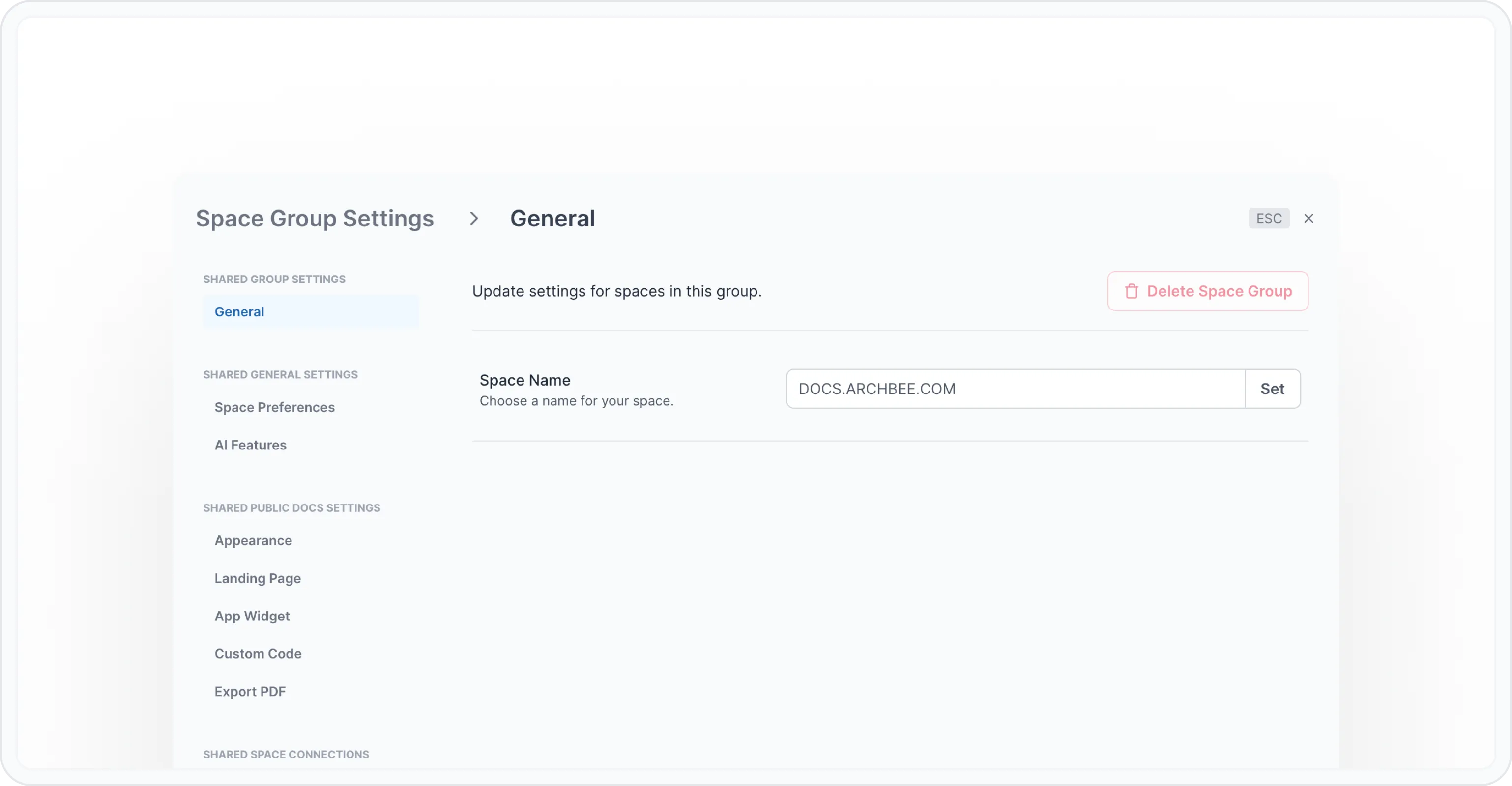
Space group name
The changes will propagate to all new or existing spaces within a space group.
Link/unlink your space group settings
By default, on space level, all settings are linked to your space group settings.
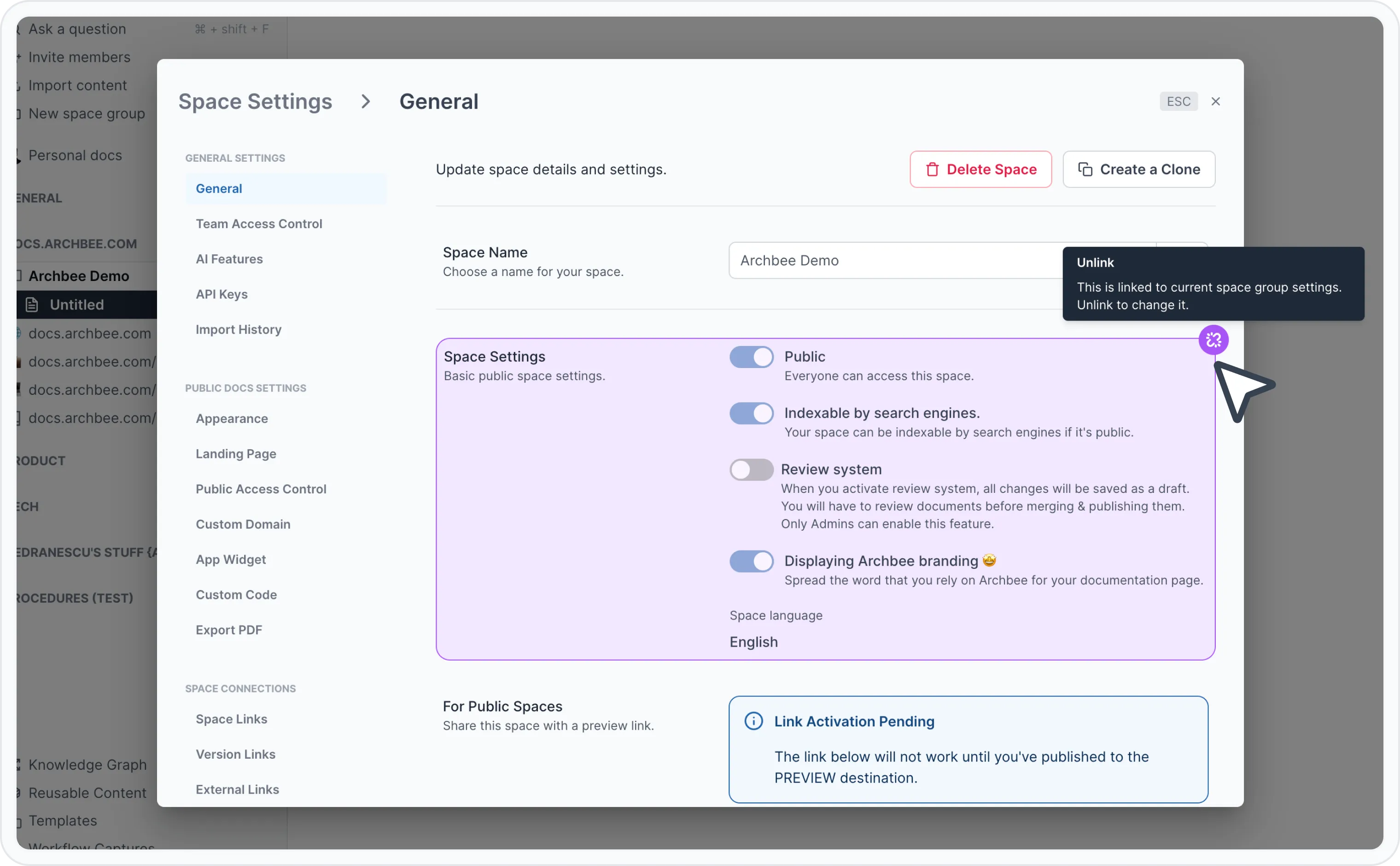
Linked space group settings
Click that 🔗 button to unlink if you want to change options per space level.
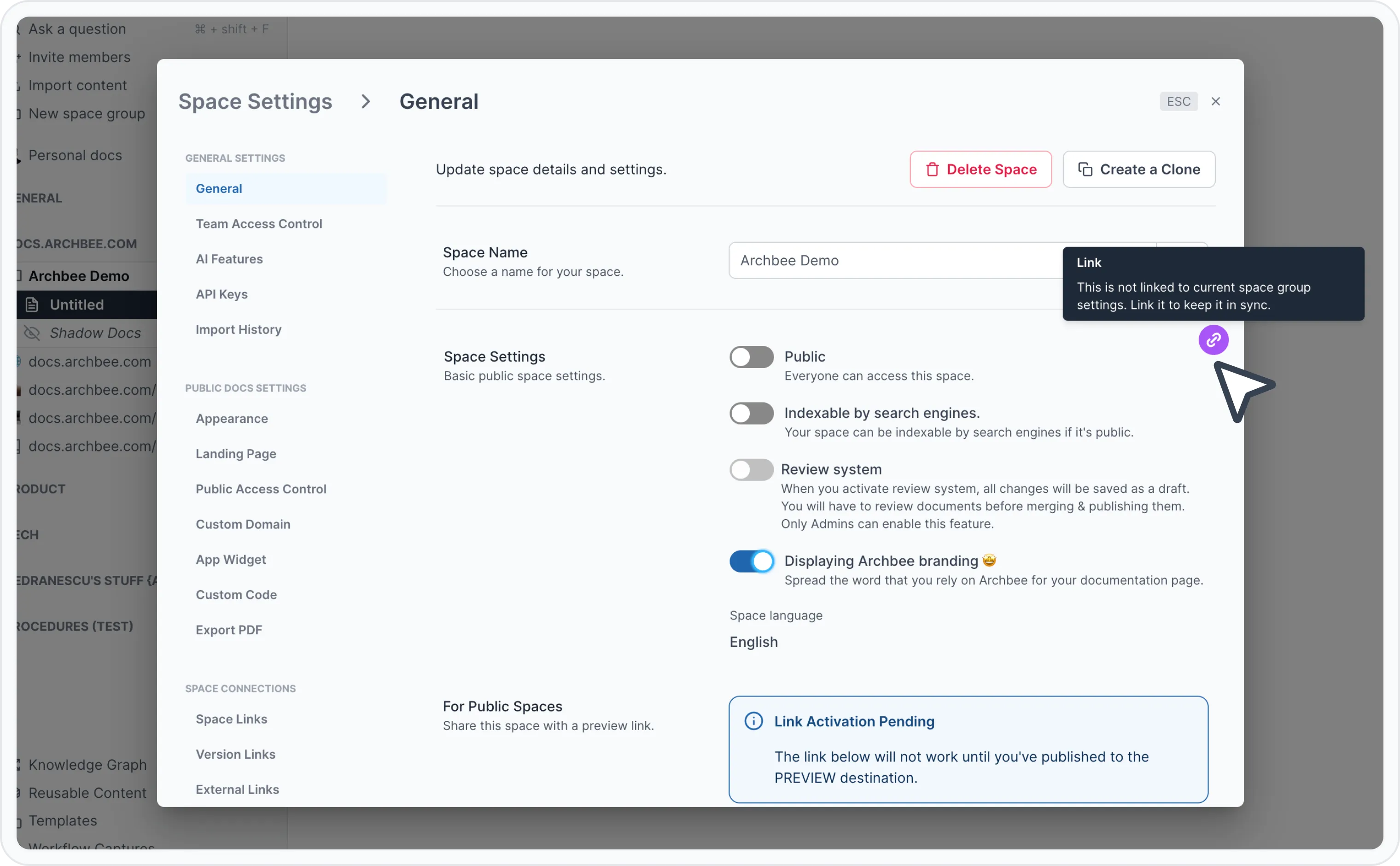
Link/unlink button
Have a question?
Our super-smart AI, knowledgeable support team and an awesome community will get you an answer in a flash.
To ask a question or participate in discussions, you'll need to authenticate first.