What's New Nov 1-15
New Releases
Portal & Space Dashboards
We’ve introduced the all-new Portal & Space Dashboard in Archbee, giving teams a clearer and more actionable view of their documentation spaces.
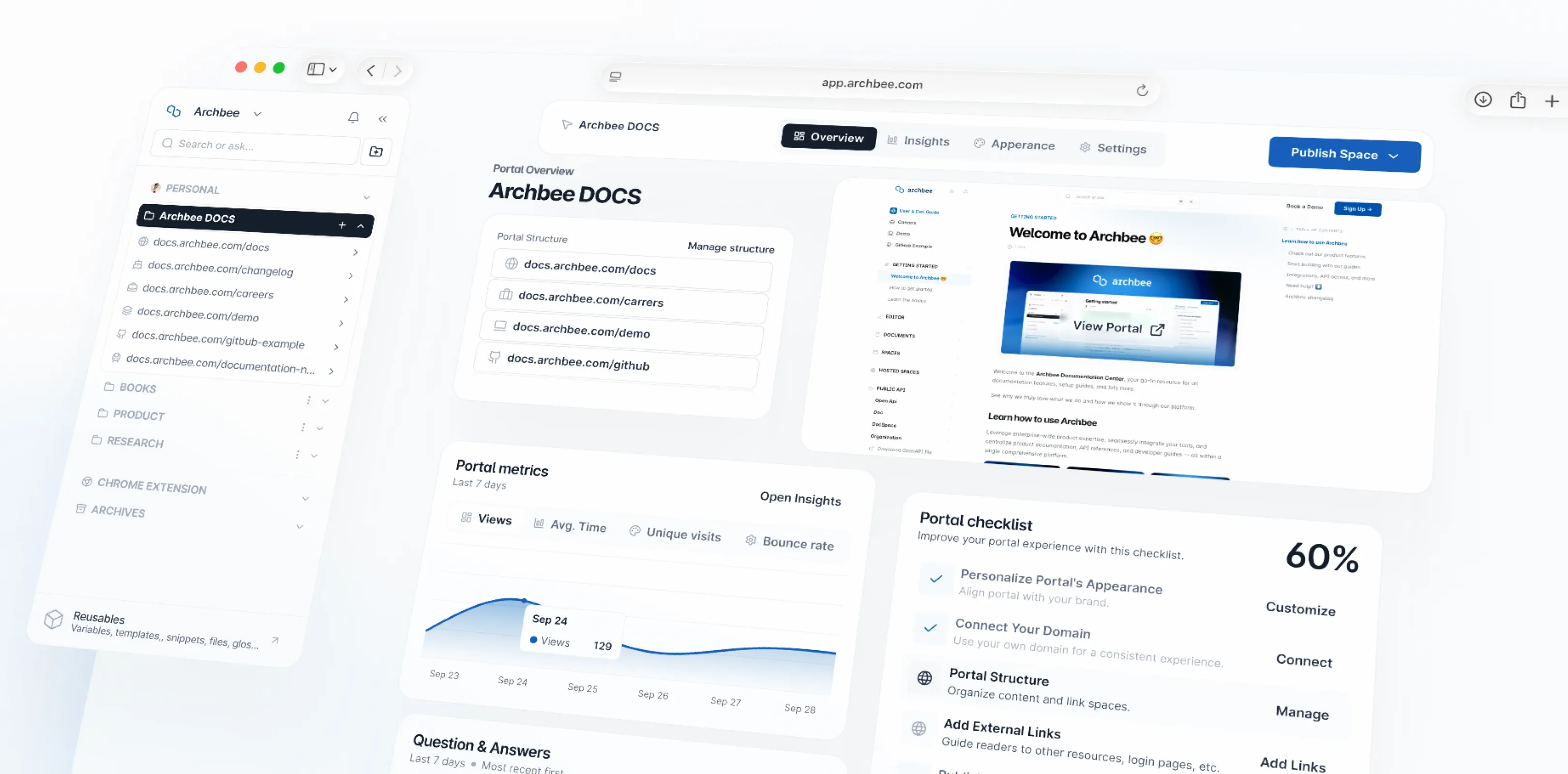
The new Space Dashboard - Overview Tab is designed for documentation managers, offering a high-level snapshot of key activities and details:
- Documentation Activity: Track recent activity within your space.
- Public Preview: Quickly view how your space appears publicly.
- Space Details: Essential information about the space configuration.
- Publishing Progress: Monitor the status of your publishing efforts.
The new Portal Dashboard - Overview Tab puts all your essential portal management tools in one place:
- Portal Structure: View and easily navigate all the spaces linked within the same portal.
- Real-time Preview: Instantly see your space's appearance, including layout, themes, and color settings, before you publish.
- Insights: Get a quick understanding of your portal's performance and key metrics.
- Portal Checklist: A simple guide to ensure your portal is fully optimized.
- Questions & Answers: Centralize all received portal questions for easier viewing, filtering, and answering.
- Document Feedback: See all feedback received on your portal in a single, accessible location.
Both the Space and Portal Dashboards now include three new tabs to improve the user experience and organization:
- Insights : Now in a more accessible and organized location, making it easier to analyze space/portal performance.
- Appearance: All "look and feel" settings are grouped here. You can now see live changes as you adjust themes and styles.
- Space/Portal Settings: Settings are now organized with more room for future improvements and easier management.
These enhancements give you better visibility, control, and customization over your documentation, helping your team manage spaces more efficiently than ever before.
Enhanced Tables
Tables in Archbee are now more powerful than ever.
You can now merge and split cells, freeze headers, apply background colors, and expand large tables into a full-screen view for better readability and editing. These enhancements make it easier to create, edit, and present complex datasets right inside your documentation.
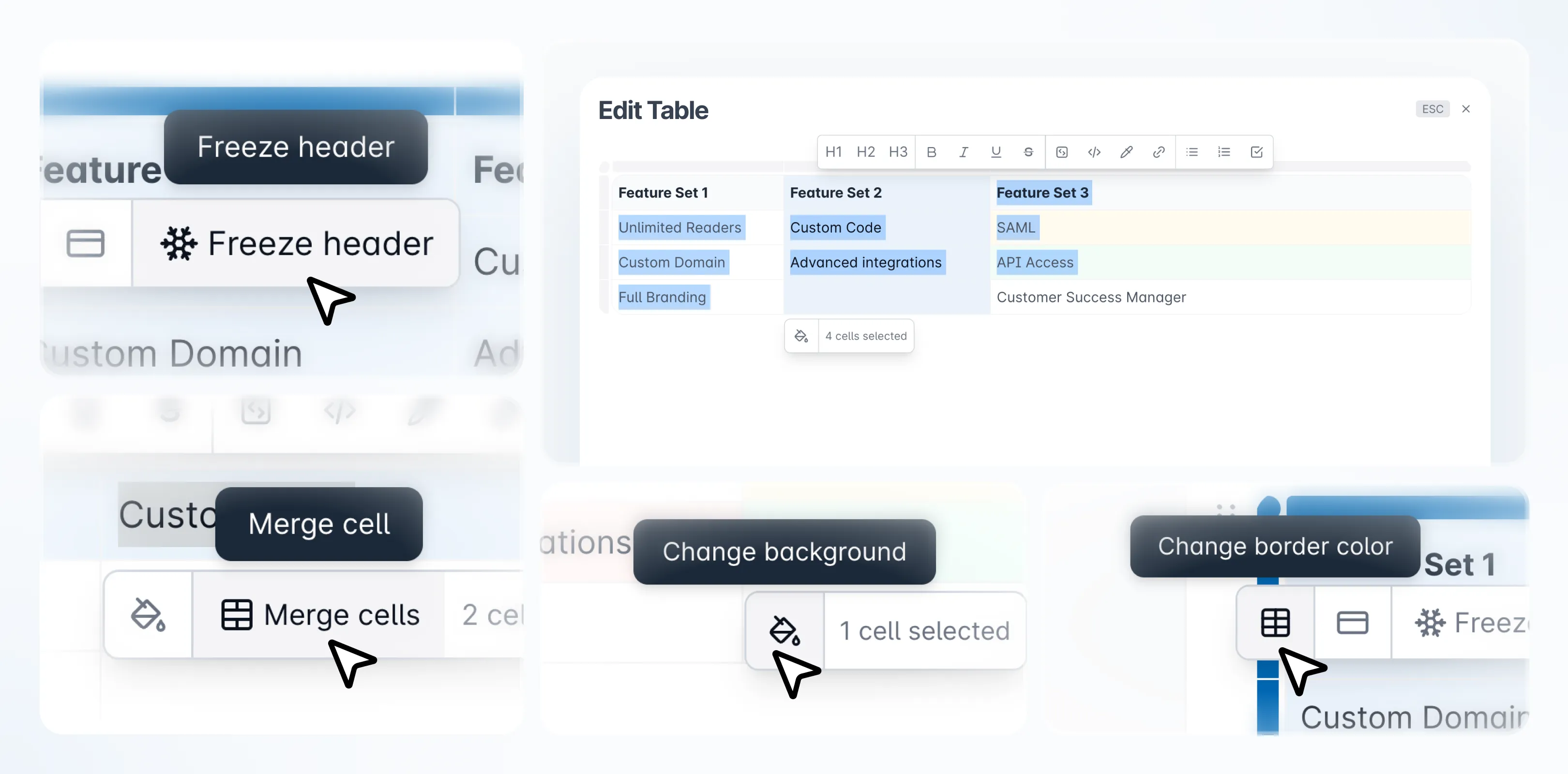
Copying and pasting tables directly from Confluence also preserves merged cells and formatting, simplifying migration and editing workflows.
Tweaks & Fixes
Fixed ✅
Feature | Description |
|---|---|
App Widget | Fixed an icon rendering issue in the app widget when clicking "How To Use". |
Editor | Fixed an issue where images were collapsing in the editor. |
Editor | Resolved a "Cannot read properties of undefined" error for onSyncNotifications causing Cypress test failures. |
Editor | Fixed the "Edit image" button not responding in link blocks. |
Editor | Fixed heading display issues inside callout blocks. |
Editor | Fixed keyboard shortcut mappings for Dvorak keyboard users. |
Export | Fixed performance issues where PDF export would take too long or fail to generate. |
File Manager | Fixed the drag and drop area being smaller than the window size. |
Landing Page | Fixed the "Save" button visibility issue on custom landing pages caused by long CSS code. |
Landing Page | Fixed logic for landing page logo sizing. |
Links | Fixed external links defaulting to the internal tab when clicked. |
Links | Corrected color updates for external links. |
Login Portal | Fixed a login portal issue and updated the SAML icon to a key symbol. |
Notifications | Fixed an issue where API files could not be opened directly from notifications. |
Onboarding | Made form fields mandatory during the onboarding process. |
Public Docs | Removed "overflow: hidden" from snippets on public documentation to improve visibility. |
Public Portals | Fixed the placement of the Archbee badge on the side panel of public portals. |
Published | Fixed a 403 error on the "Read More" section when "Show content on category page" is enabled on private links. |
Review System | Fixed an issue where clicking "Edit draft" on an API endpoint page opened the AI modal instead of the content. |
Pictures | Fixed images from shared public links not displaying on mobile devices (iOS). |
Reusable Content | Fixed glossary terms not rendering correctly (appearing as {{...}}) in the published view. |
Search | Fixed an issue where the dashboard search returned no results. |
Search | Fixed a missing background style in the search interface. |
Security | Updated the lodash library to resolve a vulnerability scan issue. |
Space Groups | Fixed an issue where deleted Space groups would sometimes persist in the left navigation. |
UI | Fixed title alignment issues on tablet devices. |
UI | Fixed fade logic failing and resetting on scroll when a category is clicked. |
UI | Fixed miscellaneous UI issues including divider shading and feedback button borders. |
UI | Fixed inconsistent height issues in UI elements. |
UI | Fixed spacing alignment in the Public Access Control (PAC) interface. |
Improvements 📈
Feature | Description |
|---|---|
Admin Settings | Moved notification settings to a dedicated "Admin Notification Settings" section. |
Dashboard | Rolled out a redesign for the Space Dashboard for better usability. |
PAC | Added a "Waiting time" option to Public Access Control (PAC) settings. |
Published | Added the ability to customize the "JWT" text on the authentication page (e.g., for non-technical users). |
Reusable Content | Added the ability to select and apply multiple tags to a document at once. |
UI | Improved spacing and gaps in the document details view (contributors, reading time, breadcrumbs). |
Versions | Added Afrikaans as a supported language for versioned documentation. |
Tell us what you think
We're trying to build something great, but we need your unique perspective to make it even better. Don't hold back and let us know what's on your mind.
Feedback Form
Need to share your thoughts directly? Use the feedback form to leave a quick text feedback.

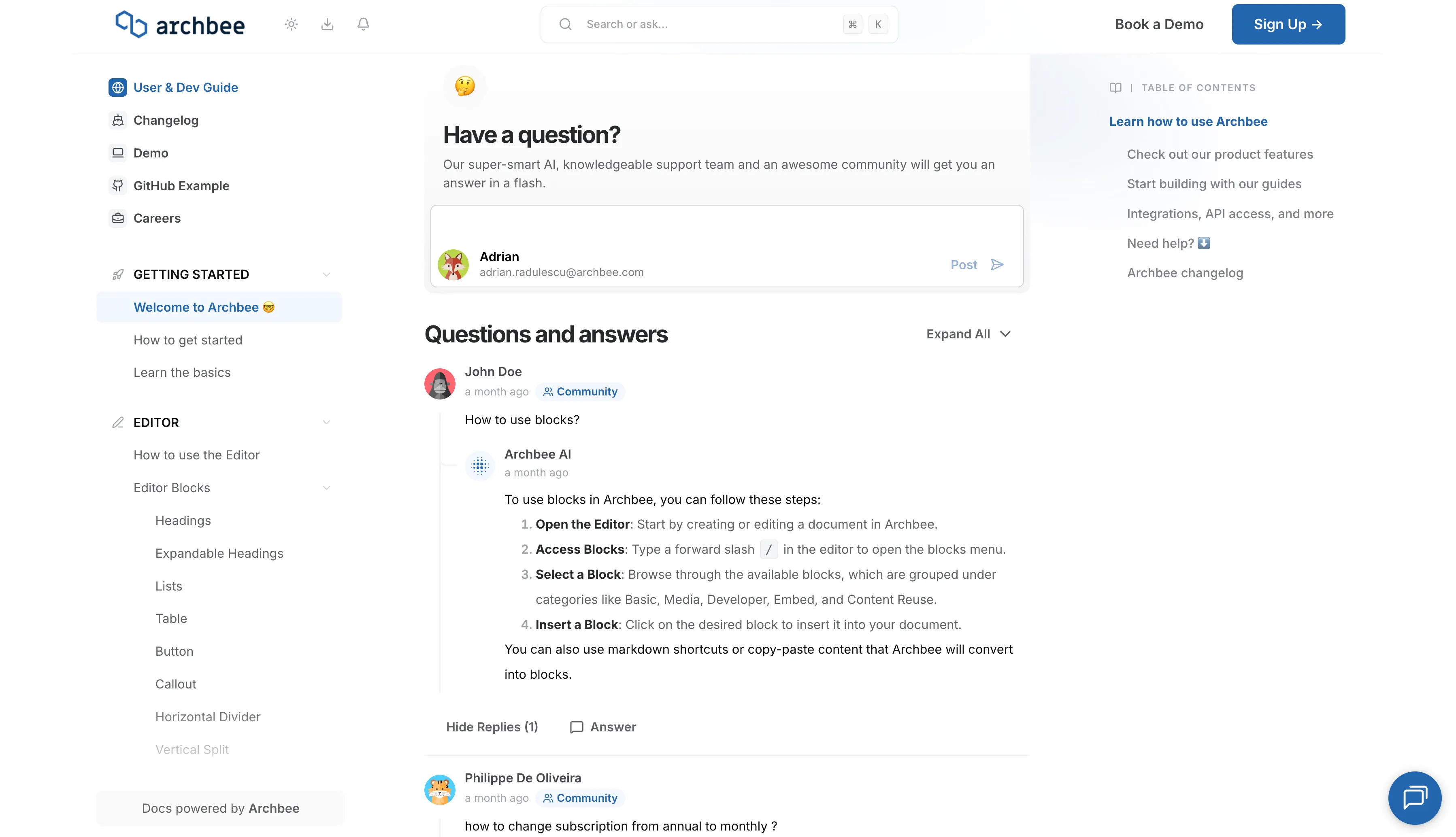
Ask a Question (Q&A Section)
Have a specific problem or need a solution? Post it here! Below is a public section where our community, our team, or our AI can respond and offer help.
Support Chat
Need personalized support right now? Use the blue chat bubble in the bottom-right corner. This connects you immediately with our support team.