代码抽屉
3 分
代码抽屉是在三栏布局中展示代码示例的绝佳方式。
这里有一个:‘‘‘
A code drawer
let x, y, z;  // Statement 1
x = 5;        // Statement 2
y = 6;        // Statement 3
z = x + y;    // Statement 4

document.getElementById("demo").innerHTML =
"The value of z is " + z + ".";
这里还有一个。
Another code drawer
# Program to find the sum of all numbers stored in a list

# List of numbers
numbers = [6, 5, 3, 8, 4, 2, 5, 4, 11]

# variable to store the sum
sum = 0

# iterate over the list
for val in numbers:
    sum = sum+val

print("The sum is", sum)
以及编辑时的截图:
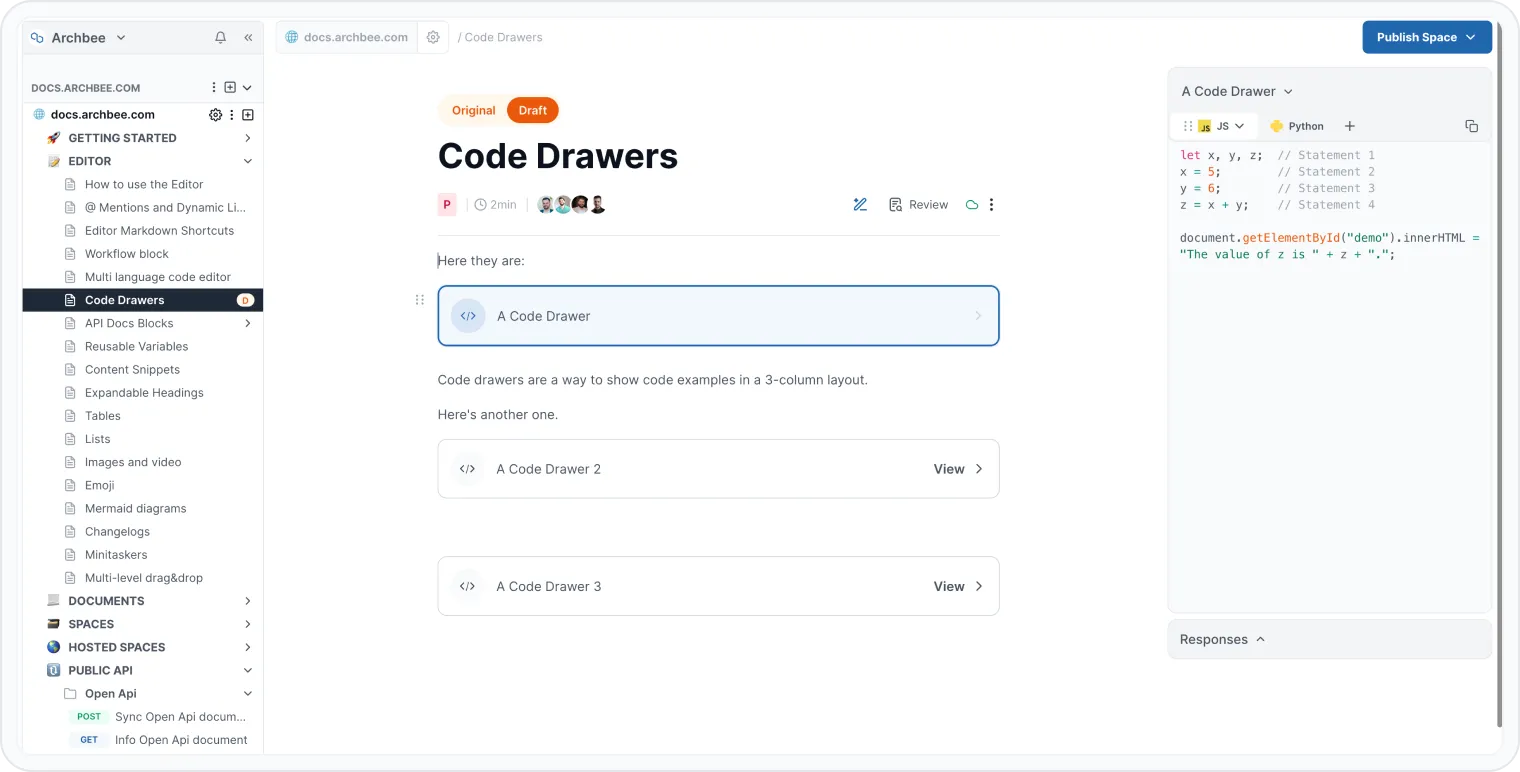
Code drawers
Markdown
使用以下 Markdown 生成 code drawer 区块:
### Test codedrawer

::::codedrawer{title="a code drawer"}
:::codeblocktabs-examples
```php
// Some wordpress plugi
 // Add our plugin's option page to the WP admin menu.
  public function add_plugin_options_page() {
    add_options_page(
      'Example Plugin Settings',
      'Example Plugin Settings',
      'manage_options',
      'ex',
      [$this, 'render_admin_page']
    );
  }
```
```go
// Next should be used only inside middleware.
// It executes the pending handlers in the chain inside the calling handler.
// See example in GitHub.
func (c *Context) Next() {
    c.index++
    for c.index < int8(len(c.handlers)) {
        c.handlers[c.index](c)
        c.index++
    }
}
```
```javascript
// demo js
```
:::
:::codeblocktabs-responses
```json
// 404 -  not found
{
  requireFingerprintScope: true,
  maxMachines: 1,
  concurrent: false,
  floating: false,
  protected: true,
  strict: true
}
```
:::
::::
需要帮助? ⬇️
使用右下角的蓝色 聊天气泡。
或尝试AI聊天(来自搜索框)以快速获取答案。
您的意见很重要
使用下面的反馈表,匿名提交。
或在Q&A 区域中提问,我们的团队或 AI 会为您提供解决方案。
Have a question?
Our super-smart AI, knowledgeable support team and an awesome community will get you an answer in a flash.
To ask a question or participate in discussions, you'll need to authenticate first.