定制 CSS
4 分
已托管并发布的 Spaces 可以使用 CSS 进行自定义。
您的 CSS 更改将仅包含在您的自定义域名上。当您预览已发布的 Space 时,它将不可见,因此您需要将其发布到 Production。
选择一个 space,然后点击 设置 图标( ⚙️ )以打开 空间设置
在 Space Settings 窗口中找到 定制代码 选项卡
进入 定制 CSS 字段
输入 HTML <style> 标签
保存 您在 Custom CSS 字段中的更改。
<style>

 /* add the CSS clases and the properties you want to change */

</style>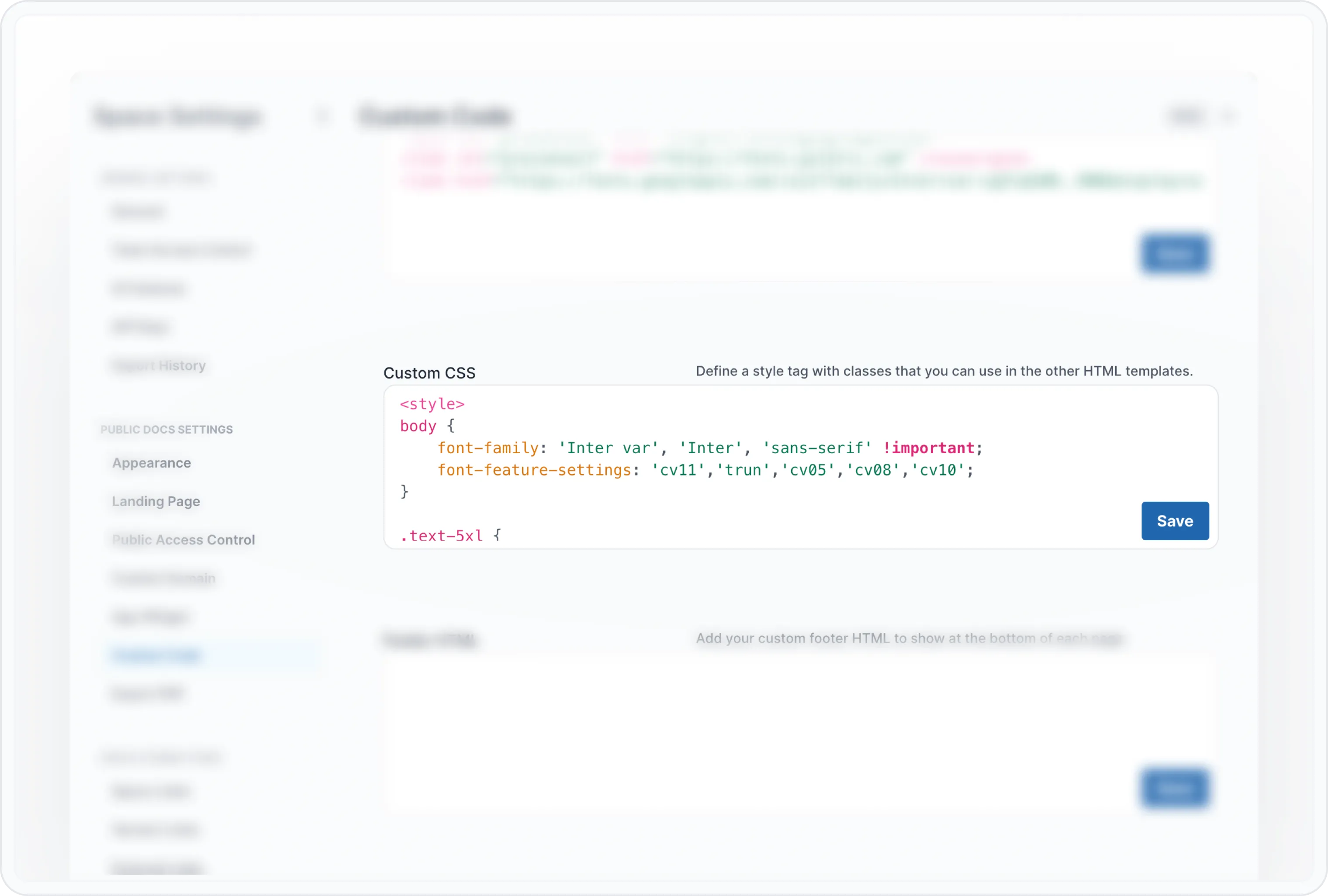
Custom CSS
出于安全原因,自定义代码仅包含在自定义域名上。
在整个 DOM 中,您会发现带有以 ab- 开头的 CSS 类的 HTML 元素。您可以通过这些类来定制 portal 的样式。这些类保证永远不会更改,因此在我们更新系统时不会破坏您的样式。
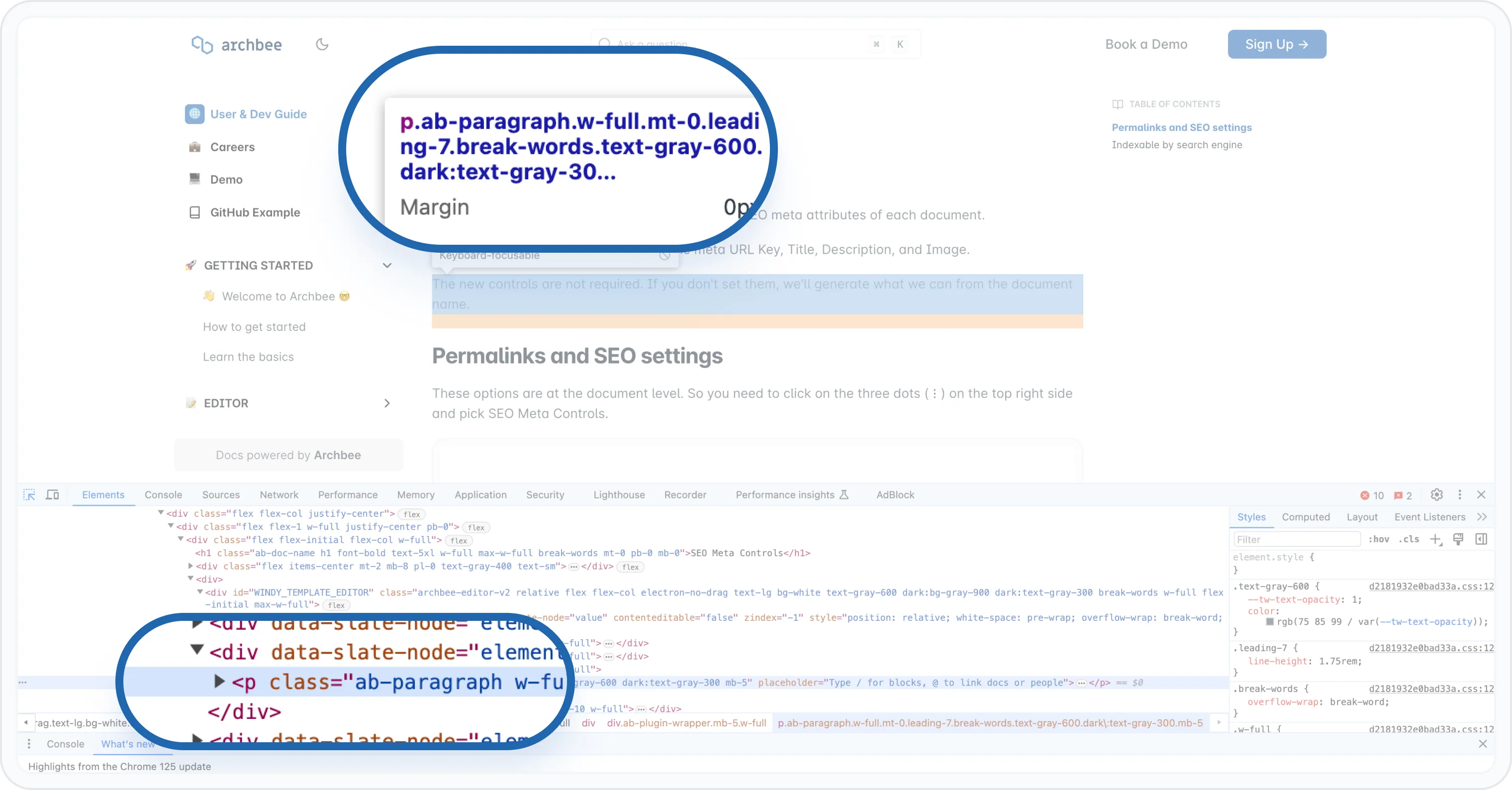
ArchbeeDOM
如果您尝试设置样式的元素没有以 ab- 开头的类,则我们不允许进行自定义,这主要是为了保护您。例如,如果我们更改结构,可能会影响您的样式。
内容部分的每个元素和块也有类似的类。下面可以找到类的列表。如果您想查看它们,请在浏览器中右键点击 -> Inspect 打开 DevTools。
以下是当前 可用的 CSS 类:
.ab-callout { }
.ab-changeloc { }
.ab-code-editor { }
.ab-minitasker { }
.ab-graphiql { }
.ab-horizontal-divider { }
.ab-jira { }
.ab-map { }
.ab-mermaid { }
.ab-vertical-split { }
.ab-vertical-split-item { }
.ab-video { }
.ab-checklist { }
.ab-blockquote { }
.ab-diagram { }
.ab-embed { }
.ab-file { }
.ab-iframe { }
.ab-html { }
.ab-image { }
.ab-ul-list { }
.ab-ol-list { }
.ab-list-item { }
.ab-list-item-child { }
.ab-table { }
.ab-space { }
.ab-collection { }
.ab-space-container { }
.ab-collection-container { }
.ab-top-navbar { }
.ab-search-input { }
.ab-public-search { }
.ab-space-content { }
.ab-collection-content { }
.ab-tree-navigation { }
.ab-tree-navigation-link { }
.ab-left-nav-chevron { }
.ab-tree-navigation-link-inactive { }
.ab-space-navigation { }
.ab-doc-name { }
.ab-h1 { }
.ab-h2 { }
.ab-h3 { }
.ab-expandable-heading { }
.ab-link { }
.ab-link-dynamic { }
.ab-nav-right { }
.ab-nav-right-text { }
.ab-bold { }
.ab-code { }
.ab-paragraph { }
.ab-footer-container { }
.ab-search-modal-header { }
.ab-search-modal-content { }
.ab-auth-jwt-button { }
.ab-auth-saml-button { }
.ab-windy-template { }
.ab-color-nav-template { }
.ab-booklet-template { }
OpenAPI CSS 类
.ab-openapi { }
.ab-open-api-param-name { }
.ab-open-api-param-expand-icon { }
.ab-open-api-param-type { }
.ab-open-api-param-description-wrap { }
.ab-open-api-param-example-wrap { }
.ab-open-api-param-custom-type { }
.ab-open-api-required-star { }
.ab-open-api-param-example-title { }
.ab-open-api-param-example { }
.ab-open-api-param-description-title { }
.ab-open-api-param-description { }
.ab-open-api-input-wrap { }
.ab-open-api-array-input-wrap { }
.ab-open-api-schema-wrap { }
面包屑类
.ab-breadcrumb-item { } 每个面包屑标签
.ab-breadcrumb-item-clickable { } 可点击以进行导航的面包屑
.ab-breadcrumb-item-highlight { } 当前活动/高亮显示的面包屑
.ab-breadcrumb-separator { } 面包屑之间的尖括号图标
.ab-breadcrumbs-wrapper { } 整个面包屑栏的容器
.ab-breadcrumb-ellipsis { } 当面包屑过多时显示的 "..."
深色模式会在 HTML 树的顶部添加一个 dark 类,您可以使用它来设置暗色模式样式。
例如,以下是在深色模式下将文本更改为红色的方法:
<style>
    .dark .ab-paragraph {
         color: red !important ;
    }
</style>
Have a question?
Our super-smart AI, knowledgeable support team and an awesome community will get you an answer in a flash.
To ask a question or participate in discussions, you'll need to authenticate first.