定制登录页
3 分
您可以设置一个定制 HTML 页面来替代默认加载的第一个文档——这是文档站点加载时的默认选项。
要更改登录页选项,请按照以下步骤操作:
点击您想要添加 custom HTML 登录页的空间
选择外观 选项卡
向下滚动到着陆页
选择定制 HTML
添加您的HTML 代码 到Landing page HTML 字段并点击保存。 请记住,这将作为您的index.html 文件。
Custom HTML 支持Handlebars 和 Tailwind。您可以在 HTML 模板中插入一些变量。
以下是我们传递给模板的对象;您可以渲染这些变量:
export interface PublicDocTreeResponse {
  id: string
  name: string
  icon: string
  urlKey: string
  expanded?: boolean
  isCategory?: boolean
  categoryName?: string
  isLink?: boolean
  linkTitle?: string
  linkHref?: string
  linkOpensInNewTab?: boolean
  parentDocId?: string

  rightDoc?: PublicDocTreeResponse
  leftDoc?: PublicDocTreeResponse
  children: PublicDocTreeResponse[]
}

export type PublicSpaceLink = {
  label: string
  docSpaceId: string
  icon?: string
  versionLinks?: PublicVersionLink[]
  hasVersionsWithoutLinks?: boolean
}

export type PublicVersionLink = {
  label: string
  docSpaceId: string
  forkedFrom: string
  language: string
  versionLinks?: PublicVersionLink[]
}

export type PublicExternalLink = {
  label: string
  url: string
}
以下是一个示例 HTML,用于在登录页渲染自定义 HTML:
<div class="flex flex-col justify-center items-center p-20">
  <div class="flex">
    <div class="font-semibold">publicLogoURL:</div>
    <img class="w-100" src="{{publicLogoURL}}" />
  </div>
  <div class="w-1/3">
    <h1 class="font-bold text-2xl">Props example</h1>

    <div class="flex">
      <div class="font-semibold">Id:</div>
      <div>{{ id }}</div>
    </div>

    <div class="flex">
      <div class="font-semibold">Name:</div>
      <div>{{ name }}</div>
    </div>

    <div class="flex">
      <div class="font-semibold">Icon:</div>
      <div>{{{ renderIcon icon }}}</div>
    </div>

    <div class="py-3">
      <p>Public Docs Tree:</p>
      <ol>
        {{#each publicDocsTree}}
        <li class="text-green-500">
          <a href="{{urlKey}}">
            <span class="font-semibold ">Name:</span>
            <span class="pl-3">{{name}}</span>
          </a>
          {{#if children}}
          <ul class="pl-4">
            {{#each children}}
            <li class="text-gray-500">
              <a href="{{urlKey}}">
                <span class="font-semibold ">Name:</span>
                <span class="pl-3">{{name}}</span>
              </a>
            </li>
            {{/each}}
          </ul>
          {{/if}}
        </li>
        {{/each}}
      </ol>
    </div>
  </div>
</div>
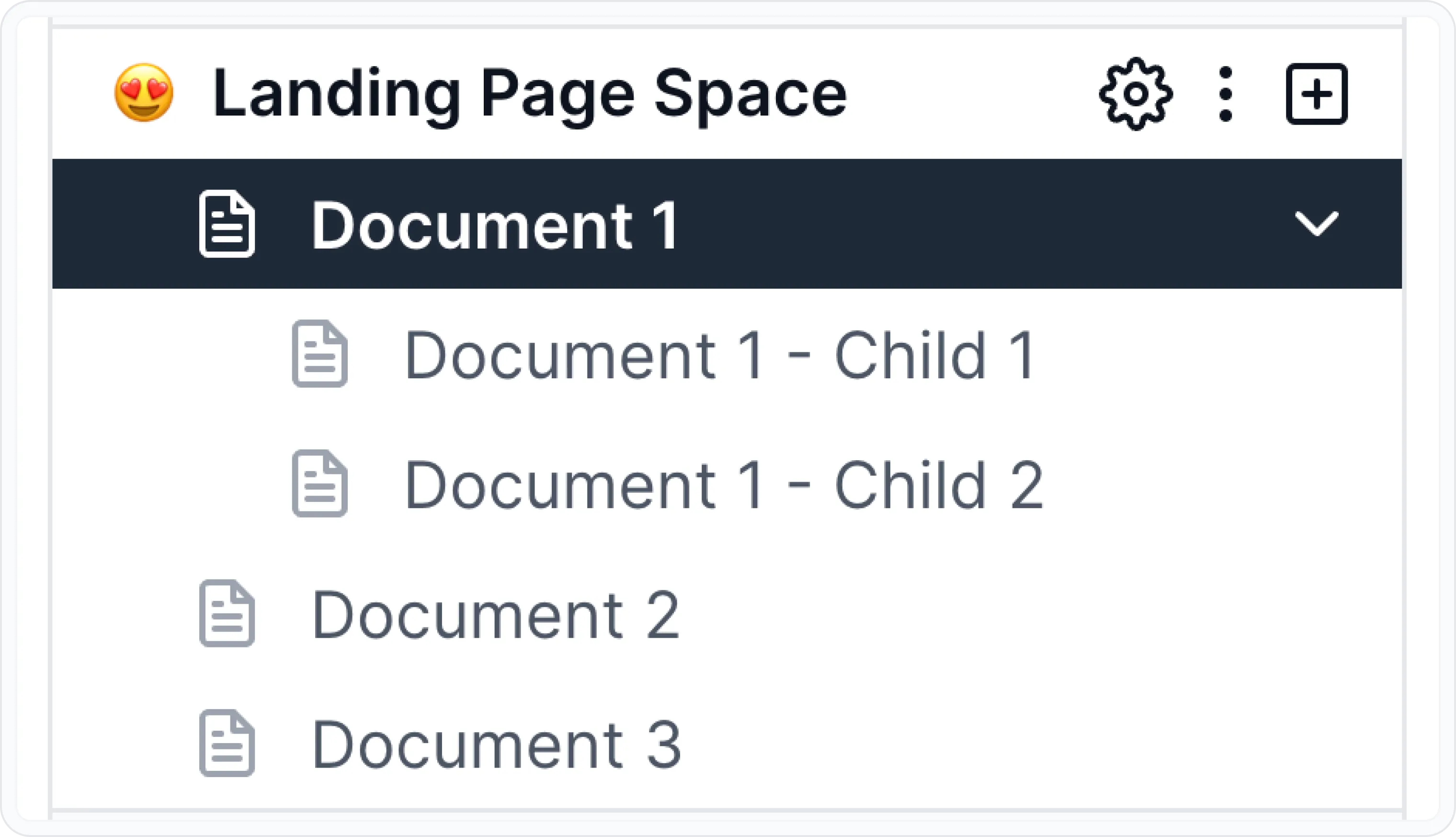
对于如下结构以及上传的 logo:
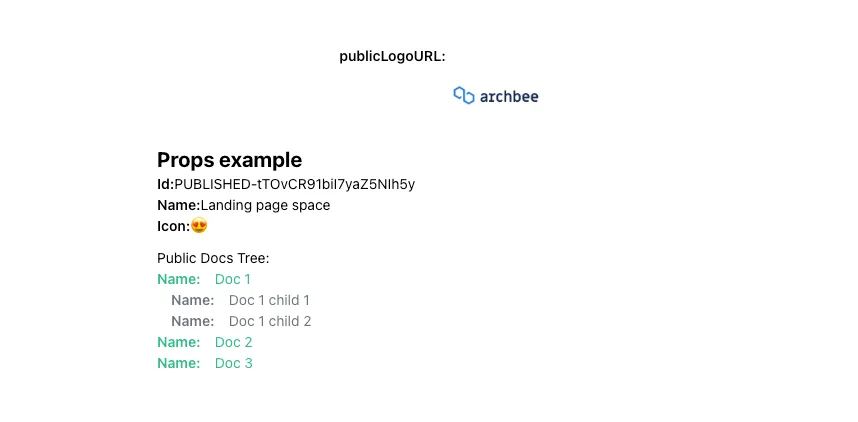
使用上述代码,您应当看到类似以下内容:
用于激活搜索的自定义函数
在自定义登录页中,您可以构建自己的搜索输入框,但您也需要一种方法来显示搜索弹窗——我们已经为您准备好了。
在浏览器的`window` 对象上,您可以调用 2 个方法来控制搜索弹窗。
// shows the search modal
window.showSearch()
// hides the search modal
window.hideSearch()
这些函数也可用于您的自定义脚本中。
Have a question?
Our super-smart AI, knowledgeable support team and an awesome community will get you an answer in a flash.
To ask a question or participate in discussions, you'll need to authenticate first.