Custom code & code snippets with GitHub
Integration with GitHub allows you to sync the Custom Code: customCSS, customJS, footerTemplate, headerIncludes, directly from the GitHub repository. Each value can be raw text, or the path of a file relative to the root folder.
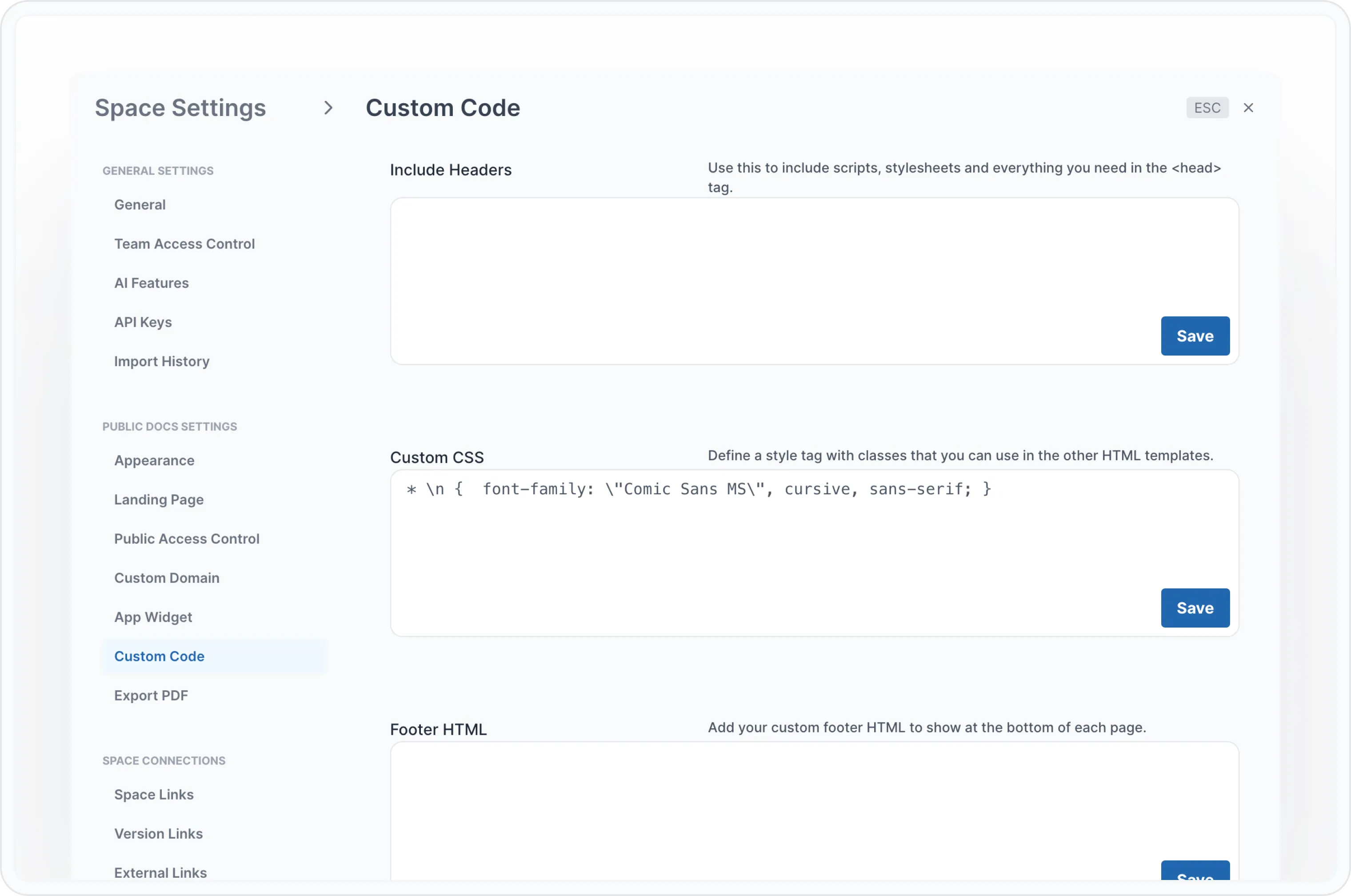
You just need to define the archbee.json file in your repo, or any other config file Archbee reads, and add your custom code or custom CSS, like in this example:
{
  "root": "docfolderwithsummary",
  "structure": {
    "summary": "summary.md",
    "assets": ".archbee/assets"
  },
  "customJS":"custom.js",
  "customCSS":"* \n {  font-family: \"Comic Sans MS\", cursive, sans-serif; }",
  "footerTemplate": "",
  "headerIncludes": ""
}
If you push the code to GitHub, Archbee will read the configuration from the archbee.json file and update the Space Settings -> Custom Code section with your new code. While auto-merge is off, the change waits for review as a Space settings row, and Archbee applies it when you merge. An empty value does not clear the code that is already set.
Code snippets
You can pull lines from any file in your GitHub repo into a code block. Add a ::use line to any Markdown document that Archbee syncs.
Put ::use on its own line at the top level of the document. Archbee does not resolve it inside a callout, a tab or a list.
A relative path starts from the folder of the document that contains the line. A path that starts with / starts from the repository root. Below is an example document, config.md:
## a file in the same folder as this document
::use{file="swagger-v2.json#L2"}

## path from the repository root
::use{file="/app/package.json#L1-L5"}

## path relative to this document's folder
::use{file="../app/package.json#L1-L5"}

## one single line
::use{file="../app/package.json#L5"}

## specify syntax, from and to parameters explicitly, as line numbers without L
::use{file="swagger-v2.json" from="6" to="10" syntax="javascript"}
Example
Assuming that your repository has a swagger-v2.json file next to this config.md file:
## specify syntax, from and to parameters explicitly
::use{file="swagger-v2.json" from="90" to="127" syntax="javascript"}
You will see the following in the Archbee doc after the import:
      "post": {
        "tags": ["pet"],
        "summary": "Add a new pet to the store",
        "description": "",
        "operationId": "addPet",
        "consumes": ["application/json", "application/xml"],
        "produces": ["application/json", "application/xml"],
        "parameters": [
          {
            "in": "body",
            "name": "body",
            "description": "Pet object that needs to be added to the store",
            "required": true,
            "schema": {
              "$ref": "#/definitions/Pet"
            }
          }
        ],
        "responses": {
          "200": {
            "description": "Success!"
          },
          "405": {
            "description": "Invalid input"
          }
        },
        "security": [
          {
            "api_key": []
          },
          {
            "petstore_auth": ["write:pets", "read:pets"]
          }
        ]
      },