Team Access Control
How to control the access to specific Spaces
Spaces are a way to organize your documents around teams or topics. By default, a Space is private, and you can use user groups and role-based access controls to restrict team members' access to it.
Team Access Control is a feature that allows you to manage who has access to each Space on Archbee and what they can do in it: Read, Write, Publish and Archive, plus Review in Spaces that use Branches and Reviews or Drafts and Reviews. For what each permission allows when a Space uses branches, see the Permissions in Branching Spaces page under this one.
These permissions are available only for users invited to an Archbee Organization.
For the permissions available for readers please check Public Access Controls.
Managing Access
Go to Space settings

Click on the Team Access Control tab.
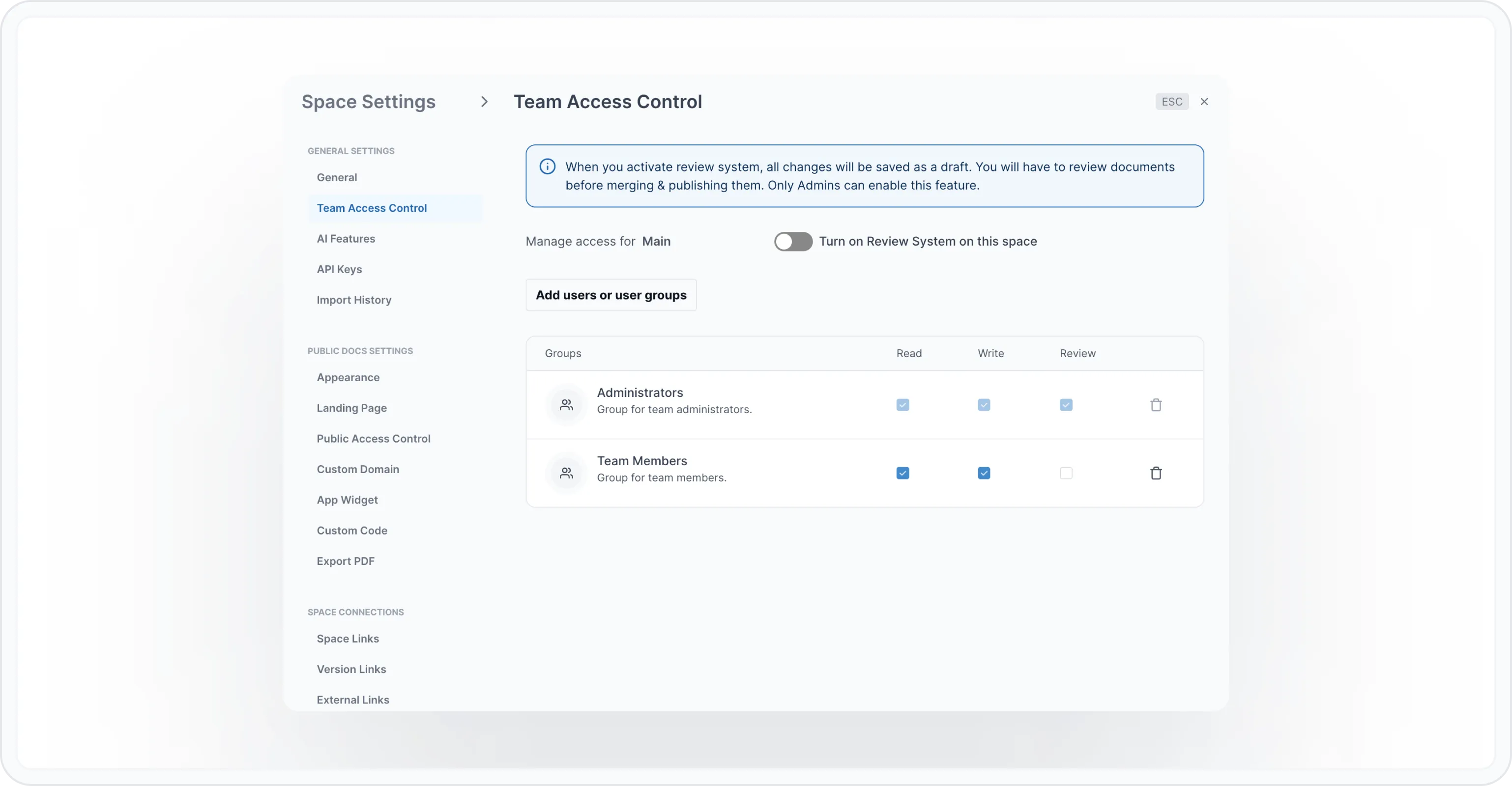
Superadmins and Administrators can manage who has access to each Space and its permissions.
To remove access to a Space, delete the Team Members groups using the trash icon. You can also delete Custom groups or individual users with access to a Space.
To add access to a Space for a user or group, click on the "Add users or user groups" button. You can then search for the user or group you want to provide access to. Tick or untick each permission to provide further control.
Learn More
If you want to learn more about how to manage your organization on Archbee, check out our guide on Manage the Organization