定制代码与代码片段集成 GitHub
4 分
与 GitHub 的集成允许您同步 定制代码: customCSS, customJS, footerTemplate, headerTemplate, 直接来自 GitHub 仓库。这些变量可以是原始文本,也可以链接到 根 文件夹中的文件。
您只需要在仓库中定义 archbee.json 文件,并添加您的自定义代码或自定义 CSS,如本示例所示:
{
  "root": "docfolderwithsummary",
  "structure": {
    "summary": "summary.md",
    "assets": ".archbee/assets"
  },
  "customJS":"custom.js",
  "customCSS":"* \n {  font-family: \"Comic Sans MS\", cursive, sans-serif; }",
  "footerTemplate": "",
  "headerIncludes": ""
}
如果您将代码推送到 GitHub,Archbee 将从 archbee.json 文件中读取配置,并自动使用您的新代码更新 空间设置 -> 定制代码部分。
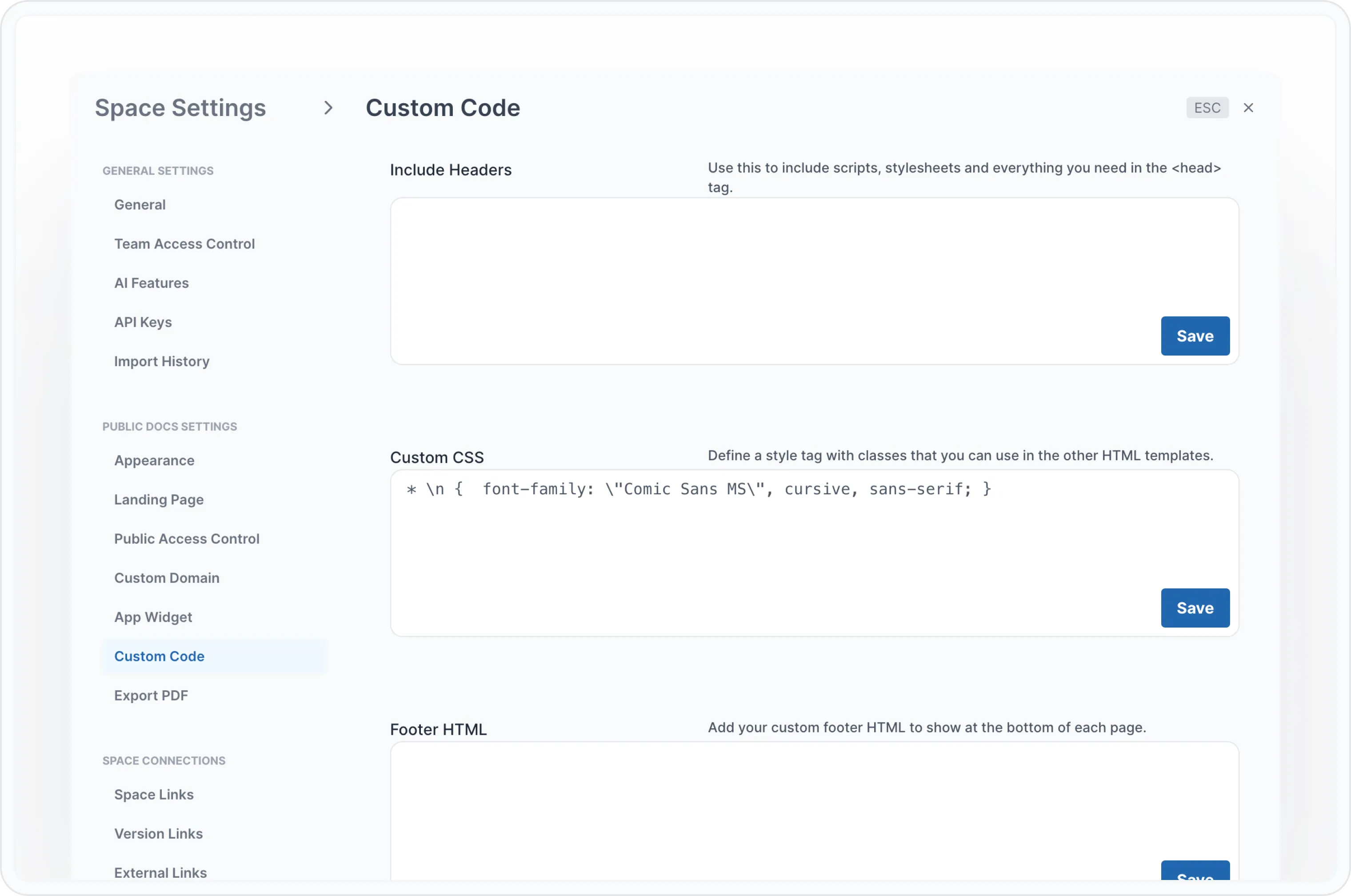
Space 设置中的自定义代码
代码片段
您可以在 GitHub 仓库中添加代码片段,只需在 config.md 文件中进行配置。
config.md 文件必须与 summary.md 文件位于同一文件夹中。
以下是一个 config.md 文件示例:
## use a file relative to  docsPath folder
::use{file="swagger-v2.json#L2"}

## relative path to repo structure
::use{file="/app/package.json#L1-L5"}

## relative path to docsPath folder
::use{file="../app/package.json#L1-L5"}

## one single line
::use{file="../app/package.json#L5"}

## specify syntax, from and to parameters explicitly
::use{file="swagger-v2.json" from="L6" to="L10" syntax="javascript"}
示例
假设您有以下 package.json 文件(来自上面的示例):
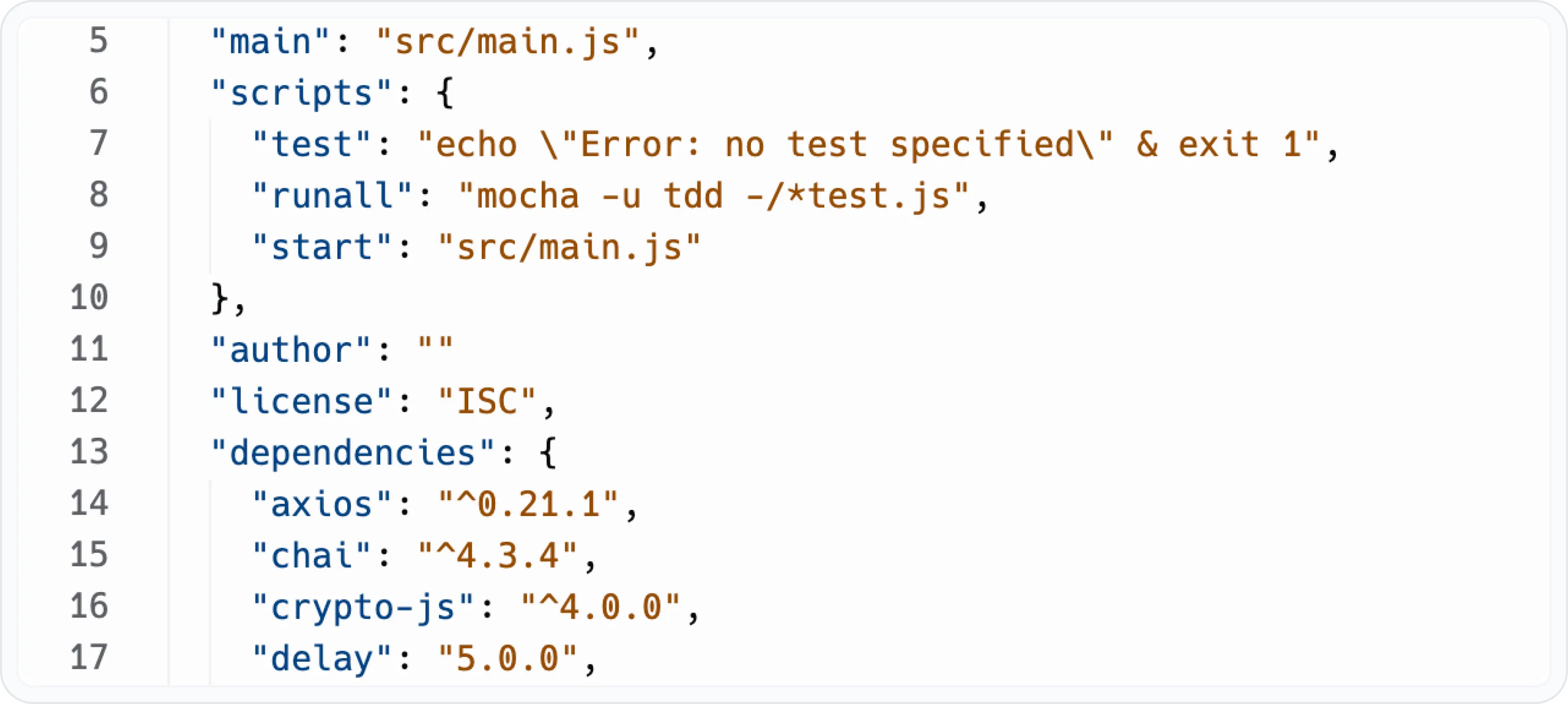
代码片段示例
还有 config.md 文件:
## specify syntax, from and to parameters explicitly
::use{file="swagger-v2.json" from="90" to="127" syntax="javascript"}
导入后您将在 Archbee 文档中看到以下内容:
      "post": {
        "tags": ["pet"],
        "summary": "Add a new pet to the store",
        "description": "",
        "operationId": "addPet",
        "consumes": ["application/json", "application/xml"],
        "produces": ["application/json", "application/xml"],
        "parameters": [
          {
            "in": "body",
            "name": "body",
            "description": "Pet object that needs to be added to the store",
            "required": true,
            "schema": {
              "$ref": "#/definitions/Pet"
            }
          }
        ],
        "responses": {
          "200": {
            "description": "Success!"
          },
          "405": {
            "description": "Invalid input"
          }
        },
        "security": [
          {
            "api_key": []
          },
          {
            "petstore_auth": ["write:pets", "read:pets"]
          }
        ]
      },
Have a question?
Our super-smart AI, knowledgeable support team and an awesome community will get you an answer in a flash.
To ask a question or participate in discussions, you'll need to authenticate first.