作为 Shadow 文档的代码库
4 分
什么是 Code Base 作为 Shadow Docs
当您将 GitHub repo 同步到 Archbee 中的某个 Space 时,您可以选择将您的 Code base 作为 Shadow Docs 导入该 Space。访问 影子文档 以了解更多信息。
添加到 Shadow Docs 文件夹中的每个文档都不会显示 在您发布的 portal 上,无论是客户还是内部用户都无法查看。通过 Shadow Docs 提供的 code 仅用于训练您的 AI,使其能够回答用户关于您代码的问题。
我该如何使用它?
以下是两个最常见的使用场景:
- 将您的 app code base 同步到某个 Archbee Space。发布一个内部(受保护、非公开)的 portal 给您的技术和非技术团队。该 portal 由我们的 AI 驱动,能够回答问题,甚至基于您的 code-base 提出改进、集成、优化等建议。
- 将您的 app code base 同步到某个 Archbee Space。为您的用户发布一个公共 portal。在这里,您的用户能够直接获得关于如何使用您的 App、APIs、SDK、Libraries 等内容的答案。
如何配置
在 archbee.yaml 文件中,您需要配置 shadowDocs 参数,将其设置为您想与 Archbee 同步的 code base 路径。
# This will include all code files from your repo
shadowDocs:
  - "*"
# This will include only the index.ts code file
shadowDocs:
- "init/index.ts"
# To also include documentation files from docs folder
root: docs导入后将显示如下
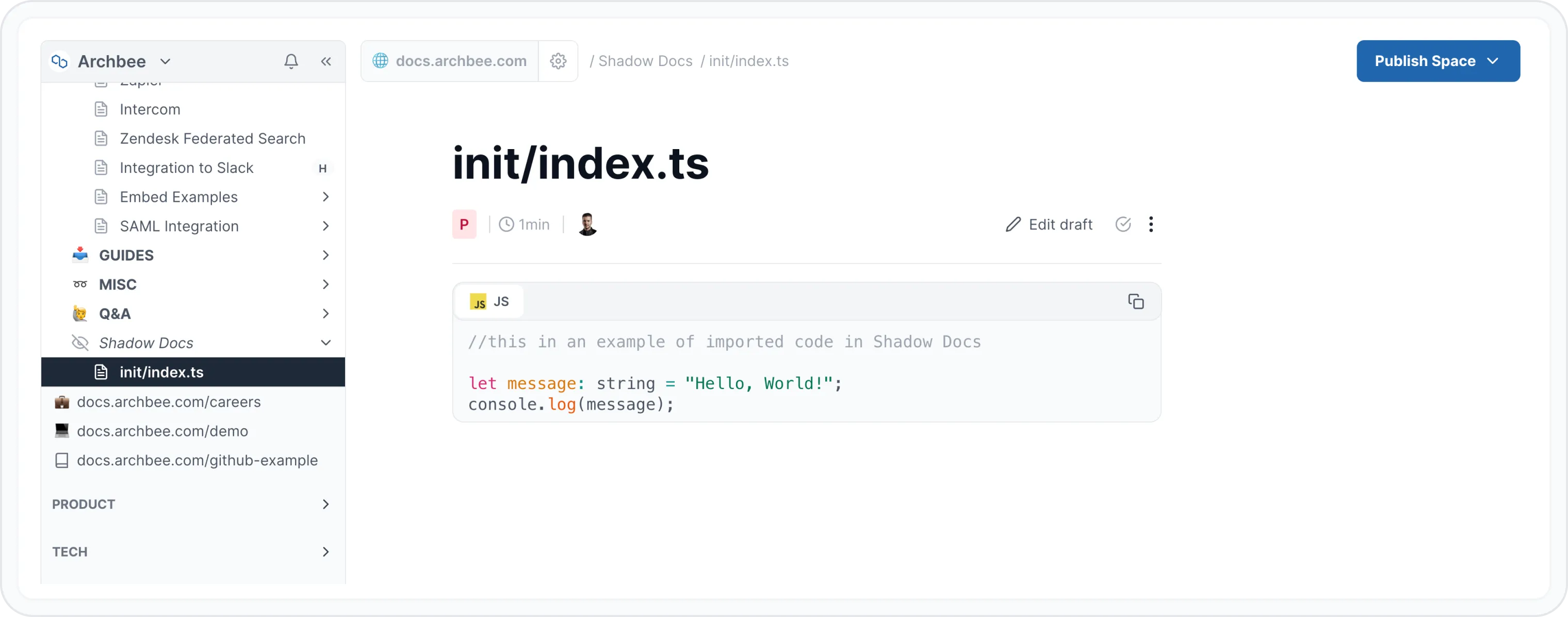
确保您在 Organisation Settings 中启用了 AI 插件
总结
- 通过 Shadow Docs 同步的所有 code 文件在任何时候都不会公开
- 其主要目的是为我们的 AI 提供上下文,使其能够回答技术问题,并向您的内部或公共用户提供技术建议
Have a question?
Our super-smart AI, knowledgeable support team and an awesome community will get you an answer in a flash.
To ask a question or participate in discussions, you'll need to authenticate first.